

If you spend any time on a forum about NAS or Homelab, you will come away with the impression that using ECC memory with ZFS It is a sacred commandment. This recommendation is repeated to the point that it starts to sound more like a requirement than advice, and newcomers are left thinking that a non-ECC build is basically a data loss machine waiting to corrupt your data. I don’t think that’s true, despite having been a victim of memory-related file corruption in the past.
RAM ECC (error correction code) detects and corrects memory errors on the fly, and is objectively superior to non-ECC RAM, assuming your motherboard supports it and it doesn’t break your budget. There is no doubt that it is the best option as long as it is available. But at the same time, non-ECC RAM does not turn your NAS into a ticking time bomb. Once you understand how these failures occur, you will see that they are not that difficult to detect before they cause data loss.
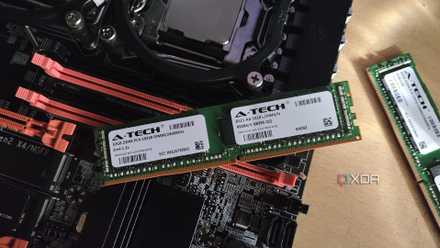
What does ECC really protect against?
And why is everyone afraid of the “scrub of death” in ZFS?
ECC protects against bit flips, which are small errors in which a single bit in memory changes value. This can happen due to a variety of factors, such as a cosmic ray hit, electrical interference, or simply an aging module. On a regular PC, a small twist can crash a program you’re running or damage a pixel in a photo you’re editing. On a NAS running ZFS or Btrfs, these bit flips have a more drastic impact. Those file systems work by calculating file checksums before writing data to disk. Damaged bits can be added as correct, causing silent file corruption.
There is a specific scenario called “death cleanup” that is tied to ZFS and non-ECC RAM. TO ZFS cleanup is an integrity check which reads each block of data and compares it with its checksum. The goal of these scrubs is to protect against bitrot and silent data corruption. If ZFS finds a block that is not correct, it can replace the bad block with one that is verified as correct from a mirror or reconstructed from parity. The story goes that if a ZFS wipe is performed with bad non-ECC RAM, the checksum calculations will produce discrepancies and the good data will be overwritten with corrupt data, effectively destroying the entire storage pool.
Although this warning is parroted a lot, it is not entirely realistic. For it to happen as described, the same faulty memory address would need to access large amounts of data in a way that produces incorrect checksums. Since RAM degrades unevenly, a faulty module is very likely to announce failures and instability long before it can poison an entire set of data.
me personally experienced a similar scenario where faulty RAM corrupted numerous files on a low budget NAS I built years ago. I wasn’t even using ZFS, which shows that even common filesystems are susceptible to bit flips. My backup script consisted of only rsync commands, including one that ran a checksum (rsync -c option) every few weeks. When I noticed that different copies of the same files had different checksums, I investigated the problem further and a memory test revealed that one of my RAM sticks was defective. I changed it and the problem was resolved without data loss. ECC RAM would have prevented the corruption in the first place, but my data was saved thanks to my extra diligence.
Why people still insist on ECC for NAS builds
Real risk, not horror stories

It is true that the file system checksum assumes that the data it is protecting is intact when it reaches the checksum calculation. If your RAM corrupts a file before that step, ZFS will happily verify the corrupted version and treat it as verified and correct from then on. ECC RAM is worth it for that problem alone. Otherwise you need Systems established to detect corruption. after the event.
That said, bit flips are rarely to blame for data corruption and loss, at least in my own NAS hosting experience and in the stories I’ve read from other home labs online. Corruption is usually traced back to faulty hard drives, faulty cables, outdated power supplies, improper shutdowns, power surges, and many other causes. Generally it is not the fault of the RAM. For write-heavy NAS boxes that host busy databases, or those that host massive storage pools, the cost increase for ECC RAM becomes much more justifiable, as the risk of data corruption increases with the size and activity of the configuration.
If ECC RAM isn’t an option, you’re not entirely out of luck
Before relying on any RAM drive on your NAS, you should run Memtest86+ for several long passes. Carrying out regular checks is essential so that corruption can be detected and corrected early on, instead of accumulating. Installing the system on a UPS to mitigate impure shutdowns is one of the best things you can do and is arguably more important than ECC memory.
Above all, have a real backup strategy. A good backup saves you from problems that your file system and memory cannot handle. This is how I survived an episode of bad RAM without losing a single byte.



