

Microsoft is exploring several improvements to the Windows 11 shell and user experience that will bring your smartphone into more aspects of the operating system. According to my sources familiar with these plans, the company is working to expand and improve Telephone link smartphone integration experiences to make them feel more native to Windows.
First of all, I heard that Phone Companion in Home is set to receive some updates. It’s gaining the ability to show more recent activities, and users can scroll through the list without needing to open the Phone Link app. I also heard that users will be able to hover over activities to see more information, such as a full message or photo.
I also heard that a new dedicated drop-down menu for smartphones is being tested, which will exist in the taskbar in the system tray. The phone icon will be present whenever your phone is connected and clicking on it will open a drop-down menu giving the user an overview of the status of their phone.

It will have buttons to toggle things like do not disturb, vibrate mode, find phone and more. You can also share files directly to your phone by dragging them to the icon.
Another feature Microsoft is looking at is syncing clipboard history between your phone and PC using Windows 11’s dedicated Clipboard feature. Currently, you can sync your clipboard from your phone and PC, but it only remembers the last thing you copied. Clipboard history will provide you with a synchronized list of everything that has been copied.
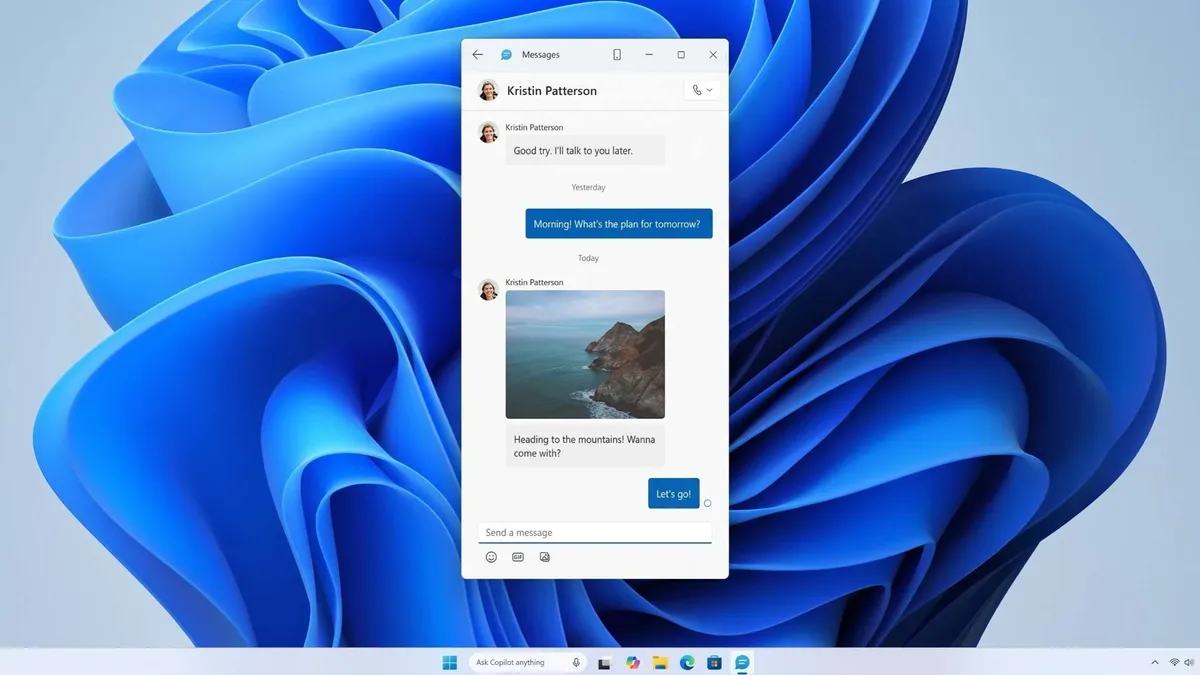
Microsoft is also working on a new dedicated Messages app for Windows 11 that will sync your phone’s SMS conversations and let you reply and start chats with your contacts. This experience builds on the messaging feature already present in the Phone Link app, but will exist as a standalone app that can be pinned and launched from the Start menu.
Sources say all of these features are being explored and prototyped internally, but that’s no guarantee they’ll ship as described. The company likely plans to gather feedback from Insiders before committing to shipping anything concrete.
My understanding is that the goal of these improvements is to slowly integrate Phone Link capabilities natively into the Windows shell. Phone Link has existed as a standalone app on top of Windows 11, but over the last year we’ve slowly seen new smartphone integration features added directly to the Windows operating system, bypassing the Phone Link app entirely.
Features like the ability to view your phone’s file system and photos in the File Explorer app, or use your phone’s camera as a webcam on your PC are just two examples of how Microsoft has already been working to integrate your smartphone more seamlessly into Windows 11 UX.
I don’t know what the future holds for the Phone Link app, but it’s clear that Microsoft isn’t done linking your phone to your PC. It’s working on more improvements that will make your smartphone feel like a natural extension of your computer, with experiences that feel native Windows UX.

Join us on Reddit at r/WindowsCentral to share your ideas and discuss our latest news, reviews and more.



