

Microsoft is expected to release the 2026 update for Windows 11 (version 26H2) later this year, marking the fifth feature update for the desktop version of the operating system. However, this version is not a complete change of the operating system, but it is still important not to skip it.
on this guideI’ll walk you through 10 interesting facts about Windows 11 version 26H2 that you should know before upgrading once it’s available.
Facts you should know about Windows 11 version 26H2
These are some data about the new version for Windows 11.
1. Same operating system platform
Although the company will market Windows 11 version 26H2 as a new version, it shares the same platform as version 25H2, meaning both operating systems are identical under the hood. This is exactly the same case as the 24H2 and 25H2 versions.
2. Same set of features and improvements.

Windows 11 version 26H2 includes the same features and improvements already available in version 25H2. Microsoft is not introducing a separate feature set for this version because both versions share the same platform.
Perhaps the most notable differences between Windows 11 versions 26H2 and 25H2 are their version and build numbers, along with their support lifecycle.
For example, version 26H2 uses build numbers in the 26300 series, while the 25H2 version uses the 26200 series. Now, despite the different build numbers, updates for both versions generally share the same cumulative update (KB) number because they are based on the same code and include the same features and improvements.
Microsoft is expected to continue supporting both versions with the same features and improvements for the foreseeable future. As a result, Version 26H2 is not expected to introduce any major new capabilities at launch.. Instead, it serves as another version of the enablement package that activates a new version number while preserving the same experience that users already have in version 25H2.
3. Installation based on enablement packages
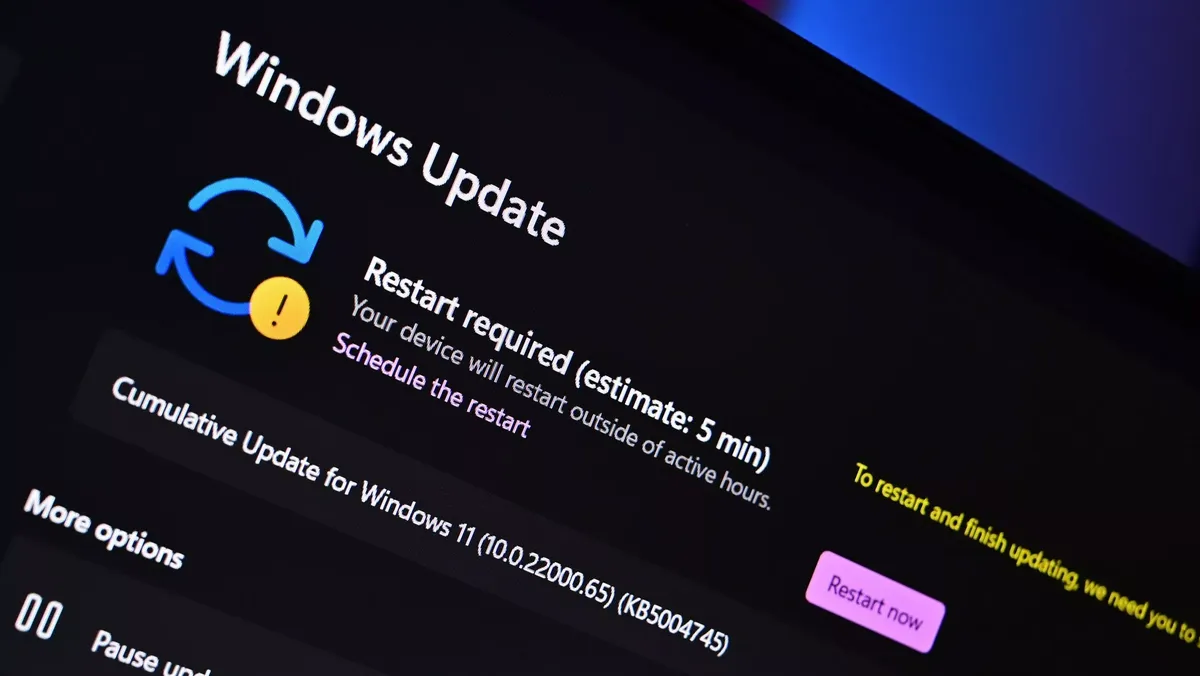
Like Windows 11 version 25H2, version 26H2 is expected to roll out as a Enablement package (eKB). This means that if you are already running version 25H2, upgrading to 26H2 will be similar to installing a regular monthly cumulative updatewithout requiring a complete reinstallation of the operating system.
An enablement package is a small update that acts as a switch to activate features that are already included in the operating system but are kept inactive. Once installed, simply change the version number from 25H2 to 26H2 while enabling the new version (if applicable).
Because version 26H2 shares the same platform and feature set as version 25H2, the installation process is expected to be quick and require only one reboot. As with previous versions of the enablement package, Microsoft will likely offer the update as an optional installation at first before making it automatically available to eligible devices as version 25H2 nears the end of its support lifecycle.
4. Full Reinstall Update
Although Windows 11 version 26H2 is virtually identical to version 25H2, the upgrade path depends on the version currently installed on your computer.
If you are already running Windows 11 version 25H2 (or 24H2), you can upgrade via the enablement package without reinstalling the operating system. However, Devices running an older version (such as version 23H2) will need to perform a full feature update to move to version 26H2..
5. Upgrade from Windows 10
If your computer is still running Windows 10, upgrading to Windows 11 version 26H2 requires a full feature update. Supported devices will receive the latest supported version of Windows 11 directly through Windows Update, so you won’t have to install 24H2 or 25H2 first.
If your computer does not receive the update through Windows Update, you can also perform a local update using the Microsoft installation media.
6. Direct upgrade from previous versions

You can directly upgrade to Windows 11 version 26H2 from version 23H2, 22H2, or an earlier version, as well as from windows 10using the ISO file or other Microsoft installation media.
These methods perform a standard local feature update, allowing you to keep your files, apps, and settings while you install the latest version of the operating system.
Although upgrading from Windows 11 versions 24H2 or 25H2 to version 26H2 via Windows Update only requires installing a small enablement package, using the official ISO file or other installation media will perform a complete in-place upgrade.
Installation still preserves your files, applications, and settings, but reinstalls the operating system instead of simply activating the new version with the enablement package. This results in an unnecessarily longer installation process compared to updating through Windows Update.
8. Reasons to upgrade to version 26H2
Since the last three versions of the operating system are virtually identical, the main reason for upgrading is to extend the support lifecycle of your device rather than to gain access to new features.
Windows 11 version 25H2 will remain supported until October 2027, but upgrading to version 26H2 extends support for another year. As with previous versions, Microsoft is expected to provide 24 months of support for the Home and Pro editions and 36 months for the Enterprise and Education editions.
This also means that there will be no urgency to update as soon as version 26H2 is available. Because these versions offer the same features and improvements, you can continue using version 25H2 until you are ready to switch. However, you should plan to install version 26H2 before version 25H2 reaches the end of its support lifecycle to continue receiving security updates and bug fixes.
It is worth noting that version 24H2 will be retired on October 13, 2026 and it is recommended to upgrade to the next supported version as soon as possible.
9. Same hardware requirements
Windows 11 version 26H2 does not introduce new hardware requirements compared to version 25H2. The same requirements remain for supported processors, TPM 2.0, and other system components.
These are the minimum requirements to install or upgrade to Windows 11:
- UPC: 1 GHz or faster processor, or System on a Chip (SoC) with at least two cores.
- RAM: 4 GB or more.
- Storage: Storage device of 64 GB or more.
- Firmware: UEFI firmware with secure boot capability.
- TPM: Trusted Platform Module (TPM) version 2.0.
- Graphics: Compatible with DirectX 12 or later with a WDDM 2.0 driver.
- Show: High definition screen (720p) with more than 9 inches diagonal, with 8 bits per color channel.
This means that if your device can already run Windows 11 version 25H2, it will also be compatible with version 26H2 without requiring any hardware changes.
10. The implementation strategy will be gradual
Although the enablement package that upgrades Windows 11 from version 25H2 to 26H2 is a small update, Microsoft will likely follow the same gradual rollout strategy used in previous versions.
The company typically uses the Controlled Feature Rollout (CFR) system to monitor the upgrade experience, check for potential compatibility issues, and expand availability over time. As a result, not all devices will receive the Windows 11 2026 update immediately through the Windows Update settings page.
Availability will gradually expand over several weeks or months as the company confirms that the update is ready for a wider range of hardware configurations. If your device doesn’t see the update right away, it doesn’t necessarily mean there’s a problem. It simply means that the implementation has not yet reached your hardware configuration.
Windows Central’s opinion

I think the Windows 11 2026 Update is a good example of how the software giant is changing the way it offers updates. A new version number no longer automatically means a major redesign or a long installation process. Instead, the company is leaning more toward smaller transitions that keep computers up to date with fewer interruptions.
Based on my experience with the OS, I think this approach makes a lot of sense. Historically, full feature updates have been among the most complicated parts of operating system maintenance, often leading to compatibility issues, driver issues, and update failures. By using an enablement package model, Microsoft can speed up the transition, reduce the risk of errors, and make it easier for more users to move to the latest supported version.

This strategy also benefits the company because a simpler upgrade experience could encourage more people to stay on newer versions rather than delaying upgrades for months or years. When an update takes just a few minutes instead of requiring a full operating system installation, users are more likely to accept it.
That said, I don’t see 26H2 as an update that users should install immediately. If you are already running 25H2, the main reason for switching will be support rather than new features. However, I think this is a better direction for the OS. Making updates faster and more reliable could help reduce problems that have caused many users to delay installing new versions.
What do you think about Windows 11 version 26H2 following the same path as 25H2? Do you prefer smaller, more fluid updates or do you want major new features with each release? Let me know in the comments.
More resources
Explore more detailed how-to guides, troubleshooting tips, and essential tips to get the most out of Windows 11 and 10. Start browsing here:

Join us at Reddit at r/WindowsCentral to share your ideas and discuss our latest news, reviews and more.



