
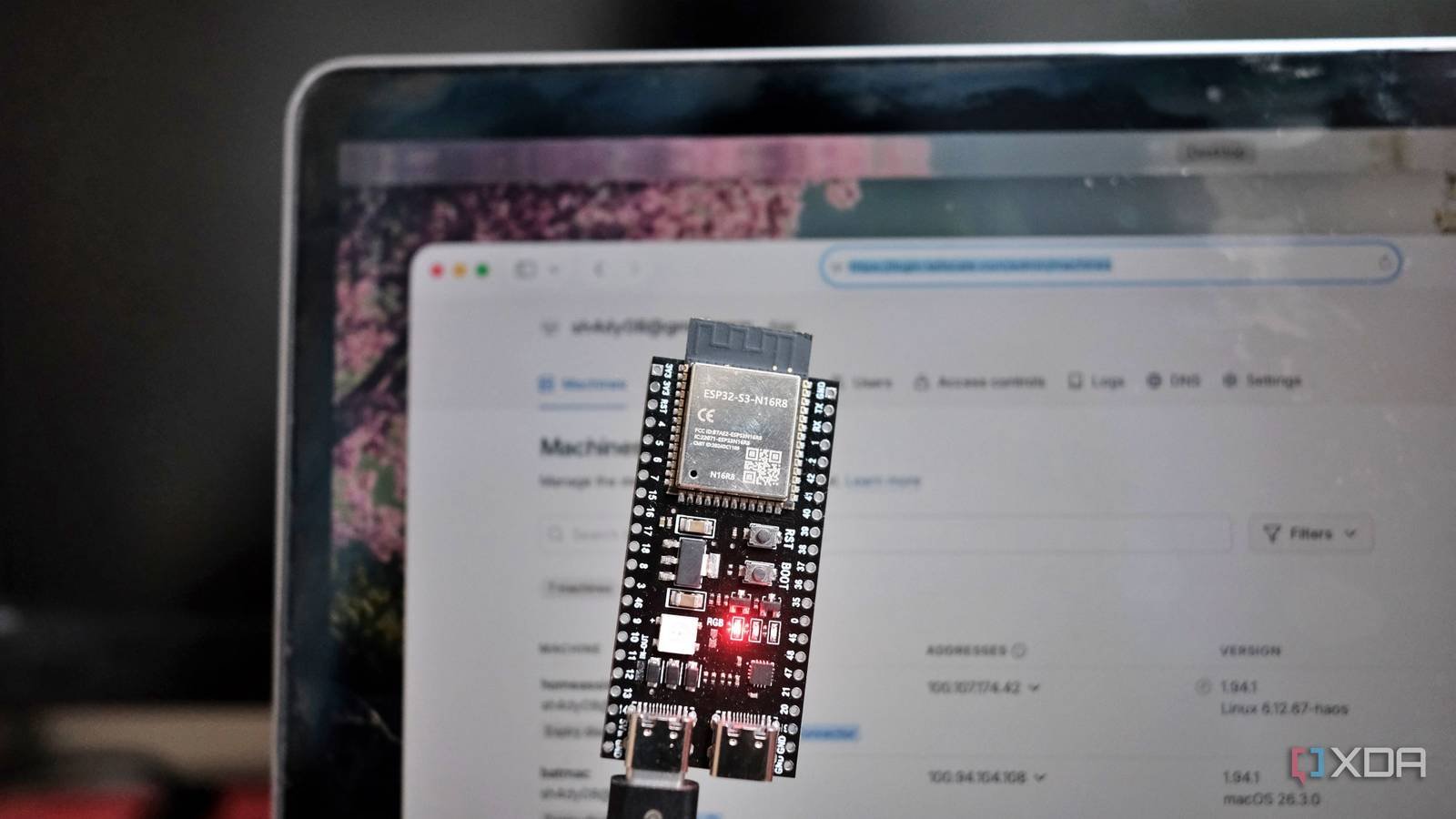
I run a humble home lab with Proxmox, Home Assistant, Raspberry Pi, a NAS and computers. When I travel, I need to SSH into one of those machines. But I don’t want to expose anything to the Internet. That’s why I chose an ESP32-S3 to access my home devices from anywhere.
Let me be honest: this ESP32-based VPN gateway is designed for lightweight functions. is not a High speed VPN gateway that can route all network traffic. That said, I wanted a low-power, always-on solution that would allow me to SSH into my home server, Raspberry Pi, or other devices on my LAN. Thanks to MicroLink project on GitHubit is possible.
With a little effort, the $10 ESP32-S3 with Tailscale turned out to be exactly what I needed and the best addition to my home lab in a long time.

Why an ESP32 over a Raspberry Pi
Does a job reliably

The idea is to use a single Tailscale device instead of installing the client on each machine on the home network. Anyone may ask: why not use a Raspberry Pi instead of an ESP32?
The Pi can run the official Tailscale client and setting up on Linux takes less than 10 minutes. But using an SBC like the Pi just to run a Tailscale entry point is overkill. Even Pi Zero W works. I had an ESP32-S3 lying around and was curious to see if it was up to the task.
The ESP32 consumes about 0.5W of power compared to 1.5W for a Pi. Considering I plan to run an ESP32 as an always-on device, the overall consumption adds up and is still less than a Pi. Additionally, there is no Linux or operating system to maintain or update.
Unlike the Raspberry Pi, there is no risk of damaging a microSD card. The ESP32 boots in two seconds, while a Pi-based system takes at least 30 seconds to boot, even in a headless configuration running on an NVMe SSD.
My main reason for choosing an ESP32 for the task was that it connects to Tailscale and stays silently on my home network. As a dedicated entry point, it ensures reliability with simplicity, which is much better than running a full Linux environment that would otherwise be underutilized.
What makes the ESP32 work as a VPN gateway?
Simple and efficient project in the use of resources
The MicroLink project on GitHub allows the use of Tailscale on ESP32. It is a Tailscale-compatible VPN client that implements WireGuard encryption, noise handshake for authentication, Tailscale DISCO Protocol to discover peer machines and HTTP/2 via encrypted transport. It’s a real implementation of all that, running bare metal on FreeRTOS.
Honestly, getting the MicroLink project working on my ESP32-S3-N16R8 model took a few hours. I cloned the MicroLink project into my project directory as a component. I used a reusable one Final Scale Authentication Key so that the ESP32 can authenticate without an interactive interface.
The main hurdle was ensuring enough space for TLS handshakes. For that, I enabled PSRAM properly, so that MicroLink would have enough memory to work with it. Once I resolved that, the device used authentication keys to register and even a VPN IP appeared in the Tailscale admin console, along with other devices.
Using ESP32 to access and wake machines
No need to install Tailscale everywhere

Once the ESP32 joins my Tailscale network, I use it as an SSH jump host to reach any machine on my home LAN.
For example, ssh -J tsd samir@192.168.1.5 allows me to log into my Raspberry Pi from anywhere. Here, tsd is the name of the ESP32 device and IP is the IP address of the target machine.
When the machines are turned off or in sleep mode, I use Wake-on-LAN to push them and wake them up. This is the command I use to send a magic packet and wake up a machine on my home LAN:
curl "http:///wol?mac=AA:BB:CC:DD:EE:FF"
Since MicroLink lacks an SSH server at the time of writing, I run a lightweight HTTP server on ESP32 to Wake-on-LAN functionality.
Living with some deficiencies
Things to consider

The idea was not to create a high-speed VPN for data transfer or for streaming 4K content. Real-world speeds are only a couple of Mbps. So copying a large file or watching a camera feed will overload the connection.
Increasing the duration from 3000 milliseconds to 6000 milliseconds to allow Tailscale to use STUN servers to discover the public IP for peer-to-peer situations helped fix the timeout issues. I changed the DISCO socket binding to port 51821 since WireGuard uses port 51820. Finally, I forced the heartbeat to always skip, so that Tailscale would stop closing connections every 2 seconds.
The updated code is available in my GitHub page to flash and perform more tests.

Always-On, Low-Power VPN Gateway Hardware
Honestly, the ESP32 doesn’t replace a full VPN router, and it was never intended to. For my use case, I needed a single entry point to SSH into my home lab and wake up my home machines remotely. I managed to do it for a fraction of the power and cost of popular Linux-based alternatives.
The MicroLink project does the heavy lifting of providing a Tailscale client for ESP32, and adding a Wake-on-LAN server would add value to my purpose. If you have an ESP32-S3 lying around, show this code and turn it into an weekend project for your home laboratory.



