
microsoft will be launched in April 2026. security update for windows 11 on April 14, 2026. The update applies to versions 24H2 and 25H2. Includes improvements to Smart App Control, expanded support for Narrator image descriptions, improvements to the Settings app, fixes for File Explorer, and display improvements such as support for refresh rates higher than 1000 Hz.
Some features will be rolled out gradually through controlled feature rollout, so not all users will see all changes immediately after installing the update.
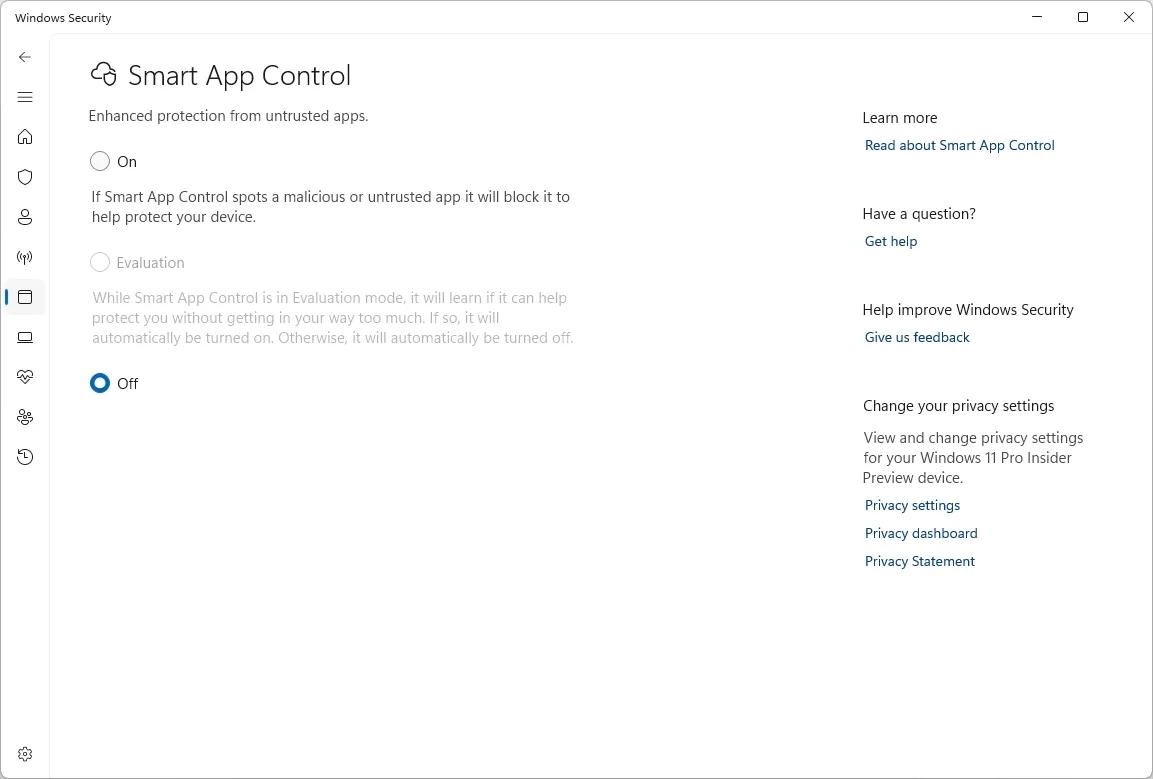
Smart App Control Changes in April 2026 Update
(Image credit: Mauro Huculak)
Smart App Control, which restricts the system to running only trusted applications, previously required a clean installation of Windows to be enabled and could only be disabled by reinstalling Windows. The April update removes that requirement. Settings can now be accessed directly from Windows Security in Application & Browser Control without reinstallation.
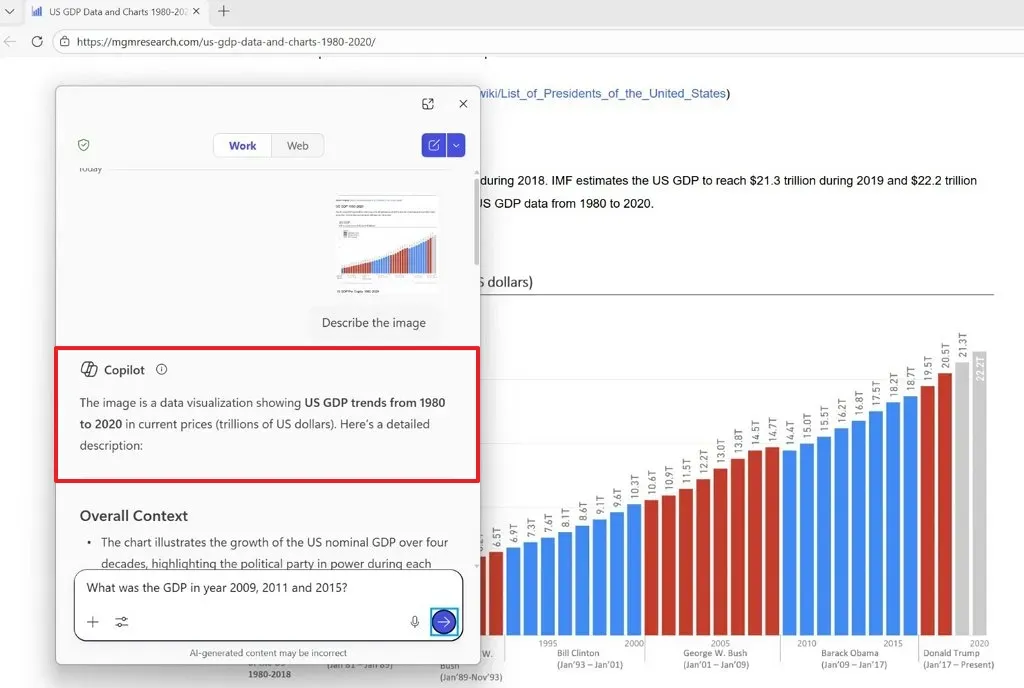
Narrator image descriptions for non-Copilot+ devices
(Image credit: Mauro Huculak)
Narrator’s AI-based image description feature was previously available only on Copilot+ PCs with a local AI model. The April update expands access by routing image analysis through Copilot, making the feature accessible on standard Windows 11 devices.
To activate the feature, users can use two keyboard shortcuts: pressing the Narrator key plus Ctrl plus D will describe the focused image, while pressing the Narrator key plus Ctrl plus S will describe the entire screen.
Changes to the Settings app in the Windows 11 April 2026 Update
(Image credit: Mauro Huculak)
The home page in Settings has been updated to improve loading performance and fix reliability issues related to downloading updates through Settings, System, and Advanced. The About page is reverting a previous change and will now restore the hardware spec cards to the top of the page. Additionally, graphics and storage details are being added to the Device Information section.
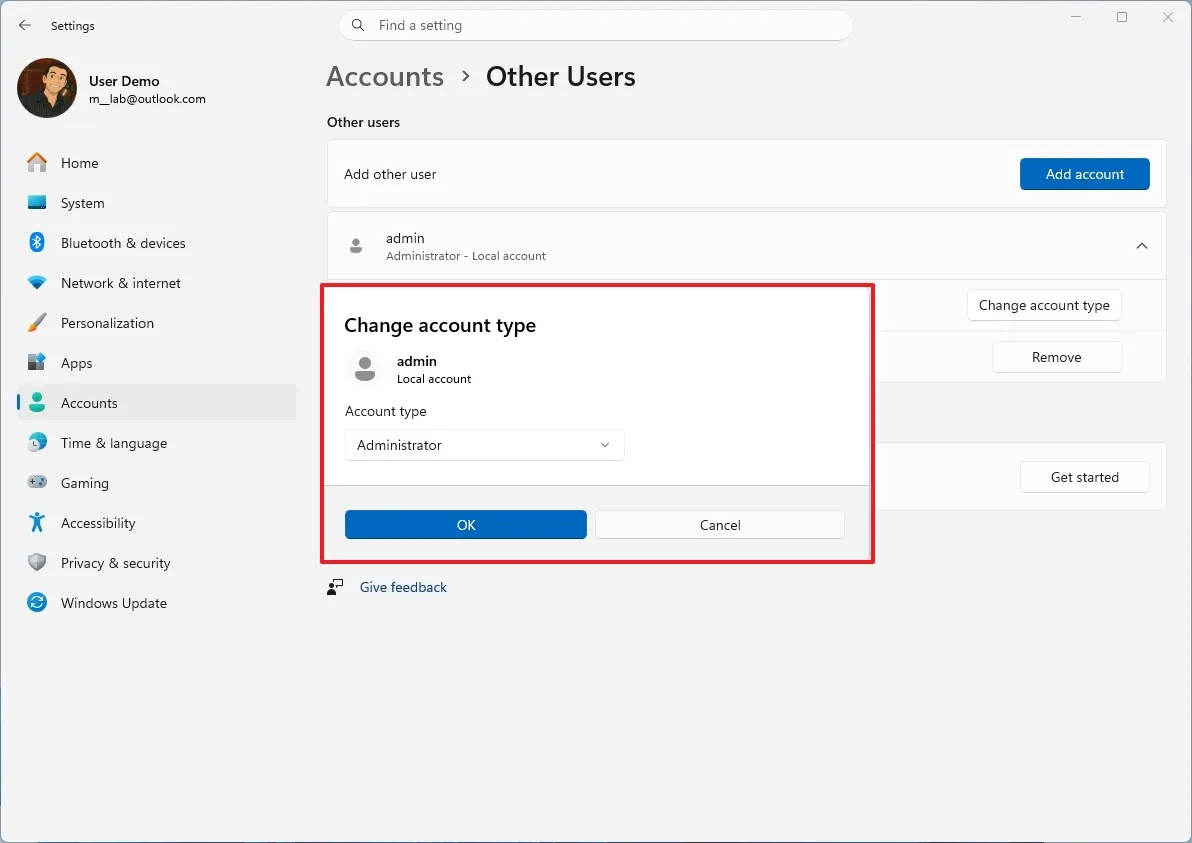
In the Accounts section, users with a Microsoft 365 family plan connected to the device will now see an update message. This message can be disabled by turning off suggested content in Settings. The Other Users page received an update to the change account type dialog, aligning it more closely with the Windows 11 design language.
The pen settings page now includes a new option called “Same as Copilot key,” which allows users to configure the pen button to open the same app assigned to the Copilot key.
Fixes and improvements to File Explorer
(Image credit: Mauro Huculak)
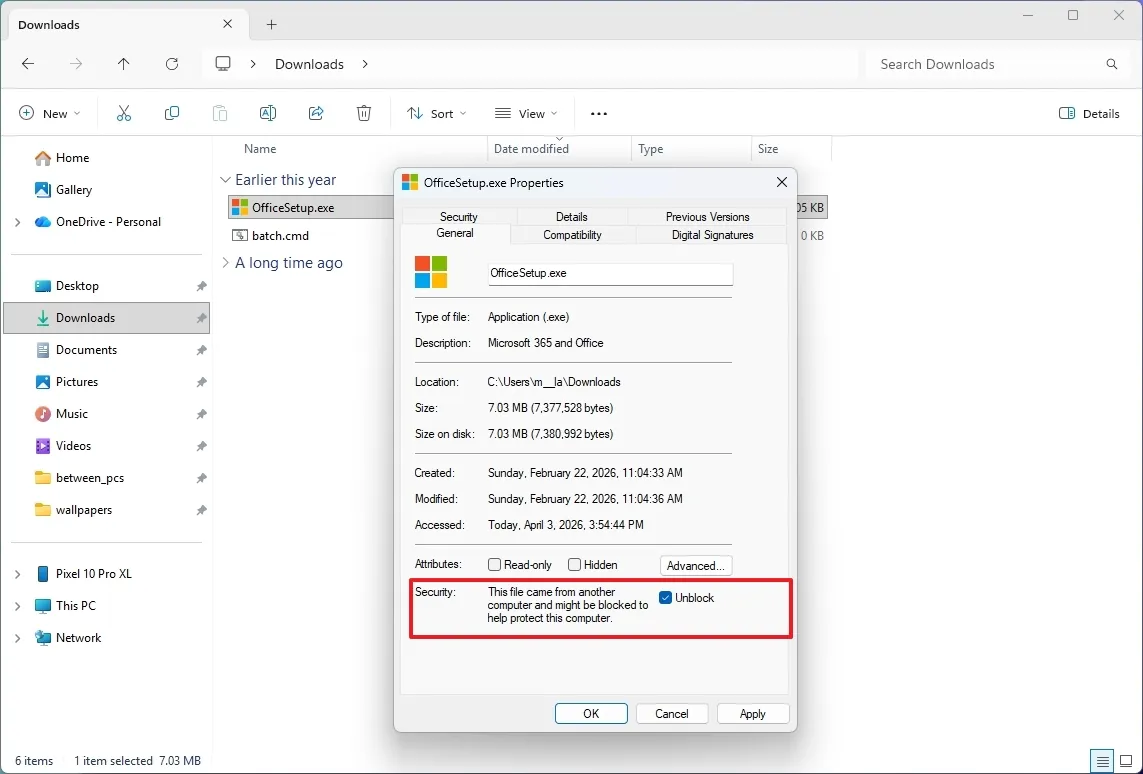
File Explorer now supports voice typing to rename files. The update also resolves a white flash that occurs when opening a new tab or window with This PC set as the default home page. Additionally, it fixes an issue when resizing elements within the app and improves reliability when unlocking files downloaded from the Internet for preview.
Improvements in visualization and monitoring
The update introduces support for displays reporting refresh rates of 1000 Hz or higher, reflecting the new gaming monitors introduced in CES 2026. It also includes changes to display behavior, such as lower power states for native USB4 monitor connections during sleep mode, more reliable auto-rotate after waking, improved HDR performance for displays with non-compliant DisplayID 2.0 blocks, and more accurate physical size reporting for DisplayID monitors via WMI monitor APIs. The April 2026 security update will be released on April 14, 2026.




