
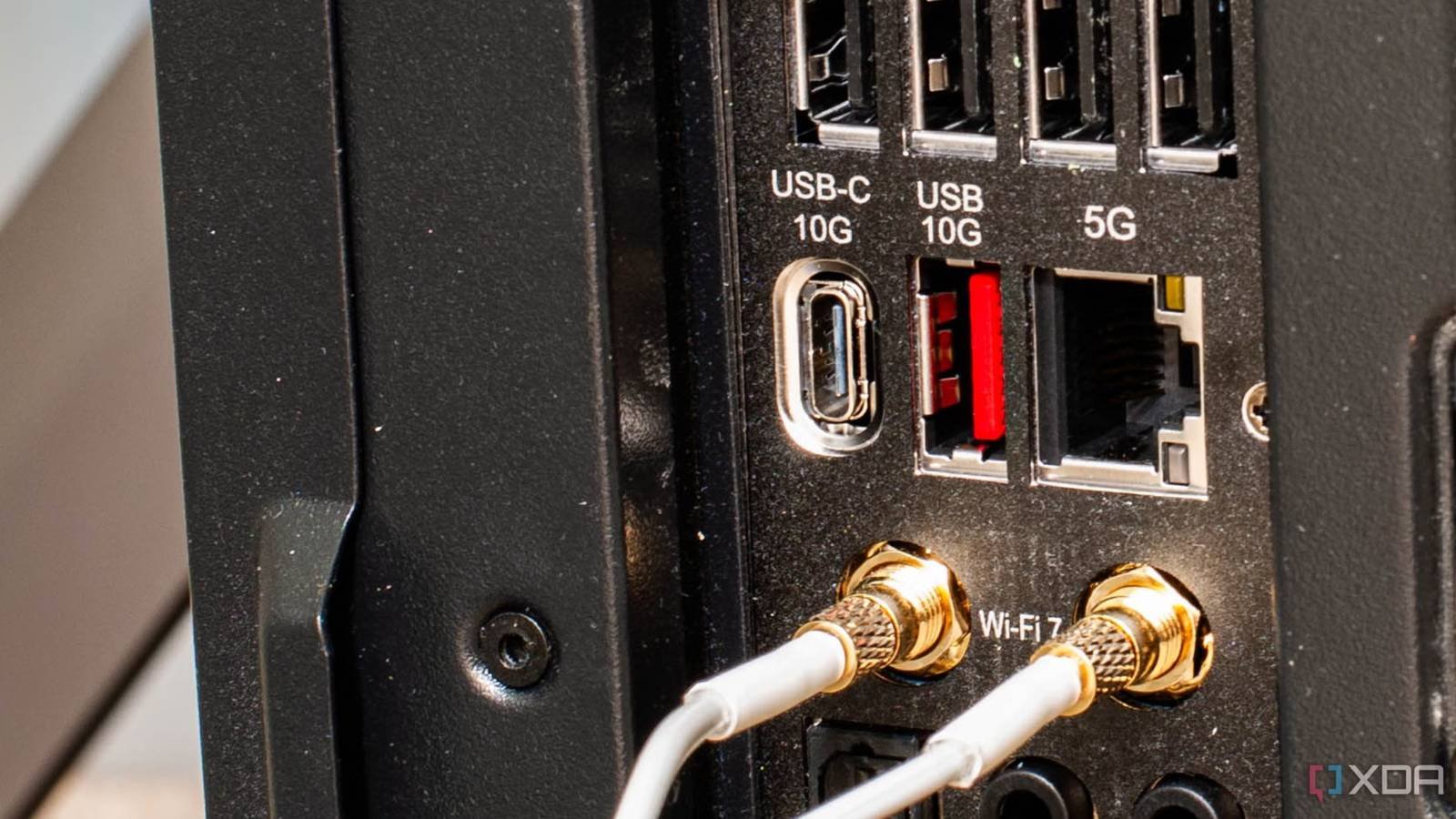
Most people who built a PC 5-7 years ago wouldn’t have worried too much about the Ethernet port on their motherboard. It was nothing more than a way to get a stable wired connection on your PC. The average buyer didn’t care if it was a Gigabit port or something faster, and frankly, it didn’t matter at all, even if you were a power user. Internet speeds were not what they are now, as was the popularity of NAS and home labs. With the proliferation of these high-bandwidth devices and faster internet plans, it’s worth taking a deeper look at your motherboard’s networking capabilities before spending your money. Even if your home Internet is still Gigabit or lower, you can’t be sure you won’t want to set up a NAS or home lab in the future. The bandwidth of your Ethernet port could prove to be the biggest bottleneck of your system.

Multi-gig Internet plans are much more common
Bandwidth consumption in homes has skyrocketed
The average internet speed in the US may still be around 300 Mbps, but multi-gig plans have seen a dramatic increase in the last 5 to 7 years. According to the International Center of Law and EconomicsThe number of households having broadband speeds of 1Gbps or higher has risen from just around 3% in 2019 to 33% in 2023. The infrastructure needed to expose more and more households to broadband plans ranging from 2Gbps to 10Gbps has grown significantly over the past five years. This means that your motherboard’s Ethernet port has moved up the priority list when purchasing PC hardware.
While a Gigabit port would have been more than enough five years ago, 2.5GbE and 5GbE ports are now considerably more common. You can get a 2.5GbE port even on entry-level motherboards today, signaling the growing importance of faster Ethernet. Even if you don’t have a multi-gig broadband plan right now, you can still benefit from a 2.5GbE, 5GbE, or 10GbE port. This is where NAS and home lab use come into the conversation.

DIY NAS has become more popular than ever
Choose your motherboard wisely
NAS devices have been popular among consumers since the early 2000s, but the 2020s saw a massive surge in adoption. The rate of data consumption during the pandemic era, combined with rising cloud subscription costs and the growing need for data privacy and control, has contributed to the NAS market will grow to over $60 billion by 2026three times more than $21 billion in 2020. Players like Synology, QNAP, TerraMaster, UGREEN, and WD have been catering to this burning demand, but many users are gravitating toward building your own NAS. With a custom NAS device, you are not restricted to the manufacturer’s hardware, hard drive, and operating system transcoding limitations. Additionally, it can create a more efficient system Fully SSD NAS instead of buying expensive pre-made models.
Most pre-built NAS devices offer a 2.5GbE port, but when you’re DIYing, you need to make sure your motherboard has a 2.5GbE or 5GbE port, depending on your needs. Most people who build a NAS probably plan to host a media server, run automated backups, self-host their media, and perhaps manage a home surveillance system. This can make a Gigabit or even 2.5GbE port seem limiting, meaning you can no longer be casual about which motherboard you’re using for your NAS.

- memory slots
-
4
- Memory type
-
DDR5-9200
- Form factor
-
ATX
- wifi
-
Wi-Fi 7
- RBG support
-
A-RGB

Your home lab needs more network bandwidth than older motherboards were equipped with.
Things get serious here pretty quickly.
Finally, your Ethernet port becomes crucial if you have decided to build a home lab. Most people who do this intend to host multiple virtual machines, self-host tons of services, run Home Assistant, learn networking and security tools, and create wacky and risky DIY projects. These projects running on the same system need as much bandwidth as possible, which means you won’t be satisfied with entry-level or even mid-range motherboards with Gigabit or 2.5GbE ports.
Most home labs are not limited by storage speed; They need additional network bandwidth to avoid transfer bottlenecks. When you consider 5GbE or 10GbE, you also need to maintain the computing load and heat produced by the network adapter. Your adapter, CPU, and cooling setup must be equipped to withstand the increasing demands. Alternatively, your PCIe network card You can borrow some of the load from your CPU and add faster networking to an older motherboard.

Your motherboard’s networking capabilities are no longer secondary
Whether your home network has surpassed Gigabit speeds or you’re planning to build your own NAS or home lab, you need to be aware of your motherboard’s Ethernet capabilities. You can’t just treat it as an afterthought or one of the specifications you don’t really consider when purchasing a motherboard. As high bandwidth requirements and data-intensive workloads are becoming common, your motherboard and Ethernet port have become more important than ever.



