
I’m old school emulation head with a fairly meticulously cataloged collection of my favorite titles. But despite tracking down the latest and greatest emulation software and interfaces, most of my files remain there on external storage media.
All well kept, but not really usable. So if I ever wanted to play a Dreamcast title or a Nintendo DS title, I would have to find the hard drive with my ROMs backed up for that system, plug it into my computer, fire up the emulator, and get started. That adds a lot of friction to the process. Sure, it could work if you’re building up a small collection. But I’m a hoarder and a completist, and this process has bothered me for years as my library continued to grow.
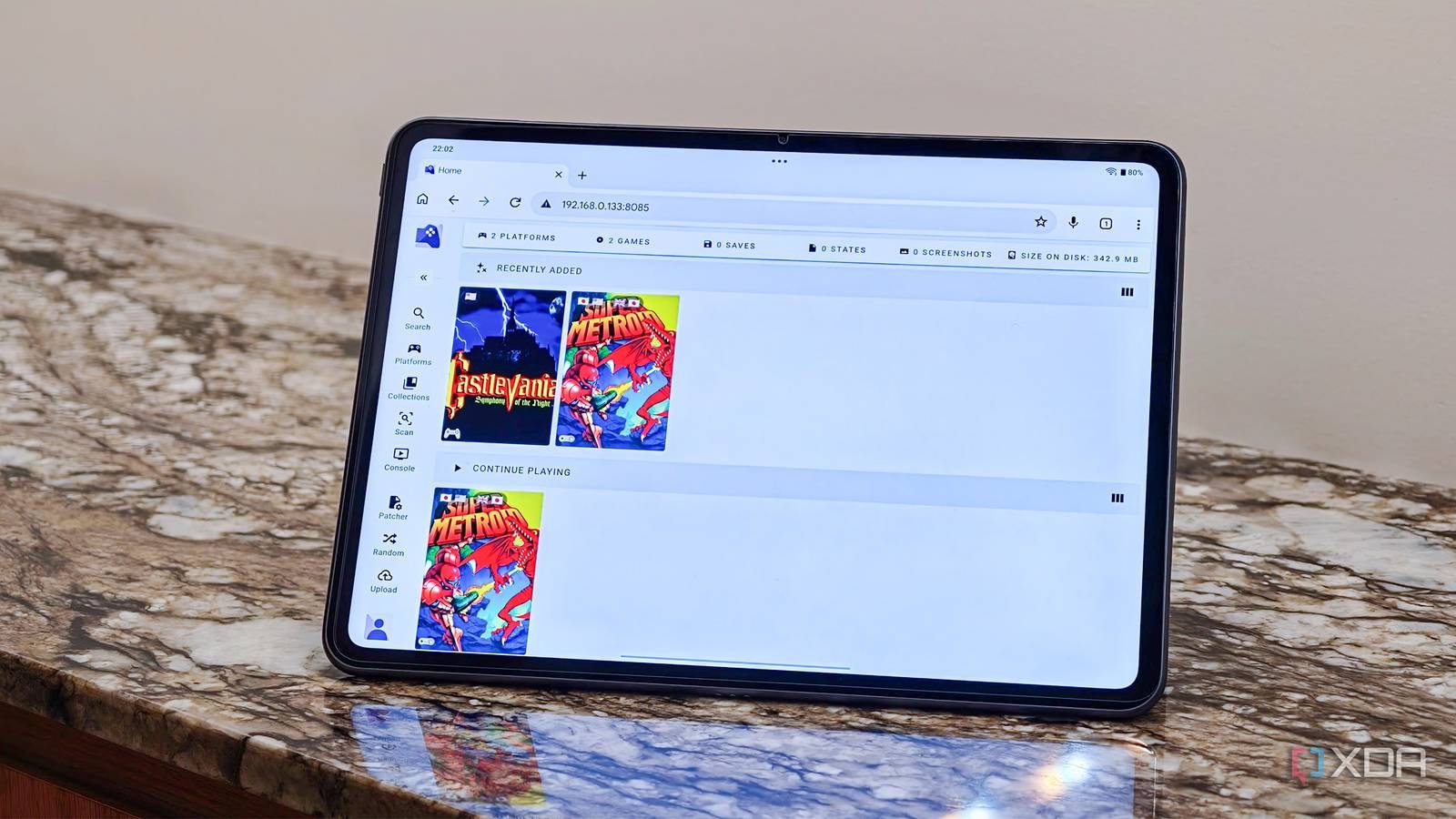
At some point, I realized I had an archive, not really a library of retro games. Since I already use self-hosted tools like immich for photos and Plex for movies To turn stored data into something that’s easier to interact with, I wanted the same for games. That’s what brought me to RomM. This Docker-based self-hosted application acts as a proper game library manager with a beautiful interface complete with cover page, metadata, and search. But more than that, it adds browser-based gameplay and proper cross-platform organization. It basically makes your ROM collection usable instead of just backing it up. Here’s what you need to know.
Turn your folders into a real game library
Solving the discovery problem.

As I mentioned before, before installing RomM, my game library It was basically just a collection of directories sorted by platform. That’s fine until it comes to naming schemes, multi-disc PlayStation titles, duplicate versions, or even region labels. Given that this has been built up for almost a decade and a half, there’s a lot to do, and finding the game I really want to play is an exercise. RomM fixes that immediately.
Once it scans your folders, it begins to identify platforms, group related files, and clean and organize the experience. Once you’ve done that, instead of looking at file names like, say, “Super Metroid (Japan, US) (En, Ha),” you’ll end up with a Plex-style game page with proper artwork, descriptions, release information, and platform-specific organization. You’ll find embedded YouTube videos and tools to help you organize what you do in the game. It has completely changed my approach to retro gaming.
On the one hand, now that I’ve left all my games on my NASI don’t have to think about where a title is stored. I just looked it up through RomM. It’s a simple use case, but it solves the same discovery problem as Plex. Nobody wants to explore storage routes. RomM offers you a suitable library.
RomM also solves the metadata problem. I’ve tried many tools over the years, including custom Raspberry Pi setups that aim to solve a similar problem, but metadata management has always been complicated, to say the least. Once connected to IGDB, RomM has been able to display covers, screenshots, publishers, release dates, and game descriptions to create an absolutely stunning visual experience. It hasn’t failed me yet.
When it comes to showing off my library or picking up a game for a quiet Friday night session, I’m no longer looking for folder structures; Instead, I look at beautiful artistic boxes.

Browser-based play makes the entire setup seamless
The feature I underestimated the most
My interest in emulation tends to gravitate towards older titles from the ’80s and early ’90s. Basically, nothing particularly burdensome for modern systems. RomM Supports JS Emulator for older systems, so for many games and systems, I don’t even need to start a dedicated emulator anymore. Titles ranging from Game Boy Advance to SNES and even PlayStation can be played directly in the browser. I just click the play button under the title and start playing. As simple as that. RomM has managed to emulate the Watch Now button and it is amazing.
Of course, if your interest is more on the PS2 or Switch side, you’ll want to use dedicated emulators like PCSX2 or Dolphin. RomM won’t replace them, but it’s certainly nice to have options. While I was doing it, I also organized my entire library on my NAS and it became the single source of data across multiple systems, making maintenance much easier.
Finally, RomM makes it much easier to manage a better curated collection. While you can certainly have a digital hoarder mentality like me and keep entire ROM sets, most of us tend to lean towards a select few games that we particularly like. I started using the favorites and collections features in RomM to keep a list of the titles I’m most excited about.

Storing ROMs is the easy part – improving access is where RomM shines
When creating an emulation library, it’s easy to get stuck in hoarding. Here’s the deal: a NAS It’s great for storing things, but when you really want to access a game you like, no one wants to go through thousands of folders. RomM solves this problem by giving your retro game collection a better structure.
Turns your folders and files into a searchable library complete with beautiful metadata to add context. By making older games as easy to browse and play as movies or TV shows, you turn your game collection into a real library that you’ll want to interact with more. All of which combined makes it an easy recommendation for any retro gaming enthusiast.



