
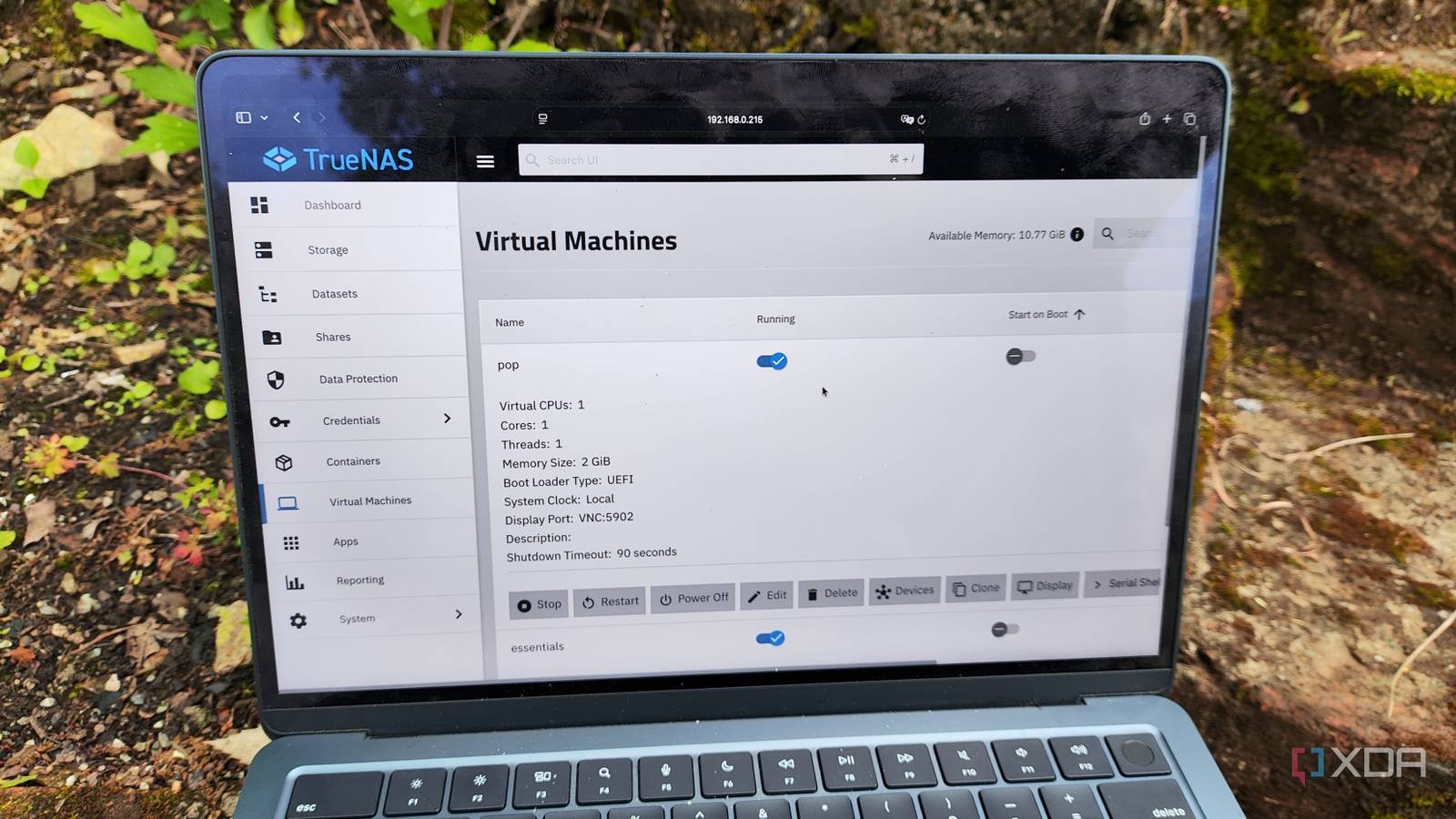
TrueNAS has been my platform of choice for storage servers since its Core days, and Community Edition (or Scale, as we used to call it back in the day) has been a huge improvement over its FreeBSD predecessor. and between WebShare and NVMe-over-TCP, ixSystems has added a ton of cool features in the latest updates.
My favorites are the improved virtualization provisions and LXC support, which essentially make the king of ZFS NAS distributions into something more viable for general-purpose home server projects. But after reviewing the forum posts about experts moving their DIY experiments to TrueNAS, I wouldn’t recommend using it to replace your LXC and VM hosting workstations, especially if you’re already a member of the Proxmox faction like yours truly.

Running server experiments on a NAS is not a good idea to begin with
I learned it the hard way
Unlike the typical Proxmox instances that help me with my DIY projects, I keep my TrueNAS equipment away from my experiments, and for good reason. Since it houses TB of data I’ve accumulated over the years, it’s the storage backend for virtually every data-intensive self-hosted tool in my arsenal. Therefore, I would be very disadvantaged if I misconfigured the network settings when working on a networking project involving LXC on my NAS and disabled the SMB and NFS shares that host essential directories for my FOSS applications. What’s more, I often use my NAS to store backups and snapshots of my home server nodes, so it needs to stay out of my experimentation range.
I am now aware that it is possible to recover data on TrueNAS; Heck, I even have a full 3-2-1 backup pipeline involving Tailscale and a spare TrueNAS platform located at my family’s house. However, I prefer not to spend hours recovering valuable data if (or rather when) a DIY experiment backfires. Additionally, my primary TrueNAS workstation stores some non-essential file data that I can’t back up to my spare machine, as the latter lacks sufficient storage provisions to support anything other than my important files, making my NAS less optimal for extravagant experiments.
TrueNAS Network and LXC Tools Still Need Some Tweaks

Moving on to the virtualization and containerization tools in TrueNAS, I must admit that it is quite useful for server tasks. But when you compare it to Proxmox, it’s just not there yet. And that’s not really TrueNAS’ fault in any way; it’s just that Proxmox is so well developed for hosting LXCs and VMs that the NAS-centric platform can’t outperform it on the virtualization front.
For example, Proxmox has dozens of virtual guest management options and they are much easier to modify than TrueNAS. Sure, moving GPUs to VMs and LXCs is much easier on TrueNAS, but you also miss out on Proxmox’s SDN stack. Likewise, virtual machines still need a dedicated VNC client on TrueNAS, and the shell interface also seems a little clunkier. The same goes for snapshots, especially those involving the ultra-useful Proxmox Backup Server. Sure, I could technically create rsync jobs to transfer my virtual guest data sets to another TrueNAS instance, but the process is much smoother in Proxmox.
Speaking of additional tools, Proxmox also has its own Datacenter Manager, which makes migrating virtual guests a breeze, even on non-cluster nodes. Heck, the free version of TrueNAS doesn’t even have high availability cluster provisions, while Proxmox features ZFS replication and Ceph tools without requiring premium licenses. Combine all that with the fantastic repositories created by the Proxmox community and you can see why I wouldn’t recommend using TrueNAS to replace a dedicated PVE server.
I run Proxmox alongside TrueNAS for best results
I even host storage-hogging services on my TrueNAS machine

I prefer to use Proxmox and TrueNAS together as they serve completely different functions in my home lab. My main PVE workstation is responsible for my DIY experiments and I have a spare node that hosts the network tools, monitoring services, dashboards, documentation tools, notification servers and other essential applications.
But that doesn’t mean it doesn’t host FOSS tools on TrueNAS. If anything, I run services involving hundreds of GB of data directly on TrueNAS, just to avoid dealing with NFS sharing shenanigans. But for the tools that need the extra oomph of Proxmox, I’ve paired them with my NAS via SMB and NFS shares. In fact, I’ve even used spare hard drives in my TrueNAS rig for extravagant (but perfectly safe) projects, like storing Steam games on iSCSI shares.
Since TrueNAS makes virtualization so easy, I even deployed an instance of Proxmox Backup Server for my cluster nodes, since the mini PC that acts as my main PBS machine doesn’t have enough space to house the snapshots of all the old devices I keep adding to my home lab.



