
I like productivity appsand I switch between task apps more frequently than I’d like to admit. Of all these apps, Google Tasks is the one that sticks around the longest, always, mainly because it does one thing and doesn’t get in the way by being simple, fast, and efficient. Plus, if you’re already within the Gmail and Google Calendar ecosystem, it just works.
But like most other task apps, Google Tasks has the same problem: when you try to use it for things that aren’t really tasks but ongoing reminders, the more structured approach doesn’t quite fit. Take, for example, cleaning my studio or replacing an exhaust filter or air purifying filter. These are tasks that don’t necessarily need a specific deadline, but they do need to be done regularly, and a rigid schedule doesn’t quite fit.
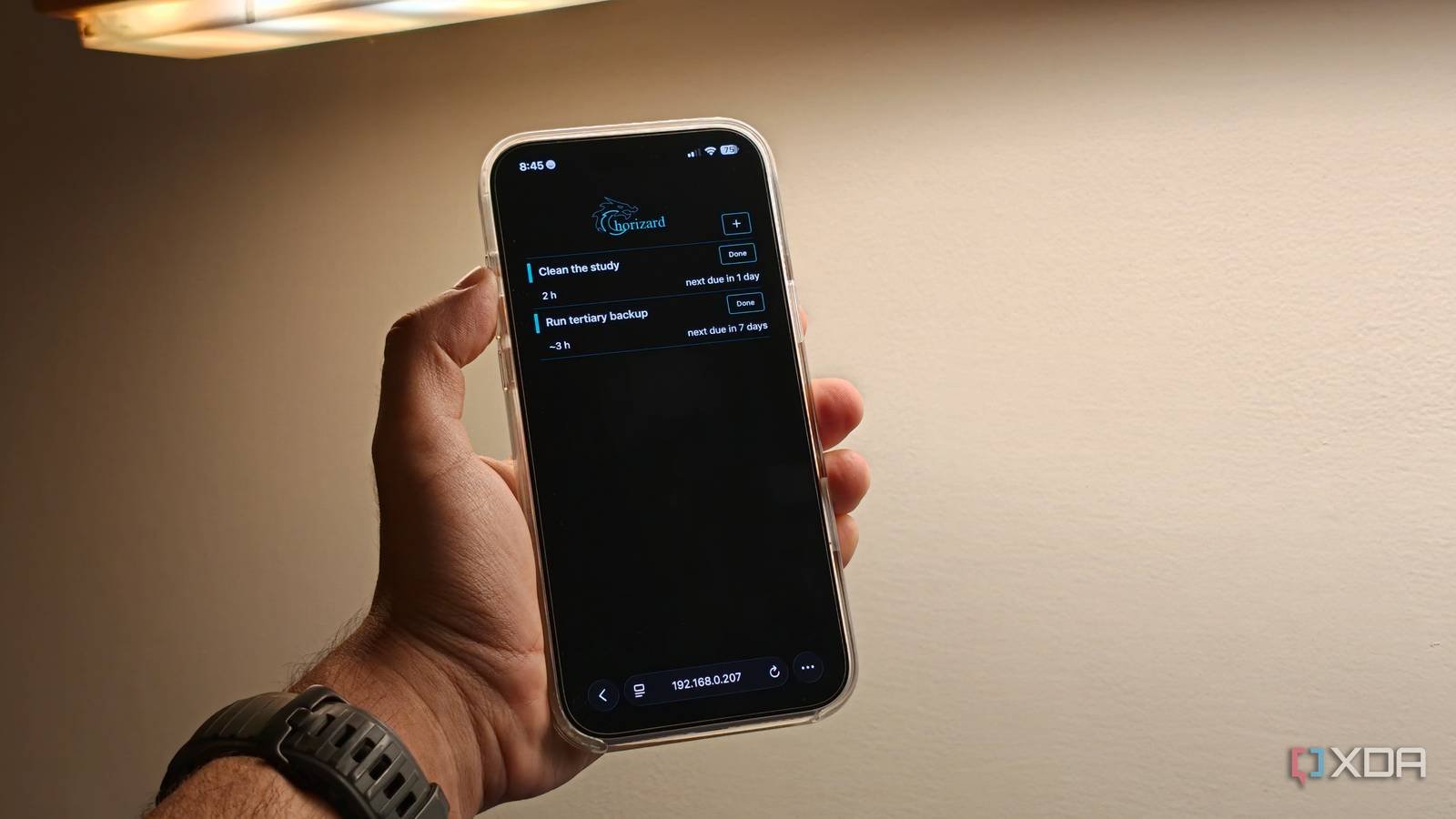
I have been looking for a solution for this problem. Recently, I came across Chorizard, a self-hosted task scheduler, which is based on the idea of priority queues and relative scheduling rather than a traditional to-do list with an assigned date. Designed to run as a simple Docker stack, getting up and running is easy and you’re presented with a simple yet elegant web interface, making it feel like a proper business home management tool rather than just another checklist app.
The core idea here is simple: tasks should be scheduled based on when they were last completed and not necessarily when a calendar says they should be done. After a week of use, I basically stopped thinking about reminders and my to-do app entirely. More importantly, Chorizard has helped me be much more efficient with my home maintenance.
Google Tasks is perfect for deadlines, but not for recurring tasks
Relative dates and priority queues make Chorizard a more practical option

Look, I’m going to be honest: Google Tasks is awesome when something has a clear due date. For example, you need to schedule a meeting, pay a bill, or send an invoice. However, it starts to fall apart when you try to manage things that recur based on frequency of use, not specific dates.
Taking the example of home maintenance, vacuuming, for example, is not a task that is necessarily scheduled based on a calendar date. I could set it for every Friday, but if I skip a week because I’m traveling, the schedule is already wrong. The same concept applies to other things, like cleaning my air filter, replacing the filters on my air purifier, or cleaning my studio. With a calendar-based approach, the task gets delayed and you may find yourself annoyed or simply put off or ignore it completely, which doesn’t actually solve the problem.
Chorizard solves this problem by treating household chores as a recurring system instead of calendar events. Instead of assigning a fixed date, you set a relative interval. For example, you can clean the coffee machine every two weeks. You set a start date and set an approximate interval in which you would like to accomplish that specific task. This means that even if you are late, the trigger for the next time you need to perform a task is based on when you performed the previous task. That makes a lot of sense when talking about recurring tasks.
The other feature that really helps is the priority queue structure. Instead of a giant list of tasks where you may have to scroll up and down to see what’s next, the app shows you what matters next. If two tasks are due around the same time, you can weigh which one ranks higher than the other. Obviously, taking out the trash matters more than reorganizing a drawer. This helps you simplify the decision-making process and, of course, be more productive and efficient when carrying out your tasks. An approach that a standard task management The app simply doesn’t have it.
Chorizard simplifies tasks by focusing on the essentials
Completing a task is more important than setting deadlines on a calendar
Compared to some of the other productivity and task management apps out there, Chorizard keeps things very simple. It’s not trying to be NotionTrello or a familiar board with a bunch of unnecessary features. It’s designed simply around the idea of scheduling your tasks with relative dates and priority queues, which is exactly what makes it useful. Of course, add to that the fact that it runs locally on your own. home server or NAS. That means all your data remains safe, but that goes without saying.
Having used the app for a week, the simplicity of its approach is what has made it tick for me. Because the app keeps everything relative to the end date, you stop obsessing over exact dates. Even if you are late for a specific task, you won’t see an overdue reminder. The next time you have to perform that task it will automatically adjust based on the interval you have set. This goes a long way in reducing the pressure of basic and everyday housework. It’s also a big reason why I suspect I’ll continue using this app in a few months.
Since the app doesn’t rely on accounts, it’s also better suited for shared spaces. If someone else in the house completes a task, the schedule automatically adjusts from that point on and you don’t have to go ahead and maintain your personal to-do list.
Chorizard fixed what Google Tasks never could for my home routine
I still use Google Tasks for real tasks. This app remains especially useful for deadlines, follow-ups, reminders related to work or even my personal life. When it comes to household tasks, I quickly realized that Google Tasks just isn’t the perfect tool for it. Meanwhile, Chorizard takes care of the kind of work that makes your life run smoothly. Yes, while it has helped me be more efficient and productive with my tasks, it has also reduced a lot of pressure from having to deal with all of these tasks while I’m in the middle of a busy work week. If that’s a problem you regularly face, I highly recommend checking out this self-hosted application. I have a good feeling you’ll stick with it as much as I will.



