

Working in front of a computer all day can be more tiring than you think. The light from the screen wears you down, and sometimes it can be difficult to concentrate when you have access to the entire Internet at your fingertips. Sometimes less is more and that’s why I love ePaper (or E Ink) displays.
I have been using ePaper tablets like the Remarkable or the Boox Go I have had to write down ideas for some time now, because writing about them helps me stay focused on that task. But when you have an e-reader that also runs Android like the Boox Go, you can go even further and use it as a second screen for your PC to help you focus on all kinds of work.
When worse is better
ePaper helps you focus
Using an e-reader as a second screen may seem like a terrible idea, but it’s actually great if your goal is to concentrate. ePaper displays are known for two things: readability without backlight and a very low refresh rate, and both can be an advantage.
A screen that is easily readable without the need for a backlight is a big deal because, as I already mentioned, the backlight of a normal screen is bad for you. It can make it harder to sleep at night, wear out your vision more quickly, and simply make you tired after a full day of work. ePaper’s lack of backlighting gives it the appearance of paper, which is much easier on the eyes for long periods and helps you live a healthier digital life.
But even the low refresh rate and lack of color speed are major positives for this type of display. The smooth refresh rates of typical displays are what make them so attractive for everything. You can watch videos, scroll through social media, read news, etc. But when you’re working, that becomes a trap, because it’s so easy to quickly switch to those distractions and not realize how much time they’re taking away from your day.

The slow refresh rate of an e-reader’s screen makes the process of switching between windows and apps seem much more tedious, so you’re less likely to try to do it. When you’re working, you’re much more inclined to focus on that work, because shifting your attention to something else would be an even bigger waste of time. Distractions are often the result of the brain seeking constant activity, so slowing things down makes them less viable that way.

Use a tablet as a monitor
It’s not as easy as it should be

The frustrating aspect of using an e-reader as a second screen on my PC is that it’s not as easy as I’d like. It’s certainly doable, but it requires a bit of research as most tablets are not made with this use case in mind. Some brands, such as Samsung and Apple, have made second-screen functionality a core capability of their tablets, but those brands do not make ePaper displays.
Fortunately I did find a solution in an application called SpaceDesk. It’s available for Windows PCs and Android tablets like the Boox Go 10.3, and allows me to use the tablet as a second screen for my laptop, either over a wireless connection or via USB-C.
It works as well as you would expect. It’s necessary to prevent the tablet from going to sleep as the app doesn’t keep it awake, but for writing articles like this, it’s incredibly useful. There is a bit of extra lag when using wireless, which can actually make using the mouse a bit more difficult, but you can see it as an even bigger benefit if you don’t want distractions. It makes it much harder to switch to a different app or interact with anything other than typing. Of course, if that’s too much, the USB connection is more reliable so you have a more usable experience.
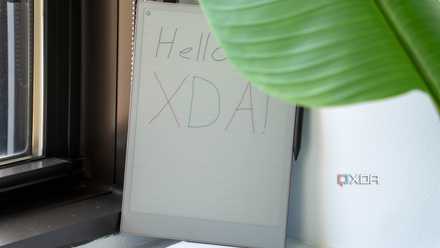
I wish E Ink monitors were more common
A dedicated screen would be perfect

While this solution is great, it also leaves me wanting something even more customized for this purpose. An e-reader like the Boox Go has a relatively small screen overall, so it’s not ideal for writing and makes me slouch a lot to read things clearly.
What I would love to see are more dedicated E Ink or ePaper screens for PCs. They exist, but as far as I could find them available for sale, there is only one brand called Bigme that sells them on Amazon, and Boox appears to have their own offering in the Mira line, but they are listed as unavailable on the company’s website. Even then, these products are priced at over $1,500 for relatively small sizes, making them difficult to sell.
I just wish there were more options and cheaper ones too. I remember a few years ago Philips also released a monitor that included a built-in e-ink side panel, and that idea was intriguing. Unfortunately, it’s just a commercial product, so there’s no easy way for me to get one. Considering this is a market where it’s somewhat difficult to innovate, I’m surprised E Ink displays aren’t more prominent, even as portable monitors that might be cheaper to produce.
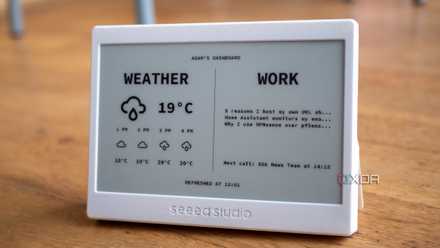
ePaper screens deserve more attention
As it is, if I want to work in a way that helps me focus more, I need to continue using my e-reader as a second monitor. While it’s a great solution, I’ll still wish there were more options available for the specific purpose of being a PC monitor. But if you have an e-reader running Android, I definitely recommend trying Spacedesk and seeing how it changes your workflow.


8/10
- Resolution
-
2480×1860
- Storage
-
64GB
- Screen size
-
10.3 inches
- Processor
-
Eight core processor
Boox is a note-taking tablet and e-reader that runs a full version of Android, meaning it can be used as a second screen.



