

Over the past few months, I’ve tried to replace as many browser extensions that I use daily as possible. possible with a local LLM. To my surprise, I managed to replace some of them and at the same time add functionality that those extensions never offered in the first place.
The first extension I got rid of was Grammarly. If you have ever used this extension, you will know how annoying the constant pop-ups and distractions can be. Once I set up a local LLM, Grammarly became one of the easiest tools to replace. I also replaced several video summaries, browser assistants, and research tools.
Configure my local LLM for browser use
Turn the browser into an AI client
You can configure a local LLM for use in your browser in two main ways. The first is by connecting a browser extension to a local server running on your machine. The second is to use extensions that run models directly in the browser.
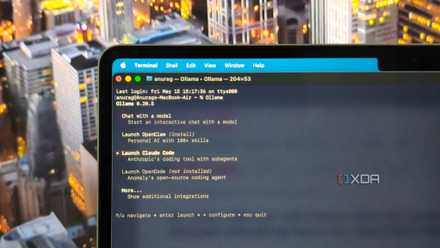
I chose the first option and connected my browser to a local Ollama instance. This is the most flexible approach because it allows you to run larger, more capable models. In this setup, Ollama acts as the backend server that handles all the heavy lifting, while the browser extension serves as the front-end.
Start by installing Ollama and downloading a model. I used Qwen 3, but Llama 3.2 and Gemma 3 also work well. As a general rule, opt for models with less than 14 billion parameters if your system has less than 16 GB of RAM. If you have a more powerful GPU with additional memory available, you can comfortably run larger models.
Once the model is running, you will need to configure browser access via CORS. Modern browsers restrict direct communication with local servers for security reasons. To allow extensions to connect to your Ollama instance, you must set the OLLAMA_ORIGINS environment variable.
The second approach is to use standalone browser extensions that run models entirely within the browser. These tools rely on technologies such as WebGPU and WebAssembly to run models within the browser sandbox without requiring any external software.
With these extensions, setup is usually as simple as selecting a model and waiting for it to download. Model weights are stored locally within the browser, allowing them to function offline after initial installation. NativeMind, for example, can run smaller models directly in the browser, making it easier to experiment without first setting up Ollama. Modern Chromium-based browsers are also starting to expose built-in AI capabilities through APIs like the Chrome Prompt API.
The extensions to replace
The great extension cleanup

Since I chose the first method, which was to use a local server, I installed a compatible browser extension and pointed it to my local Ollama endpoint. From here you have several options depending on how you want to use the model.
Most AI browser extensions can be replaced with tools like PageAssist, which provides a sidebar interface to chat with local models right within your browser. Includes support for web page analysis, document understanding, and RAG workflows. There are also alternatives, such as Open WebUI, that offer a more polished experience and additional features.
If you’re looking for something more capable, Nano Browser goes a step further by adding agent capabilities. Instead of simply answering questions about a web page, it can perform actions across websites, automate repetitive tasks, and interact with web applications on your behalf.
I also wanted to see how far I could take this idea beyond browser extensions. As an experiment, I tried to create a simple price tracker using Python, scheduled jobs, and a local model. A script periodically reviewed product pages, extracted pricing information, stored historical data, and sent notifications when certain conditions were met, such as a product falling below a target price, being sold by a specific retailer, or reaching a discount threshold that I had defined in advance.
Although I couldn’t replace all the extensions directly
Not every hill is worth climbing

One thing I realized during this experiment is that replacing an extension doesn’t necessarily mean creating a one-to-one replacement for it. For many browser extensions, key features can be recreated using a local LLM, browser automation, scripts, and workflow tools like n8n. If you do this right, the result is actually more capable because you are no longer limited by the feature set that an extension developer decided to offer.
There are still situations where dedicated software makes more sense. Browsers already include built-in features for many common tasks, such as password managers.
You can always self-host your extension
If your goal is simply to have a more private alternative, you can Always host mature extensions instead of creating them from scratch.. For example, Bitwarden is a popular option for password managementwhile Joplin can serve as a self-hosted note-taking solution. There are many other open source tools that can replace common browser extensions without needing to reinvent existing functionality.
Replacing every extension with an LLM is also not very feasible. If you are running a local model and don’t have a powerful enough machine, it will add unnecessary load to your device.




