

FreeBSD has a reputation problemand I admit I bought some of it before installing it as my daily driver. I was expecting something robust, serious and maybe a little hostile to normal desk habits. I thought I would spend most of my time fighting the system instead of using it. What I found was much more interesting than that, because FreeBSD felt less like a punishment and more like a system with very specific priorities.
FreeBSD didn’t magically simplify computing, but it did make the layers easier to see.
This is not the kind of operating system that tries to win you over in the first ten minutes. It doesn’t greet you with a fancy app store, a guided tour, or a desktop full of helpful directions. Instead, FreeBSD asks you to build the system you really want and then goes out of its way. Once I had the desk in placethat approach made a lot more sense, especially on a machine I wanted to understand rather than simply operate.
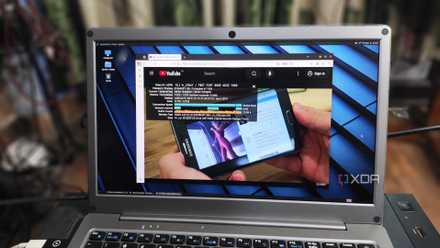
FreeBSD feels calm once the desktop is running
The system gets easier when it stops working for you
The first surprise was how normal FreeBSD felt after finishing the initial setup work. I don’t mean normal in the sense that you copied Linux or Windows. I mean normal in the sense that it matters during a normal day at the keyboard. The desktop booted up, my apps opened, the network worked, and I stopped thinking about the operating system so much.
This is important because FreeBSD’s reputation can make it seem permanently difficult. There’s definitely a learning curve, especially if you’re used to desktop-first Linux distributions that make the earliest decisions for you. But after installing the packages and configuring the basics, the system felt less dramatic than I expected. It was quiet in a way I appreciated, especially after years of desktop operating systems constantly trying to be useful.
The best part was that the quiet didn’t seem empty. It felt deliberate and that changed the way I used the machine. FreeBSD wasn’t constantly pushing me toward services, accounts, background integrations, or new layers of convenience that I didn’t ask for. I could sit down, open a terminal, use a browser, manage files, and work without the system trying to become the main character.
FreeBSD base system changes the feeling of trust
A cleaner base makes daily maintenance less bothersome

The second thing that clicked was the separation between the base system and the installed packages. On Linux, the operating system and userspace often feel mixed together, especially once you start adding desktop environments, drivers, tools, and repositories. FreeBSD draws that boundary more clearly. The base system feels like a real base, not just what comes pre-installed.
That distinction made maintenance seem more understandable. Updating the system and updating packages are related tasks, but they don’t feel like the same hassle. When something changes, it is easier to reason about the origin of that change. For a daily driver, that kind of clarity is worth more than another flashy feature, because the boring maintenance is what you’ll actually keep doing.
It also made the whole machine feel less cluttered over time. I wasn’t constantly wondering which components belonged to the operating system and which were later overlapped. This may seem minor, but it changes the tone of problem solving. When your daily driver has a clearer shape, you spend less time guessing and more time fixing the real problem.
FreeBSD still asks for more patience than Linux
The good parts do not erase the rough edges.
The problem is that FreeBSD is still not the easiest path to a polished desktop. Hardware support may be more specific and certain features that seem automatic elsewhere may require additional reading. A laptop can be especially demanding if you’re concerned about sleep behavior, Wi-Fi support, graphics, or battery life. FreeBSD may be good, but it doesn’t claim to make all machines equally welcoming.
FreeBSD works best when you try it on hardware you can afford to play with. A spare desktop, mini PC, or virtual machine is a much better starting point than cleaning out your main laptop and expecting all features to work perfectly from day one. Pay close attention to Wi-Fi, graphics, audio, sleep, and any must-have apps before treating it as your full-time system.
Software availability is also mixed. The pack collection is robust enough for everyday use and I was pleasantly surprised at how much I could install without drama. Still, there are times when Linux has the obvious advantage. Whether your workflow depends on a niche proprietary application, a vendor-maintained client, or the latest desktop tool, FreeBSD can feel one step away from the party.
There’s also the simple reality that more documentation doesn’t always mean less friction. FreeBSD documentation is generally excellent, but it still needs to be read and applied carefully. That’s fine when you’re in the mood to learn. It’s less charming when you just want to get your audio, display scale, or Wayland session working well before coffee.
Friction is part of why FreeBSD works
Reward attention instead of hiding every choice.
That extra patience would be a deal breaker if FreeBSD gave nothing in return. But it is, and that’s where the driver’s daily experiment became more interesting than I expected. The setup process forces you to better understand the machine you are building and that pays off once the system is running. It’s no friction to the decor and that distinction matters more than I expected.
I found myself making fewer assumptions and checking more details. It sounds tedious, but in the end it made the system feel more like me. I knew what services I had enabled, what packages I had added, and what parts of the desktop stack were doing the real work. FreeBSD didn’t magically simplify computing, but it did make the layers easier to see.
That’s why the rough edges didn’t ruin the experiment for me. They made the good parts easier to appreciate, because the finished system looked earned rather than assembled by the supplier’s default. FreeBSD isn’t trying to win a convenience contest against more polished desktop Linux distributions. It offers something else: a stable and coherent system that respects users who want to know what is happening under their feet.
FreeBSD works best when you know what you want
The real lesson in using FreeBSD as your daily engine is that “surprisingly good” does not mean “effortless.” It means that the system was better than its reputation suggested, especially once I stopped expecting it to behave like a conventional desktop operating system. FreeBSD is most comfortable when you approach it on its own terms. It gives you a solid foundation, clean organization, and a sense of control that still seems rare.
I wouldn’t tell anyone to replace their Linux desktop with FreeBSD tomorrow. I would tell curious users not to dismiss it as a server-only operating system or a historical artifact with a login prompt. With the right hardware and a little patience, it can be a really enjoyable daily driver. More importantly, it reminds you that a good desk doesn’t have to be noisy to be useful.



