
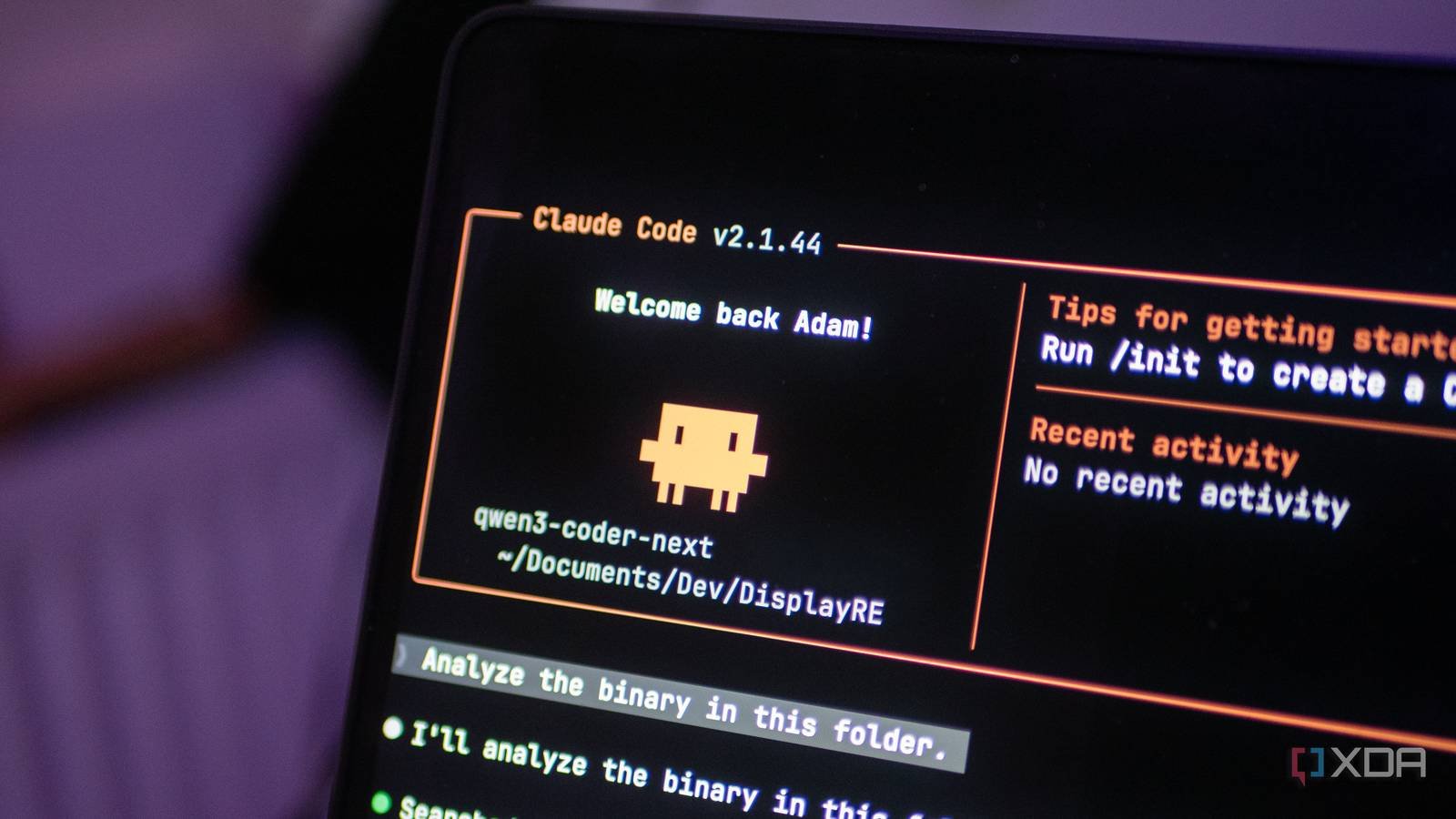
Claude Code is one of the best agent coding harnesses out there right now, and for good reason. It understands your code base, calls tools, edits files, and can plan multi-step tasks with minimal intervention. The problem is that it’s tied to the Anthropic cloud by default, and while that’s fine for a lot of work, there are times when I’d rather not push my code to someone else’s servers. Privacy aside, I also like to run things locally when I can.
Setting up Claude Code with a local model is not difficult, but it is not easy either. You need to export a handful of environment variables, remember the correct flags, and make sure your inference server is actually running before starting it. I got tired of copying and pasting the same exports block every time I wanted to use my local configuration, so I wrote a short bash script that handles it all with a single command. It checks if the server is up, detects which model is loaded, and starts Claude Code pointing to the correct endpoint. It’s all pretty short and has made my workflow notably softer. The link is at the end of the article, so you can use it too!
“Why not use open source“I hear you ask. It’s a fair question, and OpenCode is a good tool; I understand why many people prefer it, especially for local model support. But I like the Claude Code harness. The way it handles tool integration, file edits, and permissions seems more refined to me, and I’ve had more success with local models like Qwen3 Coder Next with Claude Code than with OpenCode. For example, the todowrite tool constantly fails in OpenCode, but works perfectly in Claude Code. So I’d rather write a small script to make Claude Code work the way I want than switch to a completely different tool.
Claude Code doesn’t care where the model lives.
If you speak the Anthropic API, it works.

Claude Code is, in essence, a client that speaks the Anthropic Messages API. It doesn’t actually verify that there is a model of Claude on the other side. If your inference server can respond in the correct format, Claude Code will happily connect to it, use its tools, and treat any running model as its brain. This is by design and is one of the things that makes the harness so flexible.
The reason this works so well now is that llama.cpp has native support for the Anthropic Messages API. No proxy or translation layer needed. Start llama-server with a compatible model and Claude Code can connect to it directly. Ollama also supports it and LM Studio also added an Anthropic compatible endpoint. Am using llama.cpp with Qwen3 Coder Next as it was considered the best way to run it on DGX Spark when I started trying itand the ThinkStation PGX It is a very similar device.
Qwen3 Coder Next on the GB10 is surprisingly capable. Qwen3 Coder Next was trained specifically for agent coding workflows, so it understands tool calling, multi-step planning, and file editing in a way that most on-premises models simply don’t understand. Combined with the Claude Code harness, it feels like a real Coding assistant, not a glorified autocomplete.


9/10
- Brand
-
lenovo
- Storage
-
1TB/4TB
- UPC
-
NVIDIA GB10
- Memory
-
128GB
The Lenovo Thinkstation PGX is a mini PC powered by Nvidia’s GB10 Grace Blackwell superchip. It has 128 GB of VRAM for local AI workloads and can be used for quantization, tuning, and everything CUDA related.
The script handles everything in a single command.
I just write “lcc”

The script I wrote is located in ~/.local/bin/lcc (lcc2 in the screenshot above, as I was updating it for this article) and does a few things. First, check if the calling server is reachable by pressing the /health endpoint. If the server is not running, it prompts and shows you how to start it. if it is is running, check /v1/models to find out which model is loaded.
Here’s the core of what it does when you pass in a model name:
export ANTHROPIC_BASE_URL="http://${LCC_HOST}:${LCC_PORT}"
export ANTHROPIC_AUTH_TOKEN="local"
export ANTHROPIC_API_KEY=""
export CLAUDE_CODE_DISABLE_NONESSENTIAL_TRAFFIC=1

exec claude --model "$MODEL" "$@"
That’s all. It sets the base URL for your local server, provides a dummy authentication token, clears the API key so that Claude Code doesn’t try to authenticate with Anthropic, and disables telemetry traffic that would fail anyway without a real connection. It then starts Claude Code with whatever model name you specified and goes through the additional arguments. It will work with anything that supports the Anthropic API and which includes LM Studio. If you are running it on the same machine, just change the IP to 127.0.0.1.
If you run lcc without any arguments, it checks the server status preset in the script and shows you what is loaded. If exactly one model is available, it skips the selection step entirely and simply launches. I added that behavior because Qwen3 Coder Next is usually the only model loaded and I don’t want to type its name every time. The host and port can also be set via environment variables, so if you are running your server on a different machine or port, you can override them without editing the script.
Local models are quietly perfect for security work.
They automate the boring parts of reverse engineering and testing.
This is where local configuration stops being a nice-to-have and starts to be, possibly, a difficult requirement. A big part of what I use this for is for pentesting and reverse engineering. When analyzing binaries, unmounting firmware, or working on the early stages of a security assessment, In fact I don’t want that data to leave my network. Sending disassembled code or extracted strings to a cloud API is a questionable decision at best. If you like the sound of that, you can find my script. on GitHub Gist.
The initial phases of reverse engineering are usually quite simple. For static analysis, run the same file and readelf commands, look for debug symbols, and extract strings. When it comes to firmware, the same thing happens; extracts the firmware, identifies the file system, extracts interesting binaries and checks encrypted credentials. These are all well-understood steps that a competent LLM can help automate. But unlike a deterministic script that follows the same path every time, an LLM can pivot based on what it finds. If you spot something unusual in a binary, you can adjust your approach. If the target uses an unexpected architecture, it adapts. That dynamic flexibility is what makes it in fact useful, rather than just another wrapper around binwalk and ropes.
And because I run everything locally, I don’t have to think twice about what I put into the model. There are no terms of service to worry about and no risk of confidential findings ending up in someone else’s training data. The model runs on my hardware, the data stays on my network, and I get Claude Code’s agent capabilities without any privacy tradeoffs.
I must be clear: this does not replace cloud models for everything. Local configuration has its limitations and Qwen3 Coder Next, as good as it is, cannot match the depth of larger cloud models. But for the kind of work where privacy matters and tasks are well defined, it’s more than enough. A local model is free, and while the hardware needed to run this model is high-end, it is possible to offload many of the expert layers to the CPU and still get a model that is capable of generating enough tokens per second to be useful. And with a script that eliminates the friction of starting it, I find myself resorting to the local option much more often than I expected.



