

It can be easy to fall into the trap of feeling like you need update your routerand the one your ISP gives you simply isn’t good enough. However, modern ISP gatewaysespecially the Wi-Fi 6 and Wi-Fi 6E units shipped in recent years, feature decent chipsets and capable internal antenna arrays. Actually, the problem is not the internal silicon. or even the configuration. It’s just that ISPs routinely install these boxes next to incoming utility lines in the worst possible places in your home, like dark corners of the basement, inside metal utility closets, or wedged directly behind huge smart TVs. There is no need to replace your ISP’s router. It is necessary to move it.
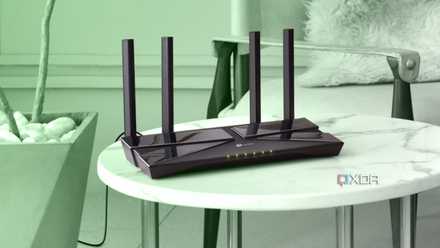
Internet problems can be frustrating
But spending more money is not always the solution
Paying for a premium 500Mbps or gigabit fiber or cable package, but still experiencing the frustration of buffering and running internet speed tests to find the dial. It’s frustrating to struggle to reach 45 Mbps while the connection constantly drops. Your immediate reaction is to curse your ISP, pack up your original router, and start researching expensive multi-node mesh Wi-Fi systems online. In reality, the stock gateway sitting on the ground is not the underpowered e-waste you might think, especially compared to a decade ago. This is usually a high-capacity dual- or triple-band Wi-Fi 6 router.
In reality, the central problem is where it is located: stuck under a desk, buried behind a maze of infernal bricks, or carefully hidden behind a giant 65-inch television screen. Basically, you’re asking a marathon runner to run while wearing a thick jacket. Before spending money on aftermarket hardware shortcuts, you need to fix the physical geometry of your network. There’s a lot of quiet physics involved in ensuring your router is positioned correctly, and a no-cost relocation can instantly unlock the full speed you’re already paying for.
How does the location of the router influence?
It’s more important now than ever

The first thing to understand is signal attenuation, which is the reduction in strength of the wave as it passes through boundaries. Different household materials absorb or reflect the signals emitted by your Wi-Fi router. Drywall is relatively easy for 2.4 GHz waves to pass through, but concrete, bricks, and heavy mirrors, which contain a thin backing layer of reflective metal, act as invisible brick walls that reduce the signal strength as it passes through each of these things.
One of the biggest home offenders that you may not even realize is a smart TV. A modern television is essentially a giant, solid sheet of metal shielding and copper circuitry. Placing your router directly behind it means that half of the high-speed 5GHz and 6GHz signal paths are absorbed immediately before they reach the rest of your living room. Pulling the router out from behind this TV allows the signal to reach other areas of your home instead of bouncing directly off the TV and getting stuck there.
Many modern routers now use the 5 GHz and 6 GHz bands as their primary frequency bands. 2.4 GHz is the legacy version of this. It’s slower, but its long wavelengths can bend effortlessly around furniture and penetrate dense walls. By comparison, the high-speed 5 GHz and 6 GHz channels carry massive amounts of data, but their narrow microscopic wavelengths are incredibly fragile. This means that a single solid wood door or drywall can cut the effective performance of a 6 GHz signal in half, highlighting that open line-of-sight geometry is the absolute king of modern wireless networks. If your device doesn’t have a direct line of sight to your router, you’ll probably run into problems.
Make sure you move your router to the right place
Don’t move it arbitrarily

When relocating your router, make sure you know where you’re moving it, rather than mindlessly moving it and hoping for the best. To get started, the first thing you should do is inspect the live wireless topography of your home. Instead of guessing where the signal falls, you can download a free Wi-Fi analyzer app on your laptop or smartphone. Walk through your rooms and document your RSSI (Received Signal Strength Indicator) values, measured in dBm. A value closer to -30 dBm is impeccable. Anything above -70 dBm is a critical dead zone.
When moving your router, be sure to elevate it. Remove it from the floor or carpet. Radio waves propagate outward and downward like an expanding light bulb. Placing your router on a shelf or desk about 4 to 6 feet off the floor allows the signal to instantly pass through furniture barriers and travel cleanly across the room.
Also, be sure to impose a 3-foot radial line of sight bubble. Clear the immediate space surrounding your router and ensure that there are no large electrical appliances, metal filing cabinets, mirrors, or dense masses of cables within a 3-foot radius of the gateway chassis. Give the internal omnidirectional antennas a column of clean, open air to breathe.
If you need to move hardware into your central spaces, be sure to do that as well. Sometimes ISPs place their router in a faraway garage or corner of a utility room because it’s the easiest place to install it, but that doesn’t mean you should leave it there. You can purchase an inexpensive, high-quality shielded 6a patch cable extension line to run along the baseboards, allowing you to slide the router into an open hallway or central living room.
A new router is not always the solution
Sometimes a better location is
E-commerce storefronts and premium networking brands would like you to believe that all your home networking problems can be solved by investing money in bigger antennas, faster logos, and flashier plastic casings. However, it might be time to put your credit card back in your wallet and stop letting marketing hype dictate your network diagnosis.
Take ten minutes to analyze the physical layout of your home, rescue your stock portal from its dusty corner of the floor or your television prison, lift it to a high shelf, and let the clean laws of physics give you the unlimited wire-speed Internet performance you’re already paying for.



