

a simple house NAS doesn’t have to be complicated. For most people, the ideal setup is a box with a few drives, a clean web interface, a few shared folders, and enough reliability to keep family photos, backups, and media files from being scattered across random USB drives. That’s why pre-built NAS systems They are so attractive. They make storage feel like an appliance instead of another home lab project that will consume half a weekend.
TrueNAS is overkill because it brings structure, recovery, and long-term thinking to a task that is easy to underestimate.
TrueNAS doesn’t always fit that neat little picture, and that’s part of why I like it. It brings serious storage habits to a space where many people just want a place to download files and move on. It asks you to think about groups, data sets, permissions, snapshots, replication, applications, and hardware options before you get too comfortable. For a basic home NAS, that may seem excessivebut it’s the kind of excess that pushes you to adopt better habits.
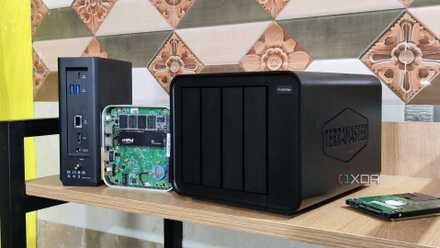
TrueNAS makes storage look more serious than convenient
The first thing I like about TrueNAS is that it doesn’t pretend to make storage simple. It’s not enough to pop in a few drives, click through a setup wizard, and hope you remember what happened in the future. TrueNAS asks you to consider your storage structure before you start filling it. This may be irritating at first, but it also prevents the entire system from becoming a digital junk drawer.
This is important because home NAS projects often start with confusing intentions. You think you’re creating a place for backups, then it becomes a media server, then a Docker host, then the boot zone for every file you don’t want cluttering up your main PC. TrueNAS asks you to separate those jobs correctly with data sets, permissions, quotas, and snapshots. It makes you define what each part of your storage is actually supposed to do.
The result is not always faster, friendlier or simpler. Sometimes TrueNAS feels like it’s asking too many questions before letting you do what you came here to do. Still, I’d rather deal with it early than discover six months later that my backups, media, downloads, and half-finished experiments are all tangled up. A little friction early on can prevent a lot of complaints later.
Its snapshot system changes the way you treat your files
Backups Are Starting to Look Practical Instead of Theoretical
TrueNAS also changes the way I think about errors. A basic shared folder protects you from saving files on a machine, but it doesn’t automatically protect you from yourself. If you overwrite a document, delete a directory, or let a bad sync job cause damage, a simple network save can preserve the problem very efficiently. Give your bug a nice permanent home unless you have planned for its recovery.
Snapshots are where TrueNAS starts to feel like more than just a box of files. They allow you to roll back to previous states without turning every accident into a full disaster recovery exercise. That’s not flashy and doesn’t make for the most exciting dashboard screenshot. But it’s one of those features that quietly changes how much you trust your own settings.
This is where the hype starts to earn its keep. TrueNAS not only gives me a place to save files; It’s giving me a way to recover from bad decisions. That’s important in a home environment because the person who makes the mistakes and the person who corrects them are often the same tired human being. When snapshots are integrated into the way the system works, recovery stops feeling like something you really should have set up one day.
TrueNAS snapshots are not a substitute for a real backup strategy. They are great for reversing accidental deletions, bad sync jobs, or unwanted file changes, but they still reside on the same storage system. If your NAS fails, is stolen, or loses multiple drives, snapshots alone won’t save you. For important data, pair snapshots with a separate backup destination, preferably one located outside the NAS.
The learning curve can make simple jobs seem heavier
Not all home users want a storage task
The obvious drawback is that TrueNAS may be too much for a simple home NAS. If someone just wants a shared folder for photos, documents, and a few movie files, the setup process may be more work than it’s worth. There are friendlier systems that allow you to go from unpacking to file sharing much faster. For many households, this is not only convenient; It’s probably the best option.
TrueNAS too expect a little more from the hardware and the person who maintains it. It rewards careful drive planning, enough memory, a sensible boot device, and some understanding of what ZFS is doing under the hood. You don’t need to become a storage engineer, but you do need to care about the details. That can turn a weekend NAS project into an ongoing responsibility if you’re not careful.
There is also the risk of chasing features simply because they are there in the interface. Apps, replication, advanced permissions, cloud sync, virtualization-adjacent experiments, and dashboard tweaks can make the NAS feel more important than the data it was supposed to protect. I’ve fallen into that trap before and it’s easy to justify because each setting seems useful in the moment. A storage box shouldn’t become just another job unless you really enjoy that kind of tinkering.
A home server rarely stays simple for long
The reason I still like TrueNAS is that a simple home NAS rarely stays simple for long. It may start out as a backup goal, but storage has a way of attracting more responsibility. Suddenly, it serves media, hosts application data, powers other machines, maintains snapshots, and acts as the one place where everyone assumes their files will be safe. At that point, the simplest system can start to feel a little locked in.
TrueNAS is designed for that kind of growth. The same tools that seem overkill on the first day can become reassuring later, especially when the box has more jobs than you originally planned. Data sets give you clearer separation, snapshots give you a safety net, and replication gives you a path to better backup discipline. You don’t have to use everything right away, but it’s nice to have a system that doesn’t run out of resources the moment your needs increase.
That’s why I don’t mind the learning curve. TrueNAS makes me treat the NAS less like a device and more like a piece of infrastructure. It encourages habits that are easy to ignore when everything is working. For a home setup, this may seem dramatic, but the drama fades quickly the first time you recover a deleted folder without turning it into an all-nighter.
The best home NAS is the one you trust
TrueNAS is not the easiest way to build a basic home NAS and I wouldn’t pretend otherwise. Many people would be better served by a polished device with a simpler interface and fewer decisions to make. That doesn’t make TrueNAS the wrong tool. It just means that you have a stronger opinion about storage than some users really need.
To me, that opinion is exactly the point. TrueNAS is overkill because it brings structure, recovery, and long-term thinking to a task that is easy to underestimate. It makes a home NAS look more serious than a shared folder, and I like being pushed in that direction. If my files are important enough to centralize, they are also important enough to manage a little more carefully.



