
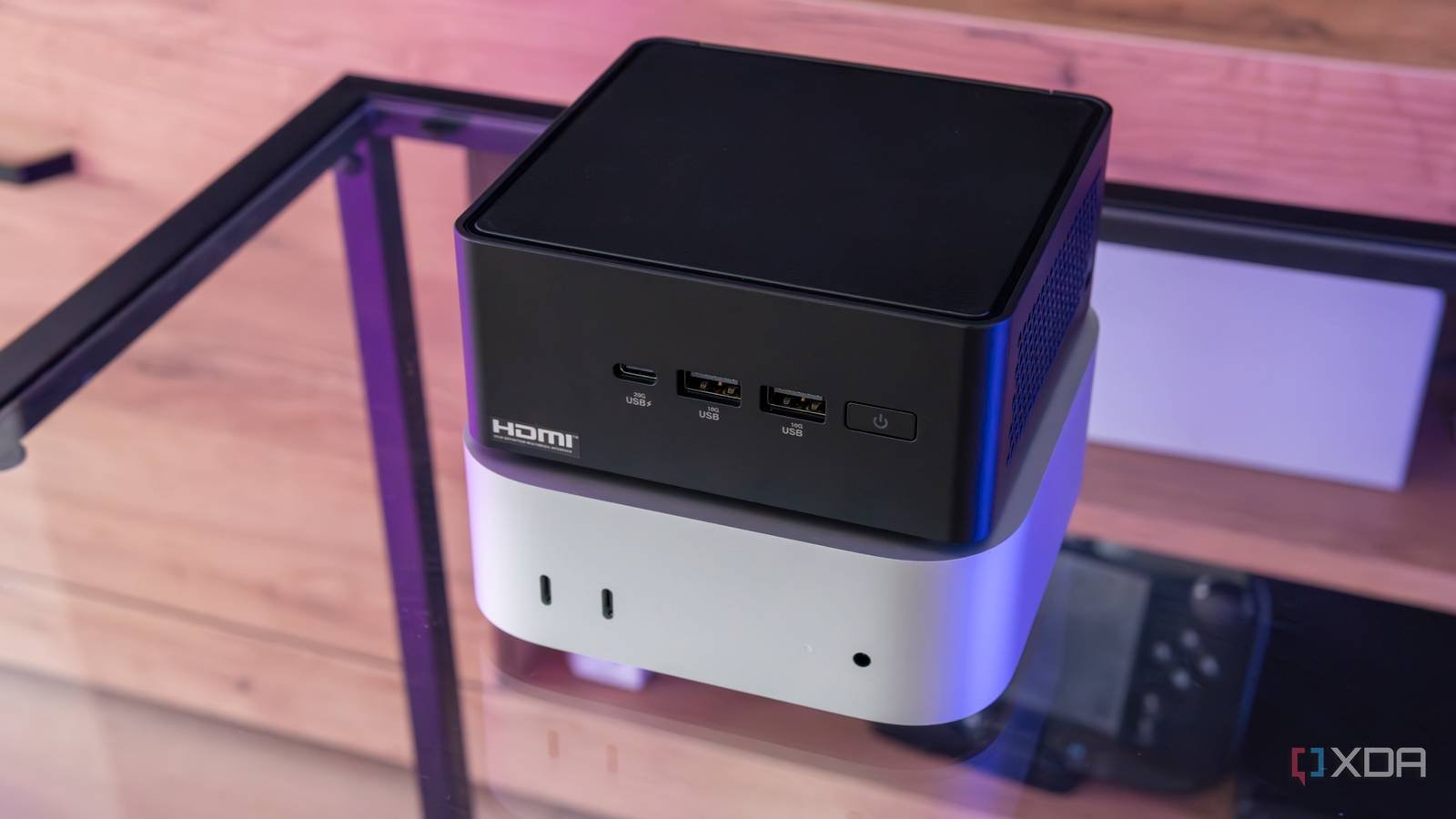
The mini PC has seen something of a renaissance in recent years, especially in the home lab space. Compact machines with decent connectivity and specs are perfect for self-hosting and experimentation, and mini PCs deliver that in spades. One of the best mini PCs available for productivity is the MacMinithanks to the performance and efficiency of Apple’s M-series silicon, but they’ve also gained quite a bit of popularity in the home lab space for the same reasons. Purchasing a used Mac Mini for your home lab isn’t bad advice, but it’s worth taking a close look at what you plan to do with a mini PC in your home lab before purchasing one. The Mac will excel in a very specific set of circumstances, and while it’s not completely inept at everything else, you’re often working around them. macos rather than having free rein over your hardware.

Conventional mini PCs give you more control
macOS is not as flexible
The most immediate limitation of building a home lab around a Mac Mini is that macOS is not a server operating system. You can run Docker on it and a handful of self-hosted applications work fine, but you’re constantly working around the OS instead of with it. Proxmox, TrueNAS, and other hypervisor and NAS platforms form the backbone of most home lab setups, and there’s a good reason for that: total control. macOS doesn’t give you the ability to run a hypervisor, ZFS, and Wake-on-LAN support is quite unstable. These are all potential deal breakers, especially in the context of the Mac Mini being a primary node in your home lab.
Hardware flexibility is another factor in this equation. Apple hardware is not known for its upgradability, and while it is technically possible to solder more memory and storage to a Mac Mini, for the vast majority of users, this is not a practical solution. Many mini PCs (particularly those built around Intel’s N100 series or AMD’s Ryzen 5000) allow for easy RAM and storage upgrades in the form of SODIMMs and M.2 expansion. Some mini PCs even support ECC memory, something an Apple system simply can’t do in any context.

The value proposition of a Mac Mini is not as clear as it seems
When compared to a larger system it makes some sense, but compared to other mini PCs it falls apart

The used Mac Mini presents itself as a budget option and, in isolation, seems reasonable. A used M1 Mac Mini typically costs between $300 and $450, depending on configuration, and if this price seems high to you, this is the reality of buying used Mac hardware. The M1 and M2 chips are still really effective in modern workloads, making their depreciation rate really low, especially in the eyes of professionals working on a limited budget.
However, in contrast, a capable mini PC built around an Intel N100 can be purchased new for between $150 and $250, often with the manufacturer’s warranty still attached. This price difference worsens when you begin to take into account the alternative solutions that macOS requires for home laboratory use. In addition to running Docker, you’re working around macOS limitations pretty much all the time, which makes that ~$200 premium much harder to swallow. There’s also the I/O conversation: the M1 model specifically has a fairly limited port selection, so if that’s something you’re interested in, the price of a pair of dongles may push the value proposition down even further. However, there is one very relevant use case that I haven’t mentioned and that is why the Mac Mini is so popular for home labs.

Local AI is where the Mac Mini is elite
A conventional mini PC can’t keep up here

The workload category where the Mac Mini has a specific and significant advantage is local AI inference. Apple Silicon uses a unified memory architecture, meaning that the CPU, GPU, and Neural Engine use the same memory pool, which is an inherent advantage if there is enough memory to go around. An M1 Mac Mini with 16GB of unified memory can run a decent-sized large language model along with open clawwhich (despite being the use case that has been one of the main drivers of Mac Mini demand in the home lab space).
This is where a conventional mini PC simply couldn’t keep up. Trying to run a model like Qwen 3 8B with OpenClaw on an Intel N100 with only CPU inference would result in an unusable experience. For this specific use case, the Mac Mini is an obvious choice, especially if you already have one or can get one cheaply.

If you’re doing anything besides AI, I’d go with a conventional mini PC.
The Mac Mini just isn’t that good in the usual “home lab”

Unless you are a stickler for quiet, efficient operation and In fact Like macOS, a Mac Mini isn’t a great addition to your home lab if local AI isn’t in the equation at all. There are some things it just can’t do, but even for the things it can, it requires fighting a little more operating system friction than would be necessary. A conventional mini PC with an operating system designed for use in home laboratories will be much easier to operate on a day-to-day basis.

What you should buy depends on what you plan to do with your home lab.
If your home lab focuses on traditional self-hosted services, you want to run a suitable hypervisor, or you need the flexibility to expand and reconfigure over time, a minicomputer It is almost certainly the smartest purchase. You’ll spend less, have more control, and encounter fewer dead ends than with a Mac Mini. If it is not your primary node, or you plan to run some kind of Local AIIt’s clear that the Mac Mini in the right configuration gives you the best bang for your buck, even if you have to pay a premium.



