
We hear it all the time: “AI will make your life so much easier!” Every once in a while, a feature comes along that actually does it. Gemini on Pixel phones recently gained the ability to tap and swipe the screen like a person, and it’s the start of something that could be big.
Such promises that AI will improve our lives are often followed by demonstrations of “photo editing” to create scenes that never happened and other petty tricks. I don’t often see features that seem really useful in my daily life, but Google is trying to change that.
AI that can really do things
Why so many AI features are not useful
The problem with many of the AI features we’ve been inundated with is that they don’t solve real problems. Google is far from innocent in this. Take music creation in Gemini, for example: who is it for? If you’re interested in making music, you weren’t waiting for an AI robot to do it for you.
What I want is an assistant who can literally do things for me. That’s why I was so impressed with Gemini’s integration with Google Sheets. I’m terrible with spreadsheets, but I can admit that they are useful for keeping me organized. Gemini has helped me make complex spreadsheets that I would never have dreamed of being able to do on my own.
That’s where the new Gemini is. task automation feature come in. Announced for the Galaxy S26 and Pixel 10 series last month, it allows Gemini to perform multi-step tasks on your phone in real time. It currently only works with a small group of food delivery and ride-sharing apps, but I can already see the potential.
Try Gemini Task Automation
“Hey Google, order lunch.”
Enough talk, let’s try it: I’m hungry for Mediterranean food. As I said, only a few apps are supported right now, and GrubHub is one of them. To get started, I booted up Gemini on my Pixel 10 and asked it to order lunch at a local restaurant. He asked me about my specific order and if I wanted delivery or pickup. I responded: “Chicken shawarma plate and meat skewer for home delivery.” We are underway.
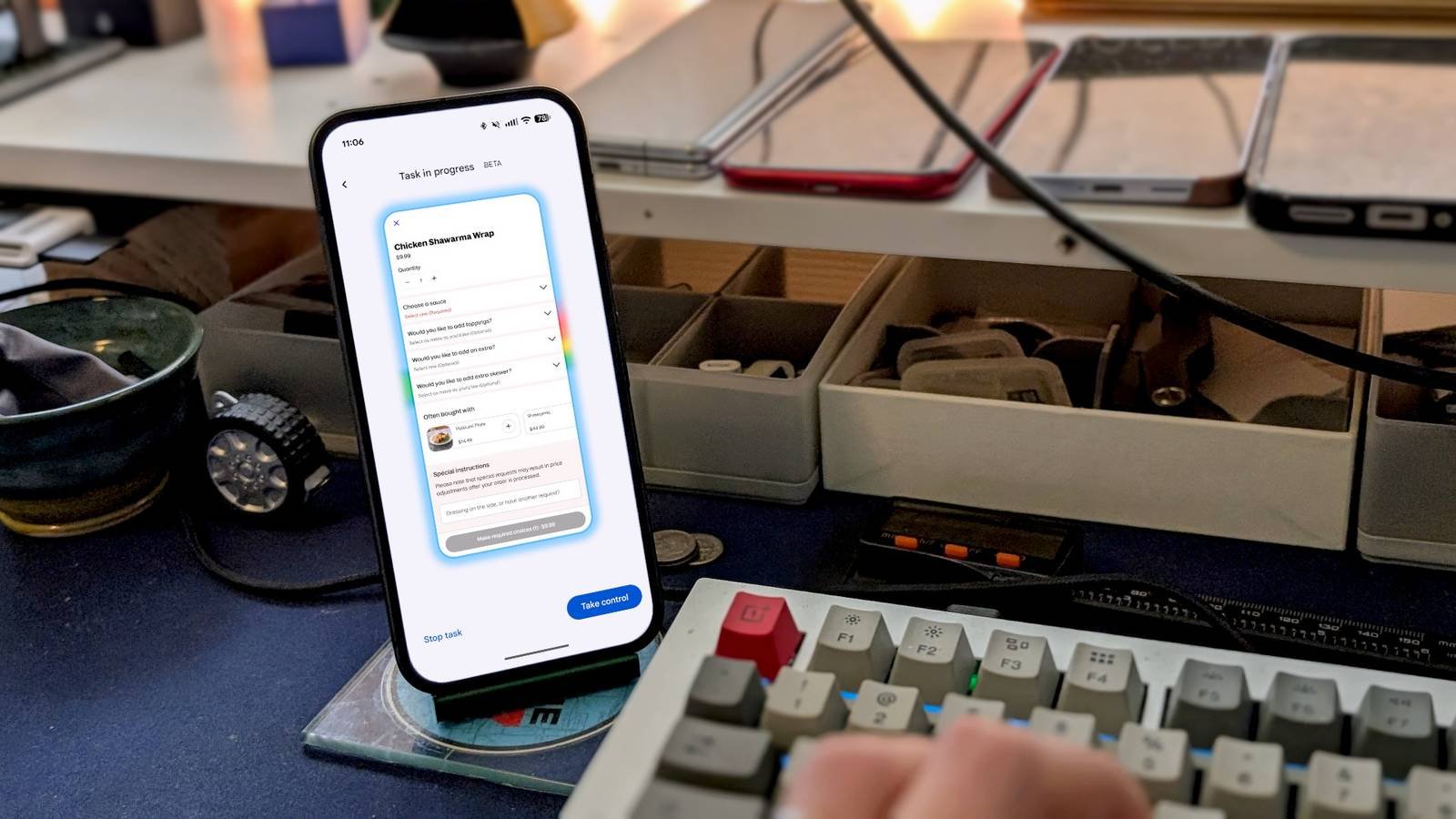
You can let Gemini use the app unattended in the background, or you can tap “View Progress” to see it in real time; That’s what I did. GrubHub displayed in a small window in the center of the screen, and I could see Gemini type, swipe, and tap like a person. It’s wild.
Now, Gemini didn’t recognize the name of the restaurant I ordered, so when he searched for it on GrubHub, there were no results. He tried twice before changing tactics and searching for “shawarma.” Gemini was smart enough to figure out which restaurant I was referring to based on context clues.
Once Gemini was on the correct restaurant page, it began searching for the food I ordered. The chicken shawarma dish has several options, including sauce and three sides. Oddly, Gemini skipped the options, added the meat skewer to the cart, and then asked me about the options for each dish.
I told Gemini I wanted “garlic sauce for the chicken shawarma and rice dish, hummus and fries as three sides.” After doing that, he asked about the meat skewer and this time he told me about the options. I said, “I want garlic sauce. And then I want the toppings to be tomato, pickles, pickled turnips, and banana and jalapeño.”
With all the options resolved, it was time to complete the order. I watched as Gemini tapped “Continue to Checkout” and the “Contact Details” screen appeared. This is where the hands-off experience ends: Gemini is not supposed to make the purchase. I tapped the “Open GrubHub” button and finalized the order myself.
The results are impressive
But it takes a while
From the first command to placing the order, the entire process took about nine minutes. Clearly, Gemini is not going to beat a human with that speed. I could have easily placed the order in less than five minutes on my own.
That said, this particular order was complex and it might have helped if I had been more specific in my commands. For example, I could have included food and delivery in my first command, which would have prevented Gemini from having to ask me for it.
In another test, I ordered a coffee at Starbucks. This time, I simply said, “Order a medium cold vanilla coffee for pickup at your nearest Starbucks with GrubHub.” Gemini prepared the order in just three minutes and did it perfectly without my watchful eye.
It is worth mentioning that this entire process literally happens on your phone, not in some virtual environment. If you stop the process and open the app, you’ll find it right where Gemini left off. Plus, when you’re watching Gemini, you always have the option to tap “Take Control,” which takes you to the app.
What you need to remember is that you don’t have to sit back and watch Gemini do the work. When they need you, Gemini will step in and ask, but in the meantime you can do something else. That’s when AI feels really useful. I go about my daily life and he performs tasks for me in the background. Future!




