
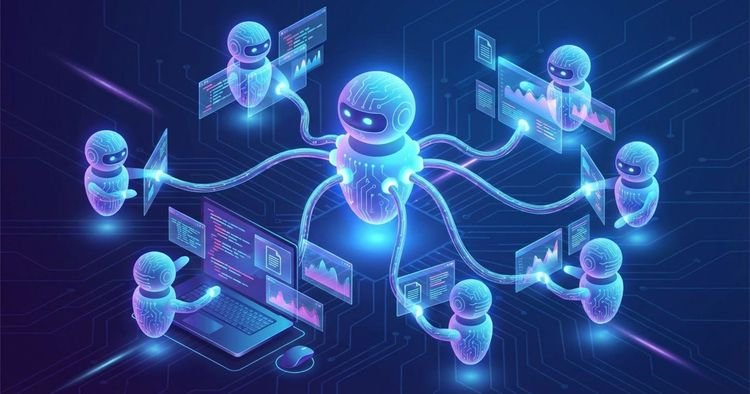
A practical guide to understanding how AI agents think, decide and act, with real-world examples.
Introduction
As AI agents become more capable and more widely deployed, two fundamental concepts shape their behavior: Instructions and Skills. Understanding the difference (and how they work together) is the key to designing, building, and working with agents effectively.
Think about it this way:
Instructions They are from the agent mindset — what he knows, how he should behave, what rules he should follow. Skills They are from the agent tool box – the specific abilities you can invoke to get things done.
Neither of them is enough on its own. An agent with excellent instructions but no skills can reason but not act. An agent with powerful abilities but poor instructions will act in unpredictable or dangerous ways.
What are the instructions?
The instructions are explicit directives in natural language given to an agent that govern his behavior, personality, goals, and limitations. They tell the agent what to do, how to reason and what rules to follow before receiving any user messages.
Instructions are usually written as system prompt and remain active throughout the conversation.
Instruction Examples
You are a customer support agent for Acme SaaS.
- Always respond in a polite, concise tone.
- Never discuss pricing directly — redirect to the sales team.
- If a user reports a bug, always collect their account ID before proceeding.
- Do not speculate about product roadmaps.
What instructions govern
| Area | Example |
|---|---|
| Person | “You are a senior financial analyst named Aria.” |
| Tone | “Always respond formally and concisely.” |
| Restrictions | “Never talk about competing products.” |
| Routing logic | “If the user asks about billing, redirect to the billing team.” |
| Safety rules | “Never deploy to production without explicit user confirmation.” |
| Goals | “Your main goal is to solve problems in less than 3 turns.” |
Advantages of instructions
- Easy to write; no coding required
- Highly flexible and quick to iterate
- Coding nuanced behavior, judgment, and personality
- Can handle edge cases through reasoning.
- Laptop on different LLM backends
Cons of the instructions
- May drift or be “forgotten” in very long conversations.
- Ambiguous instructions lead to inconsistent behavior
- Difficult to test systematically; no guaranteed exit
- Too many instructions create conflict or dilute effectiveness.
- You can’t reliably enforce behavior the way the code does.
What are skills?
The skills are structured and reusable capabilities – documented tools, APIs, functions or procedures that an agent can invoke to perform specific tasks in a reliable and repeatable manner. they encapsulate as do something, so the agent doesn’t have to solve it from scratch every time.
Skills are summoned on demandtriggered by the agent’s reasoning.
Examples of skills
| Ability | what are you doing |
|---|---|
web_search(query) |
Searches the Internet and returns results. |
lookup_account(id) |
Check a CRM or database for account details. |
send_email(to, subject, body) |
Send an email via Gmail or SMTP |
run_tests(branch) |
Run a set of CI tests on a given branch |
create_ticket(details) |
Open a support ticket in Jira or Zendesk |
generate_report(content) |
Produces a formatted PDF or Word document |
Skill Advantages
- Reliable and deterministic: same input, consistent process
- Encapsulate your hard-earned knowledge (e.g. which library to use, what pitfalls to avoid)
- Composable: Agents can chain skills together to handle complex workflows
- Similar testable, versionable and maintainable code
- Reduce cognitive overload; the agent does not need to reason about as to do it
Cons of skills
- Requires initial engineering effort to build
- Less flexible; can break due to unexpected inputs
- The agent must know when to use them (routing is still based on instructions)
- Skills can become obsolete when underlying systems change
- More difficult to create or modify for non-technical users
Instructions vs. Skills: Side by Side
| Dimension | Instructions | Skills |
|---|---|---|
| Nature | Declarative (“what/how to be”) | Procedural (“how to do it”) |
| Format | natural language | Code, API, tools, documents |
| Reliability | probabilistic | deterministic |
| Flexibility | High | Lower |
| effort to create | Low | Higher |
| Active when | Always (every message) | On demand (when invoked) |
| The best for | Behavior, tone, judgment, limitations. | Repeatable tasks, integrations, complex procedures. |
Almost. MCP (Model Context Protocol) is Anthropic’s open standard for exposing tools to AI models. Every MCP tool is a skill, but not every skill is an MCP tool.
| Concept | Agent “Skill” | MCP Tool |
|---|---|---|
| what is | Any reusable capacity | A skill that follows the MCP standard |
| Format | API call, function, SKILL.md file, etc. | Defined with name, description, JSON schema. |
| Execution | Varies | Runs on a dedicated MCP server |
| Interoperability | Customized by system | Plug-and-play between MCP-compatible agents |
A good analogy: “Skill” is like knowing how to cook. MCP is the standardized kitchen interface — each tool has a labeled button, a defined input, and a predictable output. The ability to cook is a skill; MCP is the protocol that makes it pluggable and interoperable.
All MCP tools are skills, but not all skills are MCP tools.
How Agents Leverage Both: The Core Pattern
This is the fundamental loop that each agent executes:
User message arrives
        ↓
Instructions activate (always running)
  - Parse intent
  - Apply persona and constraints
  - Decide: is a skill needed? Which one?
        ↓
Skill invoked (on demand)
  - Executes reliably
  - Returns structured result
        ↓
Instructions shape the response
  - Tone, format, safety checks
  - Compose final reply to user
The instructions govern the when and because. Skills manage as.
Real world examples
Example 1: Customer Service Agent
Script: A SaaS company implements an AI support agent.
Instructions:
You are a support agent for Acme SaaS. Be polite and concise.
Never discuss pricing — redirect to sales.
If a user reports a bug, collect their account ID before proceeding.
Available skills: lookup_account(id), search_knowledge_base(query), create_ticket(details), escalate_to_human(reason)
The user says: “My panel won’t load.”
What happens:
- Instructions recognize this as a bug report → first require an account ID
- The agent asks: “Could you share your account ID so I can look into this?”
- The user responds with
ACC-4821 - The agent invokes
lookup_account("ACC-4821")(ability) → returns account status and recent error logs - The agent invokes
search_knowledge_base("dashboard not loading")(ability) → find a known solution - Instructions Shape the answer: concise, empathetic, without mentioning the price.
- Unresolved issue → agent invokes
create_ticket(...)(ability)
Key information: The instructions determined the sequence of events. The skills made the real job.
Example 2: Research Assistant Agent
Script: AI research assistant for a life sciences team.
Instructions:
You are a thorough research assistant. Always cite sources.
Prefer peer-reviewed papers over blogs or news.
Never state something as fact if you cannot verify it.
Summarize findings before giving details.
Available skills: web_search(query), fetch_url(url), generate_report(content), send_email(to, body)
The user says: “What’s the latest on GLP-1 medications for obesity?”
What happens:
- Instructions trigger check-first behavior – agent will not respond from memory only
- The agent invokes
web_search("GLP-1 obesity 2025 clinical trials")(ability) - The agent invokes
fetch_url(top_result_url)(skill, chained) → read the full article - Instructions govern response structure: summary first, then details, cite sources, cover uncertainty
- The user says: “Can you send this to my team?”
- The agent invokes
send_email(team@company.com, summary)(ability)
Key information: The skills were chained — the output of web_search fed on fetch_urlwhich fueled the response. The agent orchestrated this chain through instruction-based judgment.
Example 3: DevOps Automation Agent
Script: An AI agent that manages CI/CD pipelines for an engineering team.
Instructions:
You manage CI/CD pipelines for production systems.
Never deploy to production without explicit user confirmation.
Always run tests before any deployment.
Log every action taken to the team Slack channel.
Available skills: run_tests(branch), deploy(env, branch), rollback(env), notify_slack(message)
The user says: “Deploy the latest version to production.”
What happens:
- Instructions intercept: production requires confirmation
- The agent asks: “Are you sure? This will affect real users. Type ‘confirm’ to continue.”
- User confirms → Instructions order tests first
- The agent invokes
run_tests("main")(ability) → tests pass ✅ - The agent invokes
deploy("production", "main")(ability) - Instructions command logging → agent invocations
notify_slack("Deployed v2.4.1 to prod")(ability)
What would happen if the tests had failed?
- Instructions would have blocked the deployment completely – no deployment skills are called
- The agent would report the failure and ask the user how to proceed.
Key information: The instructions acted as security layer that no skill could evade. The skills were only executed when the instructions allowed it.
The layered mental model
The cleanest way to think about this relationship:
┌─────────────────────────────────────────────┐
│               INSTRUCTIONS                  │
│  (Always active — persona, rules, judgment) │
│                                             │
│   ┌─────────┐  ┌─────────┐  ┌─────────┐   │
│   │ Skill A │  │ Skill B │  │ Skill C │   │
│   │ Search  │  │  Email  │  │  Code   │   │
│   └─────────┘  └─────────┘  └─────────┘   │
│         (Invoked on demand)                 │
└─────────────────────────────────────────────┘
The instructions cover everything. Skills live inside, ready to be called upon. The agent’s reasoning (governed entirely by instructions) decides which ability to invoke, when, and with what inputs.
When to update instructions vs. skills
| Do you want to change… | Update |
|---|---|
| The tone or personality of the agent. | Instructions |
| What topics can the agent discuss? | Instructions |
| Safety rules and restrictions. | Instructions |
| Routing logic (“if X, do Y”) | Instructions |
| How the agent searches the web | The search skill |
| The format of a generated report. | The ability to inform |
| What database does the agent consult? | The search skill |
| Speed or reliability of an action. | The relevant skill |
Clean separation makes agents easier to maintain: instructions = policy, skills = implementation.
Summary
| Instructions | Skills | |
|---|---|---|
| Role | The conscience and judgment of the agent. | The agent’s hands and tools. |
| Always active? | Yeah | No: invoked on demand |
| Written by | Product managers, designers, domain experts. | Engineers and developers |
| changed when | Behavior or policy need to change | Capacity or reliability must change |
| Analogy | The rules of the kitchen | The appliances in the kitchen. |
The best AI agents clearly separate these concerns. The instructions encode what type of agent this is. Skills encode what you are capable of doing. Together, they create agents that are trustworthy and capable: agents who not only know what to do, but can actually do it.
Source link



