
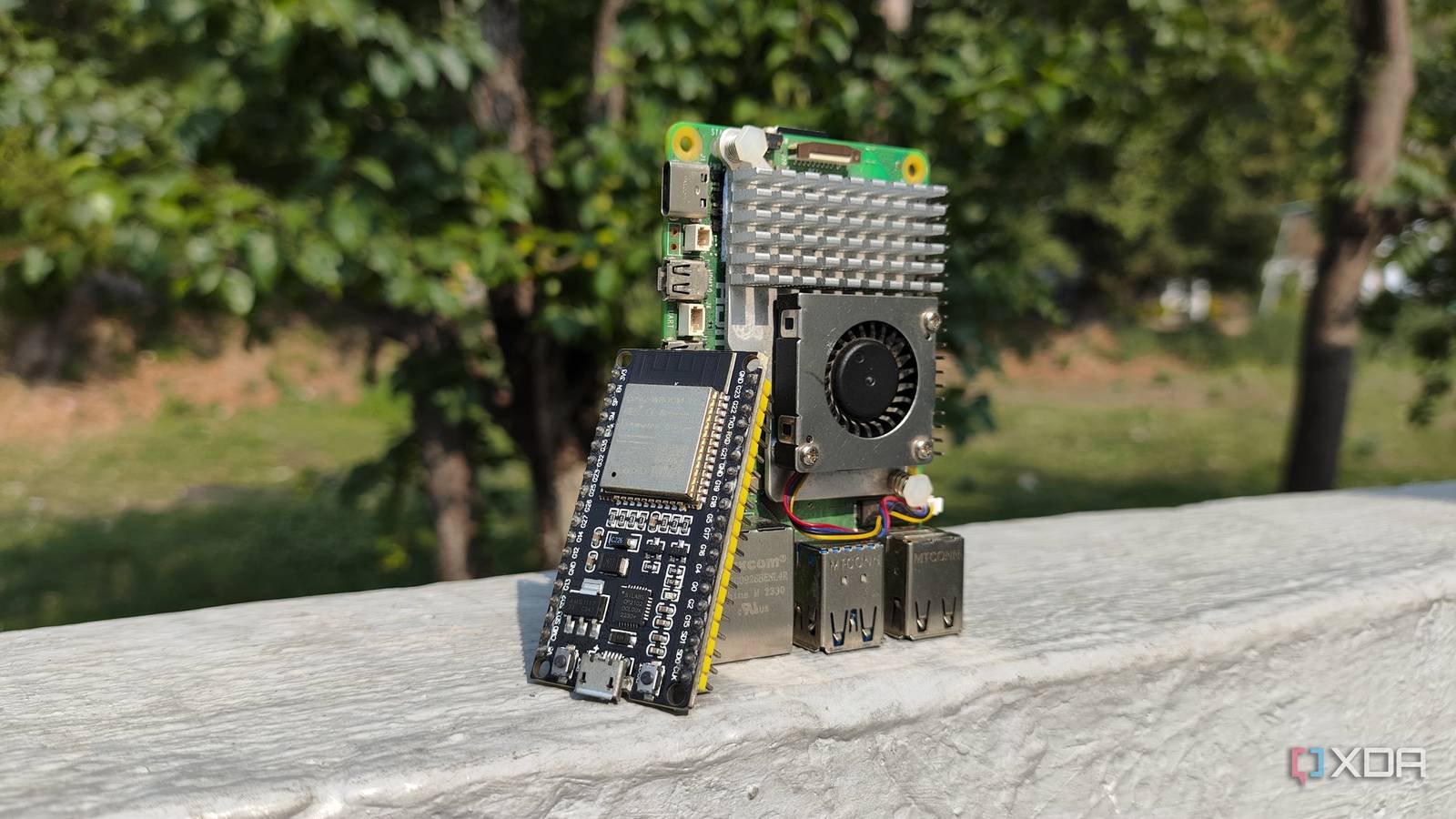
Despite being a fan of the Raspberry Pi as a teenager, I’m starting to become disillusioned with this family of single-board computers. After all, rival boards, especially those based on the x86 architecture, have become significantly cheaper over the years, while leading RPi SBCs have increased their prices without offering tangible benefits in DIY projects. While I still have a collection of Raspberry Pi systems that I’ve purchased over the years, I stopped buying them after RAM shortages drove their prices into the red zone and switched to old thin clients for server experiments.
However, on the smart home front, I made the transition to microcontrollers. To be precise, I started using ESP32 boards for most of my smart home experiments. Yes, I am aware that microcontrollers and SBCs are completely different technologies, but the former are not only more cost-effective, they are also easier to program and have better compatibility with my sensor modules.

ESPHome turns the ESP32 into a DIY champion for Home Assistant projects
Bluetooth Proxy is by far my favorite use case for this little system
Unlike the easy-to-access operating systems and better specs of Raspberry Pi SBCs, ESP32 systems include a built-in operating system – it needs to be programmed before I can execute the correct instructions for my projects. On paper, this makes Raspberry Pi easier for beginners to learn, but the additional processing overhead of a full operating system can be a problem when your smart home projects require minimal latency. However, I rely on ESPHome for my Home Assistant experiments, and this handy app makes playing with this line of microcontrollers much more bearable.
For a start, ESPHome It supports simple YAML syntax, so I don’t have to rack my brain trying to code functional instructions in C++. Add in the OTA updates, strong support for circuit devices, and the fact that it integrates directly into Home Assistant, and you can see why I hold ESPHome in such high regard.
Heck, my Bluetooth proxy is a good example of how this microcontroller became an indispensable part of my smart home setup. I have a ton of smart devices that can be controlled via Bluetooth, but the low range of typical adapters made it a little difficult to control everything from my Home Assistant hub. Since the ESP32 supports Wi-Fi and Bluetooth, I can keep it close to my smart devices and use Wi-Fi to pair the microcontroller (and, by extension, all devices connected to it) with my Home Assistant server.
Become an automation powerhouse with the right sensors

In addition to its Bluetooth capabilities, the ESP32 pairs well with typical sensor modules. Like the Raspberry Pi, I can connect it to my humidity, temperature, and pressure sensors, although its smaller form factor, lower power consumption, and affordable price make the ESP32 a better choice for a DIY weather station. Better yet, it’s much easier to pair the projects I set up through ESPHome with home assistant – and that opens the doors to some really wacky automations.
For example, I can connect some air quality detectors to my ESP32, feed the metrics collected by this setup into my Home Assistant hub, and use these readings to force the air purifiers to do their magic. Likewise, arming my ESP32 with motion sensors allows me to create trigger action rules that come to life upon detecting presence in the rat nest of a home lab. Or I can even try something as crazy (and incredibly practical) as a vibration sensor + ESP32 combo that powers up my server nodes. when I hit the table.
But an ESP32 is just as effective for making DIY boards

Since the ESP32 consumes almost no power, it is easily the most efficient way to build boards that include anything from small displays to full e-ink monitors and LED matrix panels. And I’m not talking about simple panels that display Home Assistant UI elements either. Thanks to the HASS.Agent app, I can stream virtually anything from my PC to my ESP32-based displays, including their resource consumption metrics.

ESP32 also costs significantly less than a Raspberry Pi SBC
For difficult projects, I’d rather rely on x86 machines than RPi boards
While you could technically create most of these projects on a Raspberry Pi, the ESP32’s real ace up its sleeve is its affordable price. Considering that a single ESP32 is usually $5 when I buy three or four, I can get a dozen of these microcontrollers for the same price as a main Raspberry Pi SBC. Heck, probably more than a dozen, since the RAM apocalypse caused a massive price increase for every non-Zero Raspberry Pi single-board computer.
That said, the main series has a couple of projects that I can’t replicate with the ESP32. Running the Home Assistant instance is one of them, and the same applies to creating a Frigate stack to manage surveillance images. But at that point, I prefer to look at x86 systems. Specifically, the old thin clients and mini-PCs that carry the old N100 chip, as it is much more capable than the SBC.
- Brand
-
AITRIP
- Connectivity features
-
USB
The ESP32 is a fantastic development board that combines solid specifications with an affordable price. Despite being cheaper than Arduino and Raspberry Pi Pico, it outperforms most of its rivals. Additionally, the ESP32 even has Wi-Fi and Bluetooth capabilities built into each board, making it ideal for projects where you can’t physically keep the microcontroller connected to your PC at all times.



