
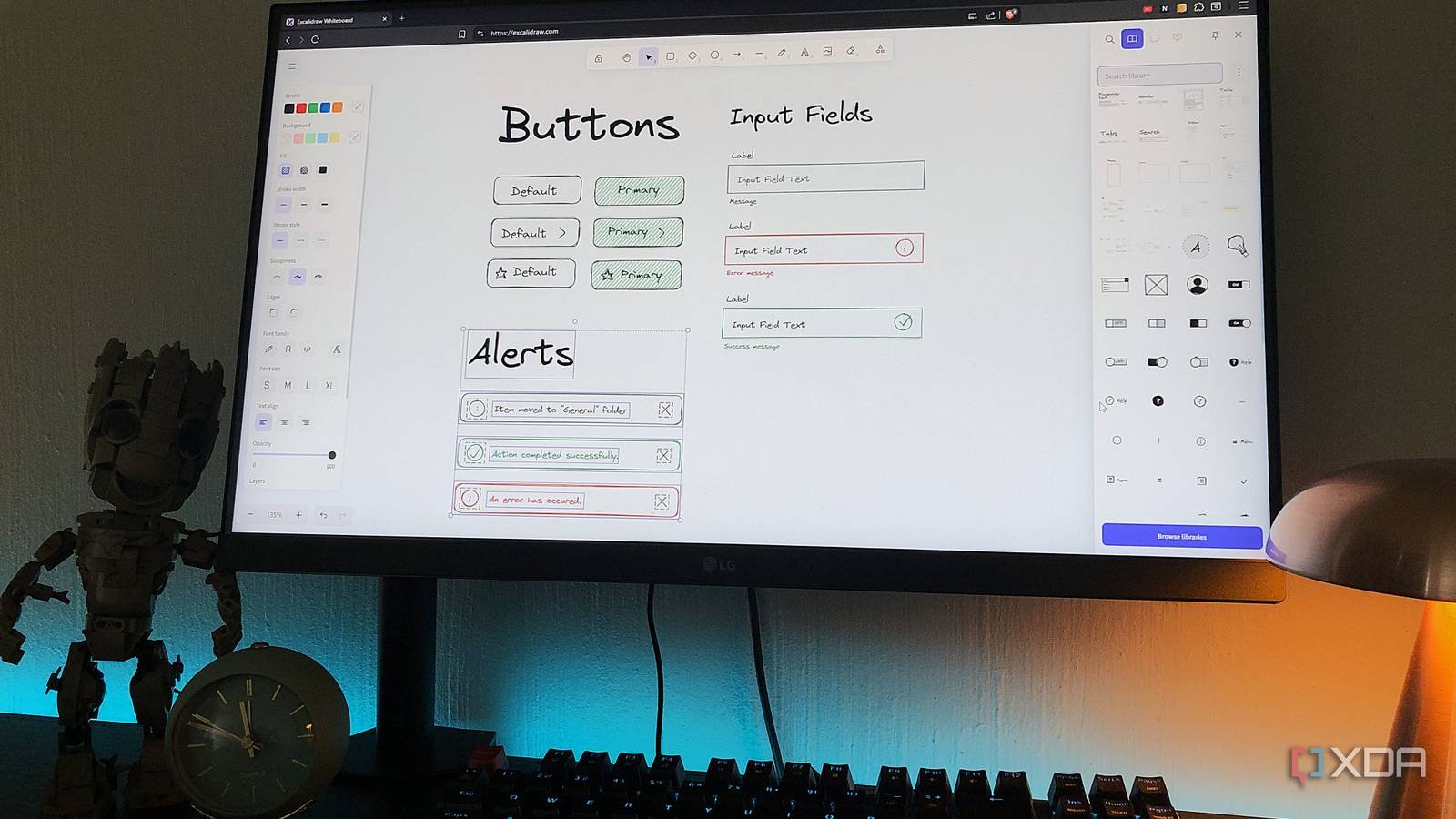
I was watching a YouTube video of someone going over their UX design process and instead of using the usual tools like MiroThey mentioned Excalidraw for quickly mapping out ideas and sketching things out. It wasn’t intended as anything special, just something they used for initial thought processes before the design work was further polished in another application. It seemed like a minimal, quick, low-effort but practical tool, and I had to try it.
Excalidraw is halfway between a whiteboard and a design tool. It can play many roles depending on how you use it, which makes it difficult to define. It is not intended to replace your primary design softwarebut it is not a disposable drawing pad either. This is the type of tool that is used in the early stages of planning a project or design, and is simply an easier way to capture your ideas and keep the flow going.
What exactly is Excalidraw?
A tool I discovered too late

Excalidraw is a self-hosted, Open source web-based whiteboard application created to quickly sketch out ideas, diagrams, rough layouts and things of that nature. It runs entirely in your browser, no account is needed to start using it, and it’s very light on both system resources and in terms of user experience. The goal is speed and simplicity, giving you a space to think visually without lugging around heavy design software. It started as a fairly small and specialized project, but quickly became a widely used tool, especially by developers, designers, and anyone who needs to explain things visually.
Everything happens on an infinite canvas where you can draw and move things. It also supports real-time collaboration via sharing links, so multiple people can participate and work together on the same board. It is designed as a progressive web app, which basically means you can use it offline and it behaves like a native app once loaded. It’s also local first, saving your work directly in the browser; again, no account system or cloud.
Excalidraw covers a wide range of use cases and is commonly used for quick diagrams, initial outlines, brainstorming sessions, and even just notes. It’s best suited in the early stage of whatever work you’re doing, when you’re still figuring things out and don’t need precision yet.
But powerful and unique.
Excalidraw keeps the toolset fairly minimal, but that’s exactly what makes it so powerful and has everything you’d expect for diagrams and layouts. You have shapes, arrows, lines, freehand drawings, text and image inserts. All of these can be adjusted with properties like size, position, color, borders, etc. All in all, a pretty solid set of design tools.
You can group objects, duplicate elements, and use snapping to align things, which helps keep larger diagrams structured. There’s a hand-drawn aesthetic that’s reflected in all the tools, even the shapes and arrows, which is a key defining feature of Excalidraw, giving you that sketchpad feel.
Although simple, this kit works well for many use cases. You can sketch UX wireframes, map processes, brainstorm with diagrams, collect and organize data, and explain concepts to your teammates.
An open library

One of the most underrated features of Excalidraw is its community-driven libraries. has a dedicated page where you can explore pre-built components: from icons and UI elements to logos and forms. And they are maintained and managed in the Excalidraw repository on GitHub. You can download or import them directly into your Excalidraw instance. They will appear in your library panel from where you can drag them onto the canvas.
Anyone can create their own components and publish them following the community guidelines. You can group objects on your canvas, export them as a library, and send them for others to use. The emphasis is on creating elements that are useful to a wide audience rather than personal tweaks or simple shapes.
Miro also has a contribution library through Miroverse, but Excalidraw’s community contributions are more open and technically flexible, while Miro’s are more curated and template-focused.
Collaboration is easy
And it doesn’t require an account

Excalidraw simplifies real-time collaboration. Again, you don’t even need to log in with an account, all you need to do is share your instance link with your teammates, and they can join in and start drawing, designing, and tweaking things on the same board. This makes it a much faster and more private way to collaborate on things like wireframes with a design team, for example. All data is end-to-end encrypted, so only invited participants have access to the contents.
Excalidraw has a Plus level, which mainly benefits collaborators. You get access to features like live comments and version control to view previous dashboard states. You also get extras like screen sharing, cloud storage, presentation slides, and generative AI features. Solo creators definitely don’t need the plan, but it can benefit teams.
A really cool little feature I love about Excalidraw is its Laser Pointer tool, which creates a temporary highlight over an area you want to draw attention to, so collaborators can see exactly what part of the canvas you’re referencing.
Minimal meets practical
I had already gotten a preview of what Excalidraw has to offer thanks to the YouTube video I watched it on. But using it is even better. Personally, I love the feeling of being hand-drawn on every component you create; It really is like a digitized drawing pad. I also didn’t expect to find such a robust library with useful components, which is always a great way to get things done when you’re short on time. It’s simply the perfect space to map out a project before starting it.



