

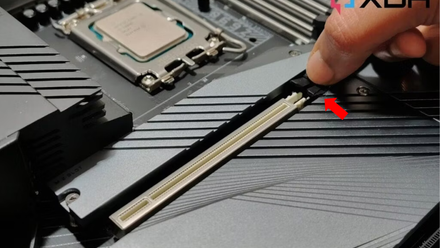
If you have already filled out the slots on your motherboard full PCIe SSDYou might be wondering what’s the best way to add more. While you can buy larger capacities and swap them out, several manufacturers make PCIe add-on cards that can add one, two, or a bunch of NVMe M.2 drives to your system.
It’s a tantalizing prospect, with the ability to add more SSD storage with a PCIe slot, but you might be wondering how well they work. I’ve had one inside my PC in one capacity or another for years, and the difference between the speeds you get may surprise you, because it’s practically negligible. And with the right PCIe card, you can get speeds even faster than the M.2 slot can support, making it an obvious choice for when you really need fast storage.
Extra cards are good, actually
They are often the best way to ensure stability during transfers.
Although it is true that SSD speeds don’t matter as much anymoreYou still want to get the best performance from the M.2 SSD you’ve chosen. Most of the time, it will be necessary to connect it to the dedicated M.2 slots on the motherboard that correspond to the PCIe generation of the SSD, but there are some situations where that could work against you.
Intel and AMD have different approaches to how PCIe 5.0 handled this generation, with AMD giving you more and better distributed lanes for its SSDs. That means you’ll always have a x4 Gen 5 M.2 slot that doesn’t impact the speed of the PCIe x16 Gen 5 slot, allowing your SSD and GPU to run at their optimal speeds. Intel often downgrades x16 to x8 if you install a Gen 5 SSD in the top M.2 port, which slightly slows down PCIe 5.0 GPUs.
You can combat this in some ways, either by using a Gen 4 SSD in one of the other slots or by using a PCIe add-in card for M.2, which will use different lanes and (depending on the motherboard) won’t affect the GPU mapping. It’s something I often turn to when testing so I don’t have to remove the GPU and various M.2 heatsinks from the motherboard, and it works well in practice.
Real-world test speeds aren’t much different
|
Samsung 990 Evo Plus (M.2) |
Samsung 990 Evo Plus (PCIe) |
|
|---|---|---|
|
SEQ1M Q8T1 |
|
|
|
SEQ1M T1T1 |
|
|
|
RND4K, Q32T1 |
|
|
|
RND4K, T1T1 |
|
|
I ran some quick tests with a Samsung 990 Evo Plus M.2 SSD and the difference between using a Gen 5 M.2 slot and the adapter card in a Gen 5 PCIe slot isn’t much. The test speeds are close and I would challenge anyone to notice the difference in everyday computing tasks. It’s enough to show up in benchmarks and will prolong some types of file transfers, but you could also have run these tests another five times and gotten results showing the opposite picture.
The truth is that these results are within measurement error over multiple runs, and modern PCIe add-in cards are up to the task. Sometimes they’re even a little better, especially if your motherboard doesn’t have existing heatsinks to keep those NVMe drives cool under sustained loads.

So why does this work?
NVMe uses the PCIe bus wherever it is connected
To understand why, it is important to know a little more about how and what an NVMe SSD is. See, NVMe is a communication protocol that works over PCIe, while M.2 is the form factor and socket it uses. NVMe can also use U.2 sockets on enterprise computers, but still relies on PCIe for data transfer. The point here is that PCIe is used regardless of the form factor of the NVMe SSD, and that means it will give you comparable results whether it is connected to an M.2 slot or a PCIe slot via an adapter.
And you could get even faster speeds
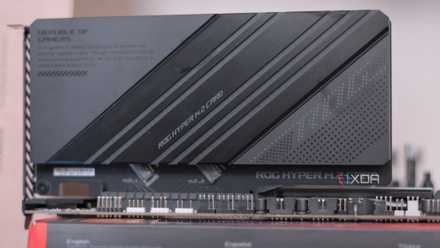
Some PCIe adapters for M.2 SSDs have more than one slot and feature branching, allowing you to split the PCIe slot lanes between M.2 drives. This means you can configure RAID 0 for double transfer speeds or, depending on the number of M.2 slots, various other RAID levels for greater speed and redundancy. This means that the right PCIe add-in card could give you faster transfers than a single M.2 slot on the motherboard, and that’s why they’re often used by data scientists and other technical users who need a lot of fast storage.
PCIe is PCIe, whether through a motherboard slot or an M.2

I’ve used M.2 slots and PCIe add-in cards for my NVMe SSDs interchangeably for years. They are simply different connectors for the same communication protocol used by these speedy units, and as long as your add-on card is of sufficient quality, there will be no difference in use. Additionally, you can add more M.2 drives than your motherboard supports, or use Gen 5 NVMe drives if your motherboard lacks Gen 5 M.2 slots but has PCIe slots.



