

Smart homes can quickly transcend into a typical frustrating morning. Let’s say you say a voice command and then your smart assistant responds “Sorry, I’m having trouble connecting to the internet right now.” Or your connection works and your smart switch still takes a full five seconds to turn on a light bulb that’s two feet away. When your partner or guests can’t turn on a lamp because the physical switch went off or the app disconnected them, all this does is build up even more repressed anger. The smart home was supposed to reduce friction, but now you act as a full-time IT helpdesk for your own living room.
The only permanent solution is to move to on-premise automation, but it requires a painful paradigm shift in how technology is purchased and configured. Smart homes for the consumer like Alexa, Google Home and SmartThings are built on a house of cards, the cloud. True reliability requires moving to 100% local control, which means purchasing dedicated local hardware, changing protocols, and managing the system yourself. It is an administrative task and may seem like a long-standing smart home projectDon’t get me wrong, but it’s the only way to save your sanity in the long run.
Cloud-based smart home devices are no fun
Don’t lock yourself into a lifetime subscription
When investing in a variety of different cloud-first smart home products these days, major brands have historically restricted free API access, locked basic automation behind monthly paywalls, or shut down cloud servers entirely. This can instantly turn your expensive hardware into electronic waste that is completely unusable. When investing in this type of technology, you don’t actually own the hardware for the long term. You’re basically renting it until the manufacturer decides it’s time to decommission the device.
On top of this, you are a slave to cloud routing, which is completely absurd. When you press a Wi-Fi smart switch, the signal goes up to your router, goes out to an AWS server across the country, processes the command, sends it back to your router and finally to the light bulb. If your Internet has problems, your lights will stop working.
While opting for cloud-based devices seems like a safe and easy option because they come from brands you recognize, know and love, this is not really the case, especially in the long term. A Ring doorbell seems like a good investment because it’s a trusted brand that everyone uses, but you’re actually spending $100 on the doorbell and then an extra $20 a month just to use it. All features that are locked behind the paywall are free on alternative devices that are not cloud-based.
Switching to local only can be tedious
but it’s worth it

Solving this problem is not difficult. It’s just tedious and not fun. Being 100% local requires a lot of effort. However, the reward for completing this task is exceptional: making your home feel like it really works for you, while getting rid of ongoing subscriptions you might be paying and ensuring you feel like you really own your hardware.
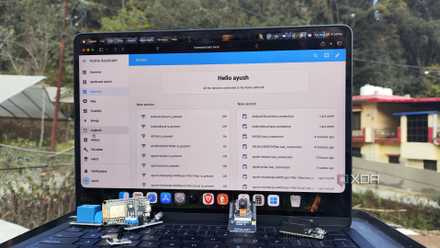
The first step you need to take is to replace the cloud brain. To do this, you need to get rid of the consumer centers and migrate to an on-premise or open source controller. One of the best examples is Home Assistant. This forces you to manage your own server, handle backups, and learn basic logical constraints. It may seem intimidating, but the learning curve is not steep at all. With a little research, you could control your home through Home Assistant with ease.
Next is to purge all Wi-Fi devices in your home. Stop buying cheap Wi-Fi smart plugs that overwhelm your router’s device limit. This solution requires moving to dedicated offline mesh protocols and products like Zigbee or Z-Wave. Another alternative is Matter over Thread, local only. They operate completely within your walls without even pinging an external server. They can communicate with a local hub, and many devices can extend the range of your smart home while transmitting their own signal.
The last step is the change of mentality regarding infrastructure. You have to start treating your home like business IT. That means connecting your smart hub and router to an uninterruptible power source to keep the house running during a blackout, and then setting up automated local backups.
By completing all of these steps, you will have set up a local smart home stack that includes a dedicated brain, local mesh protocols, and wired infrastructure.
While you’re doing this, make sure you follow the golden rule of smart homes. If a guest cannot normally operate a device using a standard physical wall switch they are accustomed to, then your smart home design has failed. Smart switches are your best friends than smart light bulbs. Replacing traditional switches with smart switches is the ultimate design solution. It keeps local automation intact while allowing for regular manual operation. This means that it is not just a tutorial for using simple functions.
Don’t be intimidated
Local control is worth it
Moving to self-sovereignty can be exceptionally rewarding, and while getting there may require you to spend a painful weekend migrating to an on-premises setup, once that’s over, something truly magical happens. Sub-millisecond execution speeds, the switches react instantly, and best of all, when your Internet service goes completely offline, your automated home continues to function perfectly and you don’t feel locked out. Stop buying convenient cloud devices and invest time in a local foundation, or prepare to continue debugging your light switches for the rest of your life.



