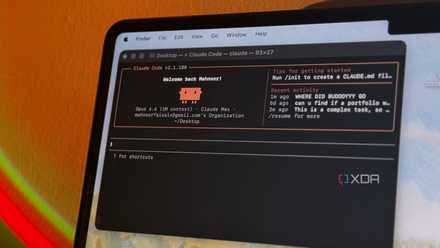
A CLAUDE.md file is one of the best ways to make Claude Code listen to you. For the uninitiated, it is a Markdown file in the project root directory that serves as a permanent instruction manual or onboarding summary for Claude Code.
While useful, it can also become a disaster if it becomes too bulky. I used to think that the more detailed a CLAUDE.md file The better it was, the better the responses and results would be. Based on that assumption, I ended up giving Claude Code a 200-line CLAUDE.md file and things went horribly wrong. The file became a giant pile of rules that Claude had to reread and prioritize before he could do any real work.
A larger file is not always good
It is better to be concise
More than a few things can go wrong when your CLAUDE.md is larger than necessary. If it gets closer to 200 lines, like mine, you’ll start to see dilution of the instructions. My CLAUDE.md included everything from coding standards and workflow rules to testing requirements, output format, and planning procedures. Finally, the agent began to get confused. Important instructions began to compete with each other and Claude no longer knew which rules were most important for the task at hand.
This also started to affect my usage limits. Since CLAUDE.md is loaded in context at the start of each session, the agent had to process those instructions repeatedly. A larger file permanently consumes context that could otherwise be used for code, documentation, or actual reasoning.
I also ran into what I call the “everything is important” problem. I had started treating CLAUDE.md as a knowledge base, but it works much better as a decision-making guide. At one point, my CLAUDE.md contained complete project architecture documents, coding conventions, workflow rules, MCP documentation, and even tool manuals. I kept adding information because I assumed more context would lead to better results.
But the truth is that CLAUDE.md works best when you focus on what really influences your decision making. You should highlight what should never be broken, how tests should be run, and project-specific patterns that the agent should follow, rather than documenting everything. Everything else can be uploaded on demand. Anthropic itself recommends a “just-in-time” context approach rather than cramming everything into the startup context.
The key is not to treat CLAUDE.md as a knowledge base.
A good CLAUDE.md only needs a few things

The key is not to treat CLAUDE.md as a knowledge base. I made that mistake myself. For most projects, a good CLAUDE.md only needs a few things.
Start with a brief overview of the project. A few lines explaining what the project does and what technologies it uses are usually enough. Claude doesn’t need a full architecture document just to understand that he’s working on a Next.js application backed by PostgreSQL and Prisma.
The next section should cover non-negotiable rules. These instructions prevent costly mistakes. Rules like “never modify applied database migrations”, “never commit secrets”, or “ask before changing authentication logic” belong here because they directly influence Claude’s behavior.
It should also include the commands that Claude needs to execute before considering a task completed. Something as simple as npm run lint, npm run test, and npm run build gives the agent a clear definition of what is done.
Project-specific conventions also deserve a place on CLAUDE.md. If API calls always flow through a central client, document it. If the business logic belongs to services and not controllers, include that as well. These are the types of instructions that shape daily work and prevent Claude from generating code that conflicts with the rest of the code base.
Everything else belongs somewhere else. For example, things like architecture documents, MCP documentation, and the onboarding guide work best if you add them as separate files that Claude can upload when needed. Modern agent workflows already provide ways to retrieve documentation on demand, so there is little benefit in forcing every piece of project knowledge into a startup context.
Keep the file up to date
A good CLAUDE.md is not something you write once and forget

A good CLAUDE.md is not something you write once and forget. You need to track the project as it changes. When the code base grows, workflows change, or tools change, the file should change with it.
You don’t need to add more and more details, but keep deleting outdated instructions, updating commands that no longer work, and deleting rules that no longer affect daily work. A CLAUDE.md file that is kept up to date will help Claude make better decisions.
The best habit is simple. Review the file after major refactorings, tool changes, or process updates, and remove anything that no longer fits.
Get the most out of Claude Code
There are many changes you can make to Claude Code to improve the result you get. There is Countless mods and extensions that can take the experience to the next levelbut some of the The easiest wins come from changing settings that most people ignore..