

The clipboard is a piece of software that can be very underrated. Most of the time, you don’t even think about it, but in recent years, companies have been offering solutions that allow you to sync clipboard items between devices and save them for longer. For me, this is an absolute game-changer in terms of productivity.
However, there is a potential problem: syncing between devices usually means sending your data to the cloud. But that doesn’t have to be the case, and ClipCascade proves it. ClipCascade allows you to sync your clipboard between devices while keeping all your data within your own network, and is the ideal solution for those concerned about privacy.
The problem of trust
Do you want your data in the cloud?

Without a doubt, syncing data between devices is convenient and useful and for the most part, we tend to rely on the fact that our data is kept safe. Your clipboard is usually linked to a user account protected by a password and (hopefully) two-factor authentication, so there should be no cause for concern.
And yet hacks happen. Large corporations sell data all the time for advertising revenue, and you never know when your private data might end up in someone else’s hands. It may seem harmless, but we copy all kinds of things to our computers, including emails and passwords. Having that information stored in the cloud and potentially exposed could be very dangerous.
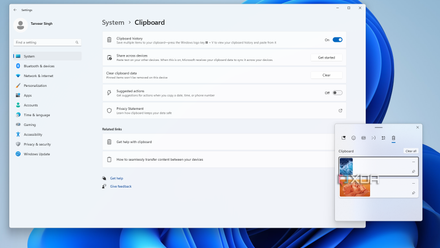
To be clear, it is highly unlikely that this data will be leaked to someone who uses it for nefarious purposes, but the chances of this happening are not strictly zero. So it’s understandable to have some concerns, and that’s where ClipCascade comes into play.
ClipCascade keeps it all on your server
Self-hosting strikes again
I have become a big advocate for self-hosting services and ClipCascade is another big advocate for helping to safeguard your privacy in this way. Basically, it’s your own clipboard sync server, meaning you can still share the contents of your clipboard between devices, but they never leave your home network. Like most self-hosted solutions, everything you offer is stored on the computer where you run the service.
You can run ClipCascade on a dedicated device like a NAS or a home laboratoryor you can just keep it running on your own PC using Docker. I prefer to use my NAS because it allows me to use the service without depending on a device that may or may not be on at any given time. There is a simple Docker Compose file that you can use to easily deploy the server with a few preset options, and you’re done.
As for clients, the ClipCascade app works on windows 11macOS and Linux, as well as Android phones, so most devices are supported. Unfortunately, iOS users are out of luck, but I’m not in that group. On Android, you must use ADB to allow ClipCascade to automatically monitor the contents of your clipboard, but you can also manually share content with ClipCascade to sync between devices if you don’t want to make those changes. If you plan to use it with Linux, it requires some dependencies, so it may be more difficult to configure compared to other versions, but at least the option is there.
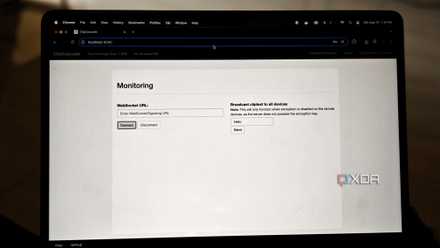
Of course, you can still use your synced clipboard outside of your network if you set up something like a reverse proxy, but that’s completely optional and still keeps everything under your control. Your data is completely in your hands with this solution.
Works surprisingly well
Instant sync and multi-user support

The nice thing about ClipCascade is that, functionally, you’re not sacrificing anything. The app supports encryption of your synced data and you can even set up multiple user accounts, so everyone in your family can have their own independent clipboard powered by the same server.
Importantly, syncing also works very quickly, so as soon as you copy something to one device, you can paste it to another connected to the same account. I’ve had times using Microsoft’s cloud sync where I had to wait a bit or something just didn’t work right, but here everything feels instantaneous.
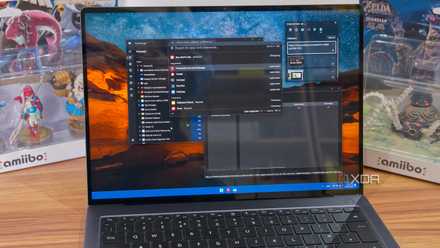
It’s also a great match for a tool that offers clipboard history like Raycast. Raycast offers cloud sync for clipboard, but only if you pay for the Pro version. With ClipCascade, your clipboard history is essentially synced between your connected devices and continues to grow. It’s not perfect, as a client device will only receive clipboard data that was created while it is powered on, but it is still a very capable solution for accessing clipboard history across multiple devices. As long as both devices are turned on, you will be able to access previously copied items from another device, which is very useful.
It’s all about control
Cloud-synced clipboards are generally secure, but putting your data on a server that you have no control over is, understandably, something not everyone is comfortable with. I love that ClipCascade keeps everything under my control while also working great as a synchronization solution. Whether you have a homelab or are willing to run it on your main desktop, this is a great tool highly recommended.



