

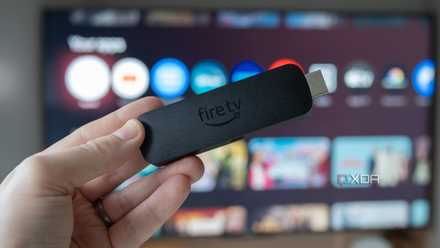
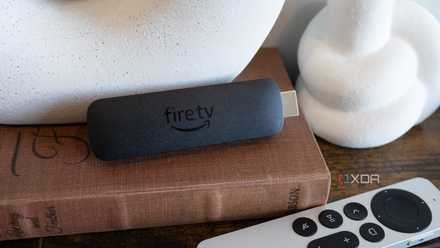
I’ve used a Fire TV Stick for over three years and have rarely had any problems. It was undoubtedly one of the best budget updates for my not so smart TV. But that doesn’t mean it was a completely perfect experience either. There were a few frustrations I had to deal with for a long time, and the Fire TV remote was the biggest.
That’s when I decided to take control and replace it with the Fire TV mobile app. It’s available for both Android and iOS and worked well on my iPhone 13. In the last few weeks that I’ve used it, I’ve had no complaints. Beyond simply improving existing features on the remote, the app added a wide range of new features to optimize my Fire TV experience. And I don’t think I can use the remote again now.
My smartphone was the answer
Setup took less than 5 minutes.

One of the things I love about the Amazon Fire TV app is how easy it is to set up. Download the app and tap “Connect to Fire TV” in the Remote tab. It will automatically detect nearby Fire TV devices and smart TVs running Fire TV OS. I tried it with both and they appeared almost instantly. All that remains is to enter the 4-digit PIN displayed on your TV screen. Once you’re done, your smartphone will be ready to use as a Fire TV remote.
Within the Fire TV app, you have five tabs: Remote, Search, Home, My Stuff, and Settings. Over the past two weeks, I’ve spent most of my time on the first four tabs, since that’s where things are most frequently accessed. And the experience was surprisingly polished. I’ve used my phone as a remote control with a couple of devices, but very few match the Fire TV experience.
First of all, the app’s interface is quite simple and easy to navigate, and every action is recorded instantly. That’s something even my remote control occasionally failed at. Maybe dead batteries were to blame, but with the Fire TV mobile app, I don’t have to worry about that. I agree that they are not huge savings, but what I appreciate is the convenience.
It’s better than the Fire TV remote
The best part is the full size keyboard.
If you look at it closely, the Fire TV remote is pretty basic. It has several buttons, which I agree are the most used, but there are a few other controls that the remote would have benefited from. At least that’s what I feel. For example, it would have been useful to have more buttons to launch streaming apps directly. There are three on my Fire TV remote, but I usually switch content from more apps. Also, Prime Video is not one of my favorite apps, but there is no way to reconfigure the buttons on the Fire TV remote.
This is where the Fire TV mobile app comes to the rescue. It allows me to pin up to 6 app shortcuts to the virtual Fire TV remote on my smartphone, and the best part is that I can choose which ones. I am no longer bound by Amazon’s design choice, and this has improved my streaming experience.
The other thing, and the one I consider most practical, is the availability of a dedicated keyboard. Unlike the Fire TV remote, which forces me to use the directional pad to enter characters, the Fire TV app lets me type words seamlessly. It is much more convenient and efficient to search for shows and movies frequently than to choose one from the recommended section. Other than that, it makes entering long passwords a pain. Security Council I follow it almost religiously, much faster. I regret not switching to the Fire TV app and turning my phone into a remote control sooner, because this is the kind of convenience I was missing.
There are other benefits too
Faster access and navigation

Honestly, the full-size keyboard and customizable pinned apps section alone would have convinced me to switch. But when I used my smartphone as a Fire TV remote, I quickly realized there were plenty of other benefits too. One of my favorites is the touchpad, which allows me to navigate the interface simply by sliding my finger across the screen. To me, these touchscreen controls feel much more natural than those directional buttons. Remember, the Fire TV app also includes the D-pad. So if you think it’s a more convenient option, the option is still available.
The Fire TV app has also made it simpler to find and stream content on Prime Video. I can simply scroll through the list of shows and movies, find what I like, and cast it to my TV with a tap on my smartphone.
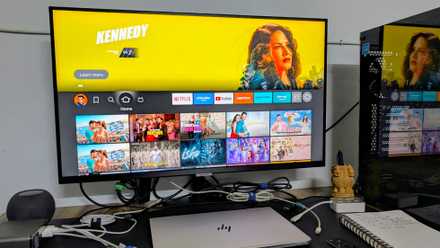
Another benefit of using the Fire TV mobile app is that it allows you to control multiple Fire TVs at once. I have one smart TV with Fire TV OS and another with my Fire TV device connected, and the app works on both. It allows me to quickly select the Fire TV device I want to control, eliminating confusion.
should have changed before
I’ve realized that the best upgrades aren’t necessarily the ones that burn a hole in your pocket. Sometimes these are Features and functionalities that you have long overlooked.. I downloaded the Fire TV app while writing content, and it has become my primary controller ever since.
Let’s not forget, with my smartphone as a remote control, I no longer have to worry about losing the physical Fire TV remote. Believe me, I’ve wasted a lot of time trying to find it. Frankly, I don’t remember using the physical remote control in the last two weeks and I think it will soon end up in the drawer reserved for old and unused accessories. At this point, I don’t see myself going back to the physical remote.



