

Although the early Raspberry Pi units didn’t rank too high in terms of performance, you often found people relying on them for entry-level server tasks. Now, I’m well aware that the Raspberry Pi wasn’t designed for home lab experiments, but these tiny boards were (and still are) more than enough to drive a couple of quality-of-life containers, run inexpensive media servers without transcoding, and even support Home Assistant setups involving a handful of devices.
But between aging hardware and price increases, the Raspberry Pi’s usefulness in beginner-friendly server tasks has been slowly declining in recent years. Meanwhile, Intel’s N100 processor has become the de facto king of budget home labs, to the point where it’s cheaper to purchase a mini PC powered by this low-power CPU rather than spending money on a main Raspberry Pi single-board computer.
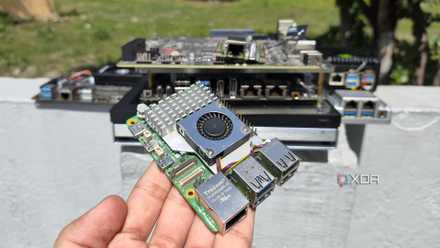
The Intel N100 circles around the RPi in terms of processing capabilities
After all, the RPi 5’s hardware was outdated when it launched

One of my biggest complaints with newer Raspberry Pi boards is their weak hardware, as the RPi 5 includes a CPU that was already a few years old when it hit shelves. But back then, the popular SBC family had nothing to fear, as no small system could be found that offered the same level of performance and package support as the RPi series, even if rival boards had begun to improve the capabilities of their hardware.
But what really changed the equation was the Intel N100. While it is a few years old at the time of writing, it is still a reliable processor for budget DIY server projects, especially compared to the Raspberry Pi’s specs. For my experiments with Proxmox, the Intel N100 mini PCs (as well as SBCs and compute modules) managed to run some virtual machines, including those with full desktop environments. At the same time, if I may add. Heck, they can even run a bunch of LXC alongside simple CLI VMs, which is more than I can say for the Raspberry Pi.
Likewise, the N100 is rugged for extreme Home Assistant setups involving dozens of automation chains, smart gadgets, and integrations. Sure, a Raspberry Pi 5 could serve as a decent HASS unit, but you’re bound to run into performance issues as your arsenal of smart home devices grows. Likewise, you can host significantly more free software through containerization applications on N100-powered systems, and the same applies to the N100’s usefulness on media servers, especially once you include its quick-sync capabilities.
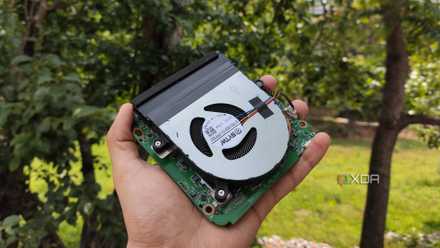
Its transcoding provisions are equally incredible.
Although you can implement a bunch of media server tools on the Raspberry Pi, their usefulness drops drastically when you need to transcode videos. Sure, mainstream RPi systems can handle 1080p transcoding without buckling under pressure, but when you need multiple 4K streams, these little boards are far from ideal.
But thanks to Quick Sync functionality on the N100’s iGPU, the budget processor is a beast at 4K transcoding tasks. I recently turned on my N100 LattePanda Mu module in a Jellyfin server (one that runs a couple of other LXCs on Proxmox) and was able to handle four 4K streams, enough to replace my old GPU setup.
The Raspberry Pi also cannot function as a primary NAS

While we’re on the topic of media archiving tasks, turning a Raspberry Pi into a makeshift backup server used to be a pretty popular idea back in the day. But unless you go for a dedicated setup that includes SATA HAT, it’s not worth building a dedicated network attached storage server with a Raspberry Pi and external drives. And even with such a HAT, the RPi starts to accelerate once you launch more than three units.
Combine that with its slow 1G Ethernet connection and the fact that you can’t take advantage of TrueNAS or Unraid, and it’s a terrible choice for your everyday storage server. Don’t get me wrong, it’s still a solid secondary server, but I can’t recommend purchasing these expensive SBCs (and I’ll go over that in a minute) in a 3-2-1 backup environment. In the end, it’s always better to go with an N100 platform if you want to save a few bucks, as it can accommodate more drives and work well with most NAS distributions. In fact, I’ve tested enough hybrid NAS mini-PCs and dedicated storage servers that support this processor to know that it’s pretty solid for budget data archiving and backup equipment.
Software compatibility is another front where the N100 dominates the Raspberry Pi
Even with workarounds, Raspberry Pi cannot run most server platforms
The Intel N100 also surpasses the Raspberry Pi family when it comes to software support, which is quite ironic, considering that the RPi’s superior compatibility with different operating systems and packages is what made it so popular to begin with. But at the end of the day, RPi SBCs are based on the ARM architecture, and there are dozens of distros, home server platforms, and utilities that support nothing but x86 (or, for pedantic people, x86-64) systems.
Sure, it’s still possible to use the good old ones Canonical MicroCloud with Raspberry Pi installing it on the Ubuntu Server ARM image. Likewise, it is possible to install and run OpenMediaVault along with a handful of containerization platforms on high-end RPi SBCs. But everything since Proxmox to TrueNAS requires many workarounds to run on Raspberry Pi, many of which often result in broken Ethernet controllers, limited storage options, and unusable GPIO headers.
In contrast, Intel N100 drives work extremely well with every virtualization platform (minus Harvester and its ungodly system requirements), NAS distributions, container hosting tools, and various server utilities you throw your way.
Crazy Raspberry Pi prices are the final nail in the coffin
Ironically, N100 systems have become cheaper than a full Raspberry Pi setup
Although the affordable cost of the OG Raspberry Pi was its biggest draw, modern RPi systems (besides the Zero) have seen massive price increases. Worse yet, the RAM apocalypse has caused its prices to far exceed the $150 area, and that’s just for the SBC. For the Raspberry Pi 5 in particular, you’ll need to grab a display adapter to make sure its micro-HDMI ports work with modern monitors, a microSD card for the operating system, and a cooler to ensure it doesn’t melt even in remotely demanding tasks. Add in optional (but still useful) accessories like cases, PCIe to NVMe adapters, and charging cables capable of meeting your strange power requirements, and you could end up spending $300 on a high-end RPi setup.
By contrast, N100 mini PCs tend to ship with the case and storage drives, so you don’t need to invest in additional hardware to use your new device. As for costs, you’ll find N100 devices for between $200 and $300, which is crazy considering that’s about what a RAM-loaded Raspberry Pi can cost you.
The Raspberry Pi doesn’t fare better in other DIY ecosystems either

As much as I love my RPi systems, I have to admit that their usefulness in non-server projects is also starting to decline. When it comes to smart home devices, robotic projects, and functional circuits, a microcontroller is more than enough to meet your tinkering needs, and it all costs a fraction of the price of a main Raspberry Pi SBC.
In fact, the pricing situation has gotten so out of control that the RPi Zero is the only Raspberry Pi SBC I can recommend, and that too, for projects where an ESP32 or RPi Pico wouldn’t be able to meet your performance needs, while an N100 system would consume too much power.

- Storage
-
64GB eMMC, M.2 M key slot
- UPC
-
Intel N100 (upgradable to Intel i3-N305)
- Memory
-
8 GB LPDDR5 (upgradable to 16 GB)
- Operating system
-
Windows 11, Linux
- Ports
-
4x USB Type A, 1x HDMI 2.0, 1x 1GbE RJ45, 1x PCIe 3.0 x4
- GPU
-
Intel UHD Graphics



