
Opera has introduced a MCP Connector Feature in your Neon browser that allows external AI tools to connect to a live browser session and perform actions directly within it. The update provides a Model Context Protocol endpoint, giving supported AI clients access to open tabs, page content, and active sessions without the need to copy information between applications.
Opera Neon launched late last year as the company’s AI-focused browser. MCP Connector extends a previous internal automation feature called Browser Operator, which allowed the browser to perform tasks based on user instructions. This capability is now available to third-party AI clients.
How Opera Neon’s MCP Connector Lets AI Tools Control Your Browser
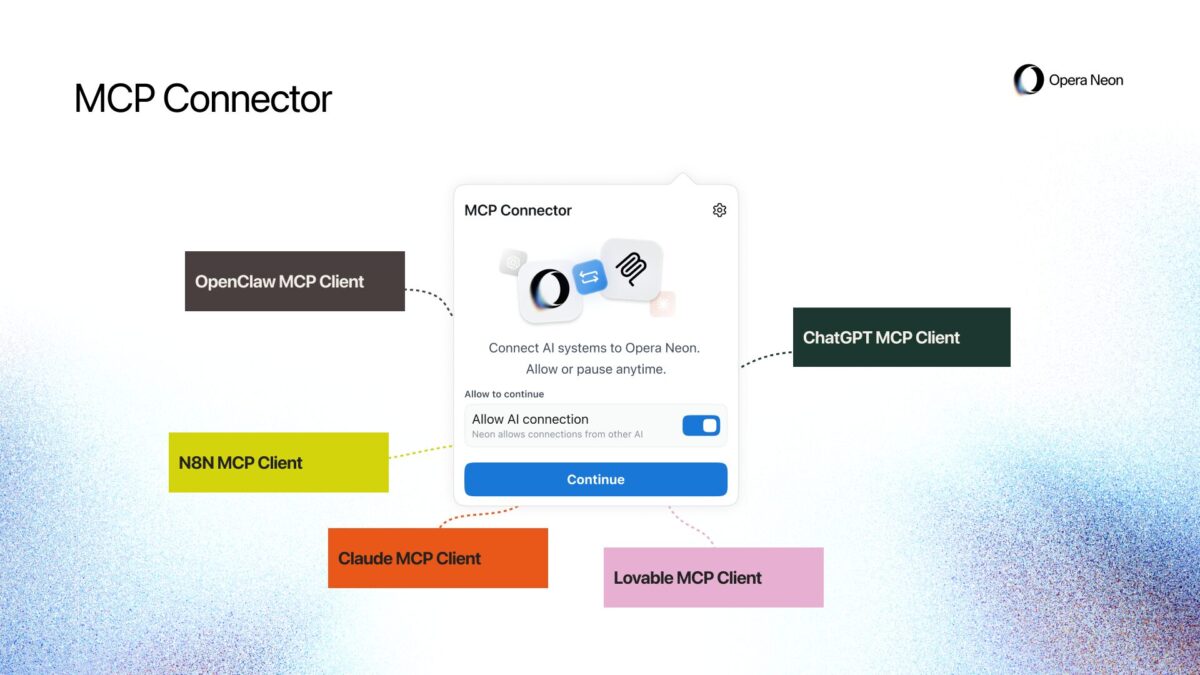
AI clients that support the Model Context protocol can, once connected, perform several actions within an active Opera Neon session:
- Browse websites, collect information from pages.
- Capture screenshots
- Open new tabs
- Run searches
- Fill out forms.
At launch, supported tools include ChatGPT, claudioLovable, OpenClaw and n8n, along with other MCP-compatible clients.
Authentication is managed through a secure MCP server address. Only AI clients that pass the authentication process can connect to a browser session. A proxy layer ensures connection stability and provides a status message if the browser becomes unavailable during an active session.
Opera has not released details about what permissions a user must grant before an AI client can begin interacting with an open session or whether individual actions require confirmation.
Who can use MCP Connector and how much does it cost?
The MCP connector is now available for Opera Neon subscribers. Opera Neon costs from $19.90 per month. A simpler version of the MCP connector is in development for Opera One and Opera GX, but Opera has not announced a timeline for its release.
Opera says initial users of the feature are expected to include developers, automation users, and those working on coding and prototyping workflows. The company has not specified which MCP client versions or protocol revisions are supported.




