
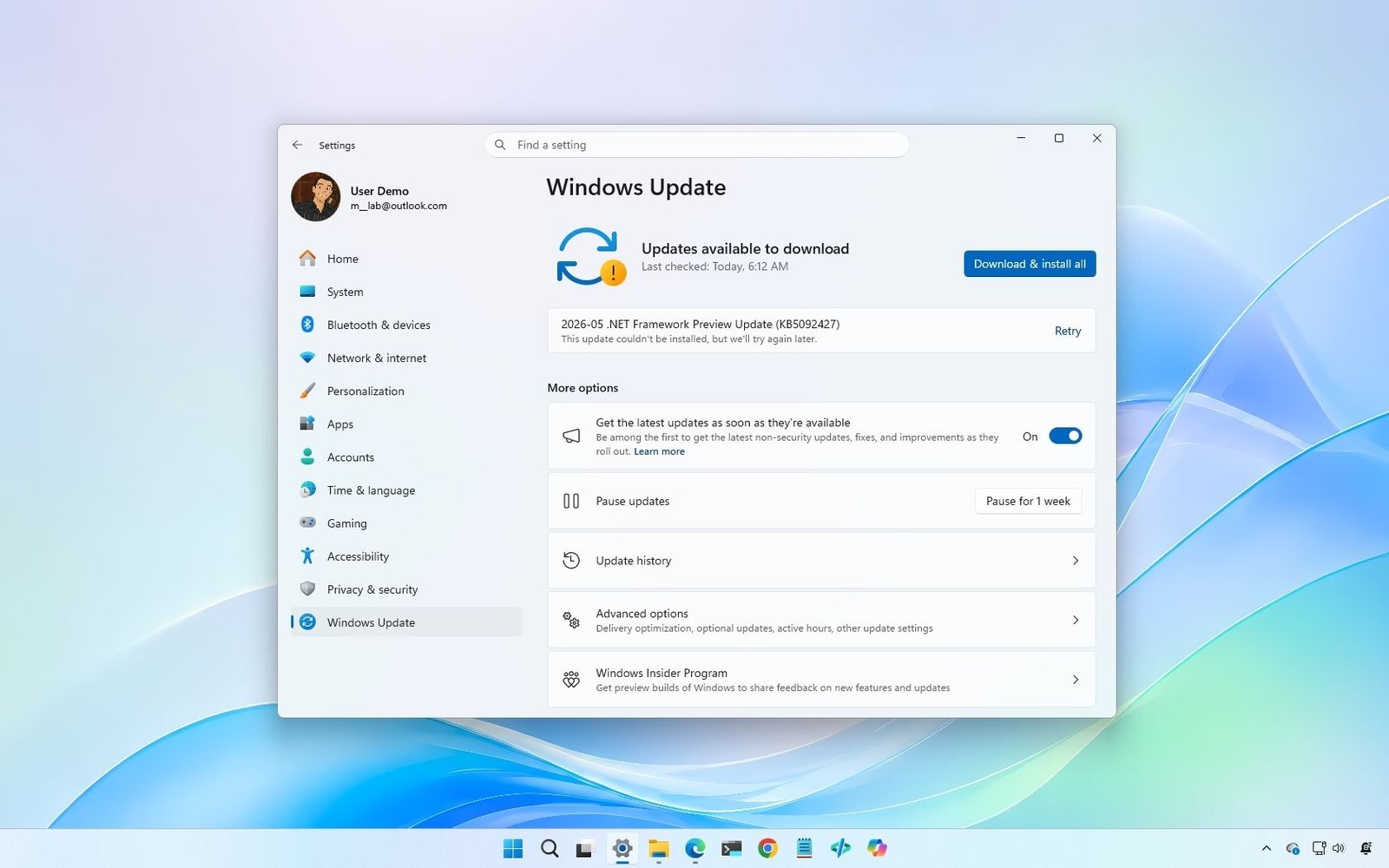
Microsoft’s latest Patch Tuesday update for windows 11 is causing problems for some users. The KB5089549 update, released on May 13, 2026, reportedly fails to install on certain computers, while a smaller group of users report that the patch also slows down internet performance after installation.
Reports started appearing shortly after the update was rolled out via Windows Update (via neowin). Most complaints come from users posting on forums like reddit (links 2 and 3), where affected systems repeatedly attempt to install and then roll back to the previous version. The issue appears to be related specifically to Windows 11 systems running the May 2026 Cumulative Update.
Windows 11 update rollback issue

For some users, the installation never completes successfully. Instead, the operating system throws an error message that says: “Something didn’t go as planned. No need to worry about undoing the changes.”
That rollback process is important because it means the operating system recovers automatically, rather than leaving devices stuck in an unusable state. While frustrating, the issue does not appear to be causing widespread boot failures or corrupt installations.
Several users claim that this is not the first time that recent Patch Tuesday updates have failed in the same way. This raises questions about whether a deeper compatibility issue is affecting certain hardware configurations, drivers, or service components.

As of this writing, Microsoft has not acknowledged the issue. In fact, the health dashboard page It doesn’t list any known issues related to the latest update or any others.
Slow internet after update.
A smaller number of reports from the Microsoft Forums point out another issue. Some users say that their Internet speed decreased immediately after installing the update.
Complaints are still limited and there is not yet enough evidence to confirm a widespread network error. In many cases, slowdowns can be caused by a variety of factors, from computer issues to network equipment.
What users can do now
If KB5089549 is not installed, Windows 11 will usually roll back automatically after the error appears. Users can then try running the update again through Windows Update. However, in my experience, if the installation already failed once, it will continue to fail.
Some users also clear the SoftwareDistribution cache, run the Windows Update troubleshooter, or temporarily disconnect non-essential peripherals before retrying the installation.
For users who see Internet slowdowns, restarting the network adapter or reinstalling network drivers can help determine if the update is directly responsible.
In the event that the update still does not install, I would wait for the next cumulative update.
However, currently reports still appear scattered rather than widespread. Unless complaints grow significantly, the company may not formally document the problem.
If you have not installed this cumulative update, please see my complete guide at Everything you need to know to protect your computer from buggy updates.
Windows Central’s opinion
At this point, I’m not surprised if this is another Patch Tuesday update causing installation headaches. Cumulative updates have improved significantly over the years, but the operating system still needs to run on a wide range of hardware, drivers, and software configurations. So every once in a while, something might break.
Personally, if the update installs without problems, I would keep it. Security updates are very important. However, if KB5089549 already failed once on your computer, you probably wouldn’t spend hours fixing it. In my experience, these cumulative updates install normally or continue to fail until the company fixes something on the backend or ships the next patch.
What do you think about this latest Windows 11 update issue? Let me know in the comments.
More resources
Explore more detailed how-to guides, troubleshooting tips, and essential tips to get the most out of Windows 11 and 10. Start browsing here:

Join us on Reddit at r/WindowsCentral to share your ideas and discuss our latest news, reviews and more.



