When you hear that a router supports Wi-Fi 7naturally expect it to include three bands (2.4 GHz, 5 GHz, and 6 GHz) along with other Wi-Fi 7 features like MLO (multi-link operation), 320 MHz channels, and 4096-QAM. However, in reality, MLO is the only one of those three Wi-Fi 7 features that routers must support, which has resulted in many Wi-Fi 7 routers shipping with only two bands: 2.4 GHz and 5 GHz. Why do they lack the 6 GHz band? Is it still worth purchasing? I’ll answer those two questions below.
The main reason why Wi-Fi 7 routers do not include the 6GHz band is due to manufacturing costs
6 GHz is not required for Wi-Fi 7 routers, so budget models don’t offer it
As you probably know, tri-band Wi-Fi 7 routers cost quite a bit of money. You’ll be hard-pressed to find a tri-band Wi-Fi 7 router for less than $200, as high-end models include additional features that cost $300 or more.
On the other hand, there are many cheap Wi-Fi 7 routers, some sell for as little as ~$100, but all, without exception, are dual-band models that include only the 2.4GHz and 5GHz bands. The reason is simple: the 6 GHz band is not a mandatory feature of Wi-Fi 7, and omitting it helps manufacturers keep costs down and offer more affordable Wi-Fi 7 routers.
There are four mandatory features that every router must implement to receive Wi-Fi 7 certification. These include MLO (Multi-Link Operation), Preamble Punching, Multiple Resource Units (MRU), and WPA3 security. All other features, such as 4096-QAM (Quadrature Amplitude Modulation), 320 MHz channel width, and support for the 6 GHz band, are optional.
Wi-Fi 7 routers don’t even have to implement Wi-Fi 7’s signature feature, MLO, in its “true” form. While simultaneous MLO is the proper way to implement MLO (or, in other words, allow Wi-Fi 7 clients to use multiple bands simultaneously), virtually all Wi-Fi 7 routers, including high-end models, uses alternative MLO insteadquickly switching between different bands instead of using them at the same time.
So it’s no surprise that many Wi-Fi 7 routers only come with the 2.4 GHz and 5 GHz bands. Including a 6 GHz radio is expensive, and since tri-band operation is not required for Wi-Fi 7 certification, manufacturers often omit it, as well as other optional Wi-Fi 7 features, to reduce costs on budget Wi-Fi 7 models.

- Brand
-
TP-Link
- Wi-Fi bands
-
2.4GHz, 5GHz
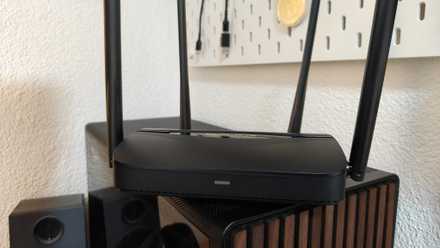
The TP-Link BE3600 gives you next-generation Wi-Fi 7 performance at an affordable price, delivering fast, reliable coverage with multi-gig ports and a powerful quad-core CPU. With powerful antennas, EasyMesh support, and modern features like MLO and HomeShield, it’s a simple, future-proof upgrade for any home.
In addition to lacking tri-band operation, dual-band Wi-Fi 7 routers are suitable Wi-Fi 7 routers
Even if they are slower than tri-band Wi-Fi 7 offerings

Now, in addition to not including the 6 GHz band, most budget Wi-Fi 7 routers are fully certified for Wi-Fi 7. They come with the mandatory features listed above, such as MLO, preamble punching, MRU, and WPA3. Some models also include 4096-QAM, which can provide faster speeds than Wi-Fi 6 and Wi-Fi 6E routers, as well as 2.5 Gbps WAN and LAN ports.
In general, you can expect faster speeds on the 2.4 GHz and 5 GHz bands compared to similarly positioned Wi-Fi 6 and Wi-Fi 6E routers, as well as lower latency thanks to the inclusion of MLO, which, even in its restricted alternative MLO form, can noticeably reduce latency.
On the other hand, due to the lack of a 6GHz radio, dual-band Wi-Fi 7 routers are slower than their tri-band counterparts. Not only that, but because they are notably cheaper than tri-band Wi-Fi 7 routers and feature less capable hardware, they often offer lower maximum speeds on the 2.4GHz and 5GHz bands and can’t serve as many clients simultaneously, although they still support features like MU-MIMO, preamble punching, and multiple resource drives.

Another area in which they fall short is connectivity. While tri-band Wi-Fi 7 models typically come with multiple 2.5 Gbps LAN ports and one 2.5 Gbps or even 10 Gbps WAN port, budget models typically offer one 2.5 Gbps WAN port and one or perhaps two 2.5 Gbps LAN ports, with the remaining ports maxing out at 1 Gbps.
So are dual-band Wi-Fi 7 routers worth it?
They beat getting a similarly priced Wi-Fi 6 model
In general, if you choose between similar prices Wi-Fi 6 and Wi-Fi 7 routers, it’s worth getting the Wi-Fi 7 model, even if it’s a little more expensive, to future-proof your network. But if you don’t own any Wi-Fi 7 client devices and aren’t planning on purchasing one anytime soon, you can save some money and opt for a cheap Wi-Fi 6 router.
If you have Wi-Fi 7 client devices or plan to purchase some in the near future, a cheap Wi-Fi 7 router is the best option because even affordable Wi-Fi 7 routers come with some nifty features and benefits. As I already mentioned, even alternative MLO comes with welcome benefits such as lower latency and improved reliability, even if it doesn’t offer the higher speeds associated with simultaneous MLO.
Then there’s preamble punching, which improves performance in highly congested locations by blocking parts of a channel affected by interference while allowing customers to use the rest. This can be especially useful if you live in an apartment building surrounded by dozens of neighboring Wi-Fi networks.
Multiple resource unit (MRU) is another useful feature that can improve latency, speed, and reliability by allowing client devices to use multiple resource units (RUs) instead of a single resource unit (simply put, a smaller portion of a Wi-Fi channel), as is the case with OFDMA on Wi-Fi 6 and Wi-Fi 6E routers. Having a router with MRU is, again, especially useful in highly congested locations.
In contrast, while 4096-QAM is better than 1024-QAM on paper because it allows for higher theoretical speeds, you’re unlikely to notice much difference in the 2.4 GHz and 5 GHz bands in real-world use.
Despite all of these useful Wi-Fi 7 features, if you live in an area inundated with Wi-Fi signals, a tri-band Wi-Fi 6E router may be a better choice than a similarly priced dual-band Wi-Fi 7 router because it gives you access to the 6GHz band, which is generally much less congested than the 2.4GHz and 5GHz bands.

- Brand
-
ASUS
- Wi-Fi bands
-
6GHz, 5GHz, 2.4GHz
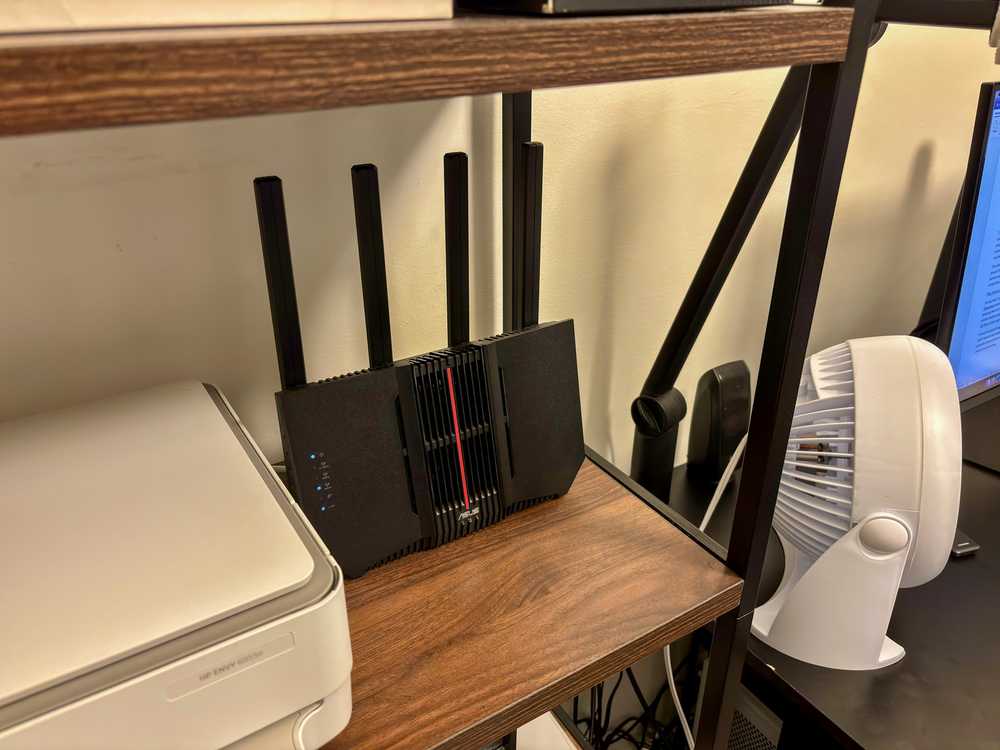
This is a great Wi-Fi 7 router, with 6GHz support, web and mobile app control, and five built-in Ethernet ports. You can add mesh nodes with any ASUS AiMesh-compatible router or extender.
Dual band Wi-Fi 7 routers are suitable Wi-Fi 7 routers and a better choice than many Wi-Fi 6 routers
So yes, there is nothing wrong with dual-band Wi-Fi 7 routers. As long as a router is Wi-Fi 7 certified, it doesn’t have to offer the 6GHz band, as a 6GHz radio is not on Wi-Fi 7’s list of required features.
On the other hand, dual-band Wi-Fi 7 routers do include mandatory features like MLO, MRU, WPA3, and Preamble Puncturing. The main thing you’re missing is the 6 GHz band, along with some optional features that can be found on higher-end models, such as 4096-QAM and 320 MHz channels, as well as extras often found on higher-end models, including 10 Gbps WAN ports and multiple 2.5 Gbps LAN ports.