
I stopped using Firefox a long time ago. Like most people, I switched to Chrome because I found it faster and easier to use. For years, I thought it would never come back, until version 149 came out.
I was struggling to keep my work organized and my computer was slowing down with too many tabs open. I decided to give Firefox one more chance to see if it could help me stay focused.
To my surprise, it actually improved my productivity during long browsing sessions. Here’s why the latest Firefox update finally convinced me to switch back.

Split View
The multitasking hero
Multitasking with different browser tabs is always a challenge. I would take a tab, open it in a new window, and try to pin it to the left side of my monitor while dragging another to the right.
It was clumsy, broke my concentration, and half the time the windows overlapped anyway.
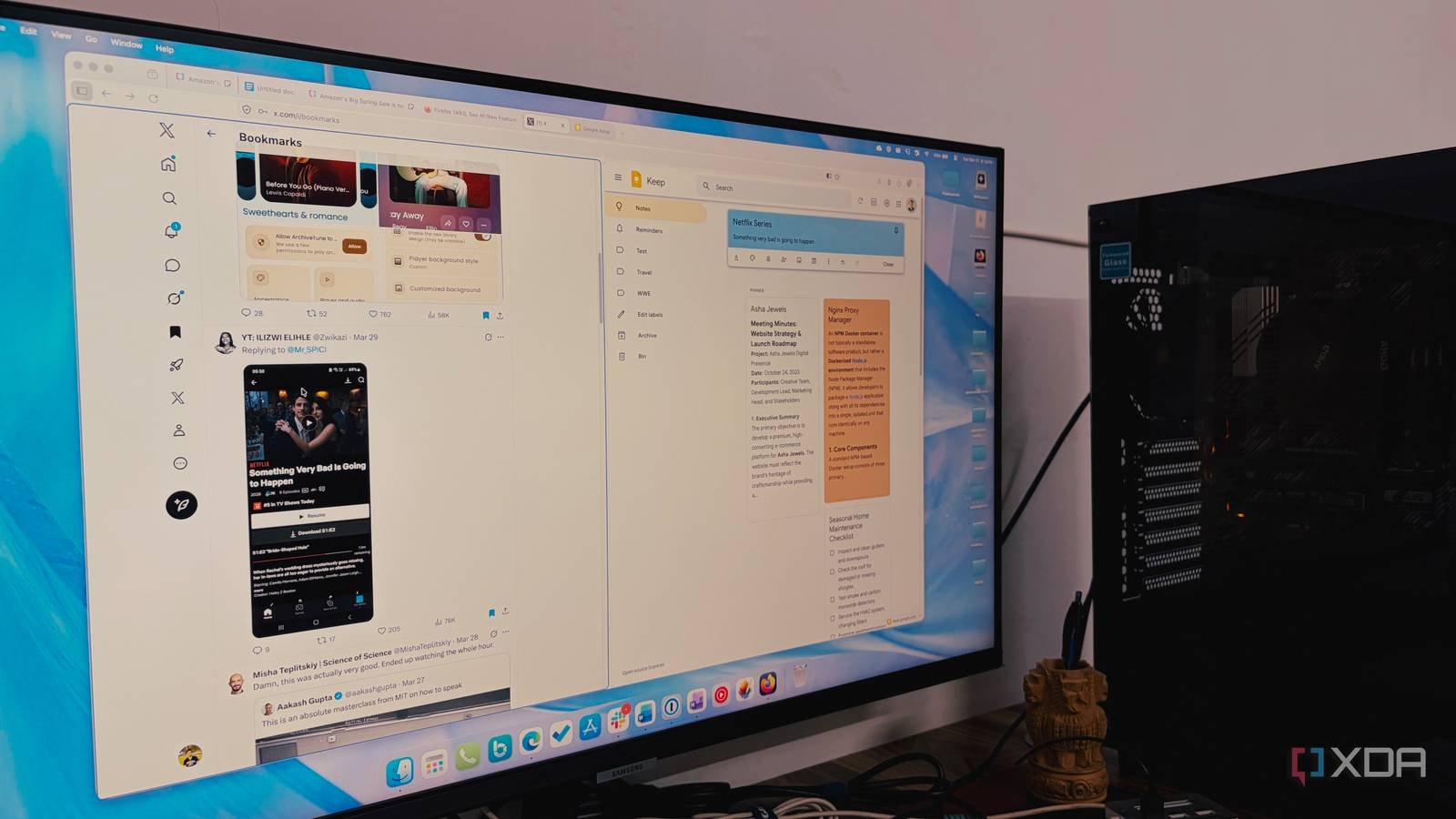
Now, instead of juggling multiple windows, I can simply right-click on a tab and select “Split View.” It instantly splits my screen in half within a single window. It sounds like a small change, but in practice it has changed the way I go about my workday.
I usually have a Google Doc open on the left side while pulling data or quotes from a source web page on the right side. I no longer have to switch back and forth or lose my place in a long article.
During Zoom calls or Google Meet sessions, I keep the video on one half of the split screen and my meeting notes or project dashboard on the other. I can stay involved with the team without having to constantly search for my notes.
When I search for new equipment or software, I split my view between two different product pages. It makes comparing specs and prices much easier when I don’t have to rely on my short-term memory to remember what I just read in the previous tab.
This feature alone has saved me dozens of clicks per hour. It’s smooth, integrated and finally makes my 32 inch monitor feel like the productivity tool it was meant to be.
Tab Notes
The digital sticky note

Tabbed notes are such a simple but effective concept. Allows you to attach a digital sticky note directly to a website. Instead of trying to memorize why I’m looking at a specific page, I simply click on the note icon and write down exactly what my “past self” was thinking.
It was the biggest victory for me recently. While searching for family gifts, I ended up with about 20 tabs open for different devices, books, and clothes.
Instead of getting overwhelmed, I added a note to each one: “Perfect for Mom’s garden” or “Dad mentioned he wanted this specific drill bit.” When I went shopping again a few days later, I didn’t have to re-evaluate each item. I just looked at my notes and revised.
I often start researching a complex topic, like comparing different insurance plans or learning a new coding language, but am interrupted by a meeting.
Now, before I close my laptop, I’ll leave a note on the tab that says, “Read the Benefits section on page 4 below.” When I reopen Firefox the next morning, I don’t waste fifteen minutes trying to find where I left off. I’m back in the flow immediately.

Built-in VPN
Hassle-free privacy

I’ve always known that I should use a VPNespecially when I work at a local coffee shop, but I rarely did. In the past, it was always a hassle to pay for a separate subscription, remember to launch a bulky app, or deal with an incomplete free extension that felt more like a liability than an asset.
Firefox now offers a no-nonsense free VPN right in the toolbar. It is not a hidden stage; It’s a simple change that gives me an instant layer of protection. Note that this is a browser-level proxy, meaning it protects what I’m doing within Firefox rather than across my entire computer.
Firefox offers a free monthly limit of 50 GB, which is enough for my workflow. Now, when I open my laptop at a coffee shop, I don’t have to think twice about the “Free Public WiFi” sign.
I simply click on the VPN icon in the top right corner and my IP address and location are masked.
Faster, smarter, better
I didn’t expect a browser update to change my daily workflow, but the latest version of Firefox did exactly that. It’s nice to see how an update focuses heavily on how we do things rather than just what that interface looks like.
If you’re like me and walked away from Firefox years ago, now is the time to go back. Whether you’re tired of sub-par free VPN apps or losing context in open tabs, version 149 is worth downloading.
Apart from Firefox, here are others open source desktop browsers you can try in your workflow.



