

Linux has slowly closed almost all the loopholes that used to keep people chained to Windows. game jobs Through Proton, the desktop is polished and, for many users, modern layout It’s a perfectly viable daily driver. However, there is one key feature that Linux struggles to match, and it has nothing to do with application parity.
When you plug in a peripheral or other piece of hardware, both operating systems will detect it, but the biggest question is about drivers. Plug an unknown device into a Windows 11 machine and there’s a good chance it will just work, often without the user knowing that a driver has been installed. Do the same on Linux and the result will be less predictable and often require user intervention to work as intended.
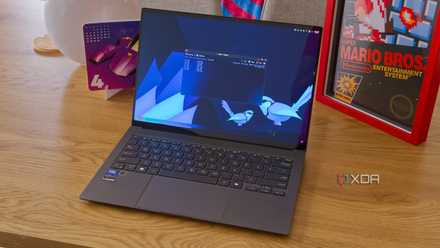
Vendors target Windows first
And probably always will
When a company ships a new graphics card, a combined Wi-Fi and Bluetooth module, or something like a fingerprint reader, the Windows driver is the one that’s been around since day one. Linux support frequently comes later, sometimes much later, and sometimes not even for specific parts. And it’s understandable why: it doesn’t make sense for vendors to spend a ton of man hours developing a driver for a user group that is relatively small compared to the Windows user base. Hardware vendors build for the platform with the largest desktop install base, and everything else follows.
Windows also does a respectable job of installing that driver on the machine without much effort. For most devices, Windows automatically installs a functional base driver through Windows Update, based on a large catalog of certified packages sent by manufacturers. It’s worth being honest about the limits here, because Windows has reduced what it installs without asking. Many vendor drivers now appear as optional updates that the user must opt-in for, and the latest features still tend to come from a vendor utility. But the basic feature almost always works on its own, and when it doesn’t, you’re not far from finding a working driver for Windows 11.
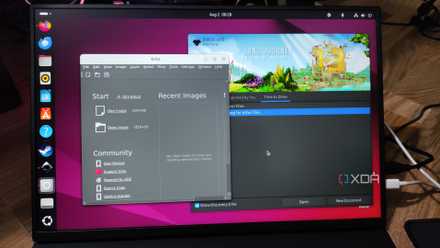
The driver is only part of the story.
Getting full functionality is a whole different conversation

A driver makes a device communicate with the operating system, but unlocking everything the device can do is a separate issue and is often where the gap really widens between Windows and Linux.
RGB lighting profiles, mouse DPI stages and macros, capture card software, webcam tuning, fingerprint registration, dock firmware updates, and Thunderbolt tend to be included in vendor software that ships first for Windows, and often only. Linux has really good community answers for some of this, projects like OpenRGB for lighting and Solaar for certain peripherals, but they cover a subset of hardware rather than the entire field and sometimes don’t offer the full set of functionality.
The in-device AI accelerators featured in Copilot+ laptops make this point even more evident. The kernel driver for AMD NPUs was updated and the hardware was detected, but for a long period there was almost nothing in Linux that could actually make the NPU work. Useful support for running models arrived recently, and getting there meant a very current kernel combined with specific runtimes, neither of which are something a typical user will stumble over and land on both feet.

For everyday hardware, Linux is fine
Plug-and-play is here for almost all.

The truth is that Linux covers most of its bases quite well and, in some aspects, surpasses Windows. The Linux kernel is monolithic and includes thousands of drivers in the tree itself. When a recognized device appears, the kernel device manager loads the corresponding module automatically, with no vendor website, no installer, and no reboot. Many older, mainstream computers that cause Windows to search for a chipset or storage controller simply turn on Linux the moment they connect.
The printing press is a good example of this. Through the standard print stack and IPP Everywhere protocol, most printers made in the last decade can be discovered and used on Linux without installing anything model-specific, the same driverless approach behind AirPrint and Mopria. Windows also has its own embarrassments to answer for here, most notably the new installation that appears with no network driver for the Wi-Fi or Ethernet adapter required to download one, something I’ve gone through on more than one occasion.
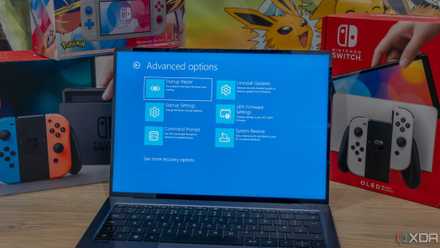
It’s great until you find a device that isn’t compatible.
Windows wins at the margin

The problem is that the kernel’s internal model is also exactly the reason why long tail fails on Linux. If a device hasn’t been updated yet, which is common at launch, or if a carrier never bothered to update it, the options become very slim and very fast.
And this is exactly where Windows continues to win. Windows downgrades gracefully, because there is almost always at least one driver to install, even when it’s not automatic. Linux is closer to binary: the device is covered or not. Fingerprint readers are the clearest case: Support depends entirely on whether the specific sensor is in the library, and a person could easily land on a laptop whose reader needs a separate driver package, source build, or Windows machine just to record prints, if it works at all.
I ran into similar problems when trying to use CachyOS on an ASUS Zenbook Duo. The dual screens and detachable keyboard relied so heavily on Windows-specific drivers that while some aspects of the laptop worked well, many of them simply didn’t work at all. It’s really a roll of the dice and you never know what exactly will work until you plug it in and try it.
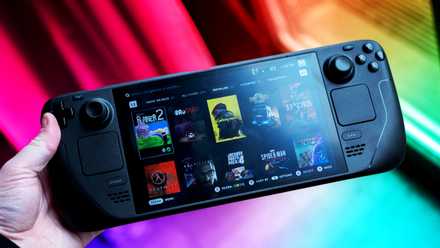
Linux may be plug-and-play with conventional elements, but Windows still beats it in everything else
None of this is a knock Linux as a daily driverand it’s worth remembering that the gap continues to narrow, because each device that is updated is one less thing to worry about. This is part of the problem, however, and if you use niche devices, the chances of your specific device being updated, while not slim, are not something you want to wait for, especially if you use this device on a daily basis.
Windows doesn’t ask you to make that bet. No matter what you plug in, there’s almost always a working controller waiting, and for new or unusual devices it’s hard to give up that certainty. Until the core closes the distance at the margins, Windows maintains the only advantage That has nothing to do with gaming or app parity.



