

Modern charging bricks are little computers in themselves, packed with circuitry to protect your devices from problems while charging. If you stick with big name brands, these should be good quality, and that’s part of the reason we haven’t done anything. charger reviews for a while.
Matching specifications to your device’s needs is the least of it when looking for a new charger, as certification and protection circuitry are more important now that USB Power Delivery is the dominant standard. And in addition to paying attention to the specifications, look for real charger tests to find which ones live up to your marketing.
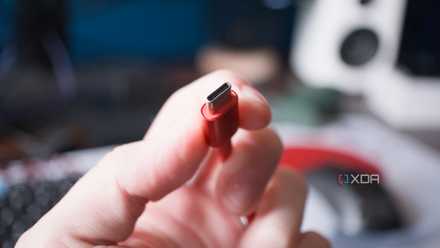
Not all chargers are the same
And a bargain could make you pay later

Not every device charger is worth plugging into the wall, let alone your expensive device. Properly designed chargers will also be properly tested and certified and produce the wattage they claim to produce.
Everything else is a roll of the dice with your devices and your security. Cheap chargers can burn your device or, in the worst case, set your house on fire. That’s why I try to avoid no-name chargers and, if possible, recommend sticking with well-known brands and OEM versions. I learned my lesson the hard way and I don’t want others to go through the pain of losing devices due to shoddy charging methods.
Charger Basics You Should Be Interested In
Specifications, certifications and other important information
Let’s bust a charging myth right off the bat. Connect your device to a USB charger capable of higher watts it’s not going to hurt you. This is because devices negotiate what they consume, the charger is not the part of the equation that is in charge.
The chargers are specified by voltage (V), current (A) and power (W= V x A). USB-C and most mobile devices use a range of 5 to 20V, while USB Power Delivery 3.1 extends it up to 48V (for 240W charging).
However, surges can damage your devices and that’s why you want good quality chargers with over-voltage protection (OVP). You also want overcurrent protection (OCP), short circuit protection (SCP), overtemperature protection (OTP), and undervoltage protection/lockout (UVP/UVLO). Each of these should be present on a good quality charger, and cheap units often omit one (or more) from the group.
None of the other specifications matter without certification. You want your charger to be certified for USB-C PD (PD 3.1 if 240W) and also mention Programmable Power Supply (PPS) for best efficiency and heat management. Treat with suspicion any charger that says power without PD or PPS.

You also want to search USB-IF certification. It’s logos like the one above that indicate power and data transfer speeds and are often printed on the charger or the USB connector on cables. Filtering for them, especially above 100W, is the easiest way to avoid buying junk.
GaN vs. “normal” chargers

GaN means Georgiamess northItride, a more efficient semiconductor that switches faster and runs cooler, so you get the same charging power but in a smaller package. He doesn’t mean instantly saferbecause other design considerations control it, but sticking to well-known brands is advisable for reliability over time.
Regardless of what companies want you to believe, GaN is more significant above 65Wwhere you can make multiport chargers that are small and portable, perfect for traveling or keeping in your bag to charge a PC gaming console and your phone. The 15 to 30 W GaN chargers are hardly an improvement over the previous type, but they could end up being the most affordable option depending on the moment.
Important specs vs. marketing noise

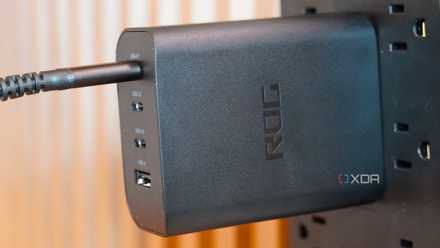
One of the most important things to keep in mind is the specifications of total power and per port. This is the one that always trips me up, because you may have a 100W charger like the one shown above, but it’s only 100W if you use it. a portwhile if you use both ports you get 45W each.
Then it’s about looking for compatible protocols, such as PD version, PPS, etc.; safety protections and certifications from USB-IF (if for USB charger) and regional safety marks such as UL.
Any buzzwords, such as random statements of x times faster either AI Load They are mostly fluff, and you can ignore small power GaN chargers (45W or less), where size and heat were never the limiting factor. GaN excels above 65W, where size matters.
What to worry about by device class
Not all chargers are suitable for all devices
While it is possible to use the same USB-PD charger for each of your devices, it is good to know the details of each category if you want to better meet your needs. Having one or two higher-powered chargers with multiple ports is great for traveling, but it limits charging to a single area when you’re at home, and I like to have multiple chargers for everything in case one gets lost.
laptops
For laptop chargers, it depends on whether your laptop uses USB-C or a proprietary connector. If it’s the latter, stick with the OEM charger and buy a replacement. I have literally been burned by third party ones and will not suggest them anymore.
Other than that, match (or preferably exceed) the wattage of the laptop’s specifications. That gives you some headroom in case of power consumption spikes and allows the charger to work less, generating less heat.
It must also support the correct PD/EPR profile for the desired power. For example, 20 V at 5 A for a total of 100 W, or 28-48 V profiles for 140-240 W PD 3.1. And above 100 W, the choice of cable is important. He has to Be a cable with electronic marking of 5 A and capacity for 240 W; Otherwise, it may cause damage.
Phones and small tablets
Generally, you want USB-C PD with PPS to give you the most compatibility and controlled fast charging behavior. Qualcomm QC has all but disappeared from the market, but you may have an older device that needs it.
If you have a OnePlus or other device with proprietary fast charging, stick with OEM chargers. Otherwise, you can get almost any charger with between 20 and 45W capacity per port. Most USB-C cables will operate under 15W, but for anything higher you’ll want cables with the appropriate e-brand and rating.
Game consoles and laptops
Portable PC gaming devices like the Steam platform (45W) and ROG Xbox Ally X (65W) They are essentially small laptops and should be treated the same for charging needs. Use PD compatible chargers and you will be fine. The game controllers and headphones work well with any 5V USB-A or USB-C port on decent chargers.
If you have a Nintendo Switch, stick with official chargers or those specifically listed as compatible, because the charging specs on the first console are a little different than the normal ones for USB-C. He nintendo switch 2 is different and you can use any charger that correctly follows PD rules.
How to stay safe
It doesn’t matter what charger you are using

I’m going to say this again, cheap chargers are not worth it. Stick to reputable brands that display real USB-IF logos for higher wattage chargers. If it is less, you run the risk of not having essential protection circuits. Size your charger 30% to 40% larger than your maximum power draw, so for a 65W laptop you would use a 100W charger. This improves reliability and reduces thermal stress.
The cables are another thing to take into account. We all have a drawer full of old USB cables and it’s time to throw them away. Especially any that appear to have visible damage or sprains, but starting over is probably safer. Stick to cables from decent brands for anything under 60W, but for 100W+, you’ll want 5A cables with e-branding and visible 100-240W or 240W logos, and they should be from well-known brands.
While charging, the charging block is fine if it gets hot. If you can’t touch it because of the heat or you smell something funny, unplug it and throw it away. Keep the charger visible while charging, and if you see anything strange like charging stopping, hearing humming noises, or anything else, it’s time to replace that charger.

Cheap chargers are not worth it
Look, we all love a bargain. Sometimes that deal comes with strings attached, and buying cheap chargers is one of those times. At best, you’ll get inconsistent charging because it won’t deliver the right amount of power to your device. In the worst case, it could damage your device or cause a fire. It’s not worth the stress. Stick to well-known brands, check all safety marks that show they’ve been tested, and charge things safely even then, because manufacturing processes aren’t foolproof.



